> ## Documentation Index
> Fetch the complete documentation index at: https://help.lobstr.io/llms.txt
> Use this file to discover all available pages before exploring further.
# How to upgrade, downgrade, or cancel your lobstr.io plan
> Change your lobstr.io subscription plan at any time — upgrade for more credits, downgrade to save, or cancel and pause your account.
Need to change your plan? Upgrades, downgrades, and cancellations are all managed from the **Plans & Billing** section of your lobstr.io dashboard.
## Upgrade or downgrade your plan
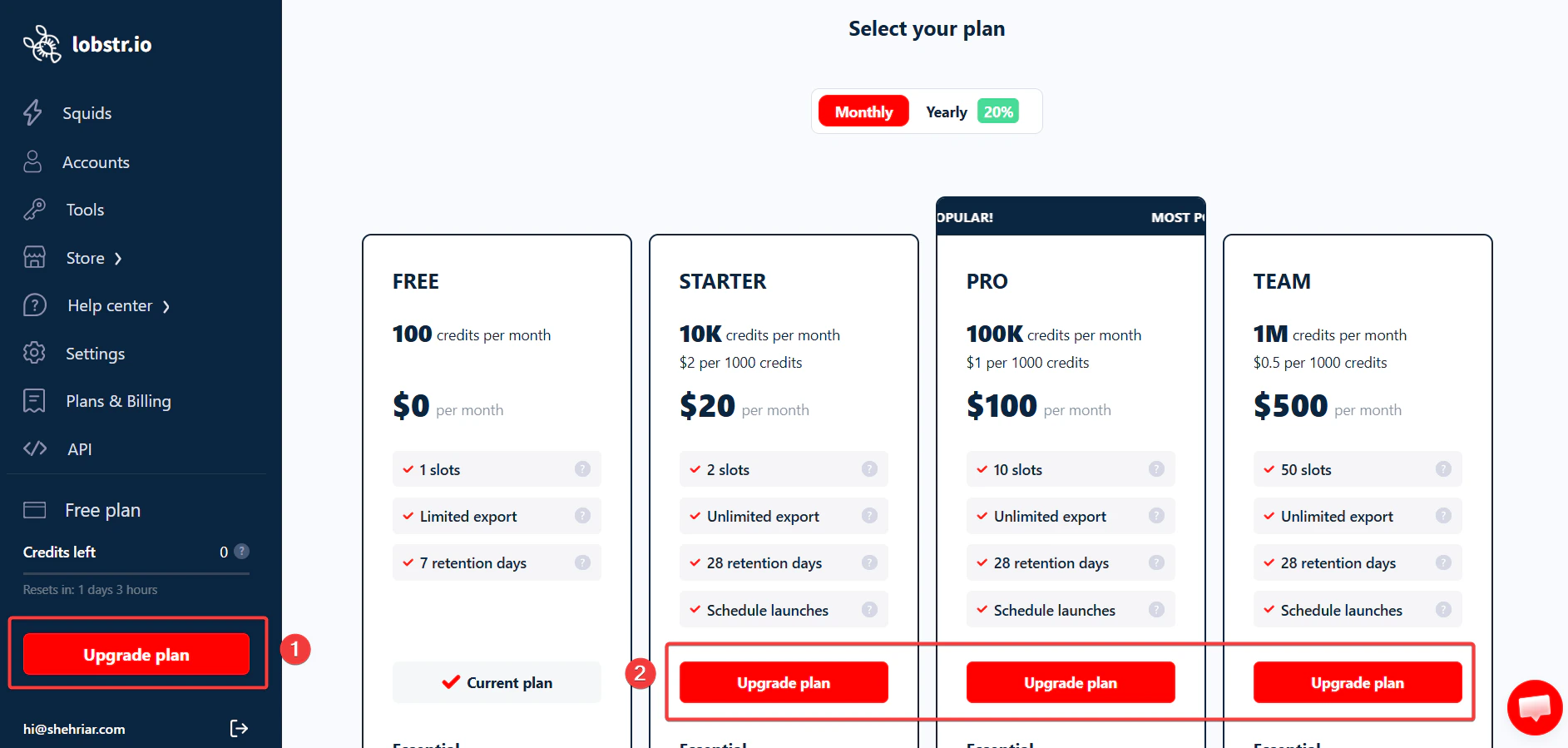 Sign in at [app.lobstr.io](https://app.lobstr.io).
In the left-hand menu, scroll down and click **Upgrade plan**, located just below your credit usage counter.
Choose the plan you'd like to switch to.
Confirm your choice — your subscription updates instantly.
Or click here to go straight to the [plan upgrade/downgrade menu](https://app.lobstr.io/dashboard/pricing).
### What happens to my billing when I upgrade?
When you upgrade, the change takes effect **right away** — you don't have to wait for your current billing cycle to end.
You're refunded the unused portion of your current plan, and a new billing cycle begins with your new plan.
**Example:** You're on a €50 plan that started January 1st, and you upgrade to a €250 plan on January 15th.
* You get a refund of the unused time on the €50 plan — about €25.
* Your new billing cycle for the €250 plan runs from January 15th to February 15th.
You only pay for what you use — the upgrade is smooth and automatic.
## Cancel your subscription
Sign in at [app.lobstr.io](https://app.lobstr.io).
In the left-hand menu, scroll down and click **Upgrade plan**, located just below your credit usage counter.
Choose the plan you'd like to switch to.
Confirm your choice — your subscription updates instantly.
Or click here to go straight to the [plan upgrade/downgrade menu](https://app.lobstr.io/dashboard/pricing).
### What happens to my billing when I upgrade?
When you upgrade, the change takes effect **right away** — you don't have to wait for your current billing cycle to end.
You're refunded the unused portion of your current plan, and a new billing cycle begins with your new plan.
**Example:** You're on a €50 plan that started January 1st, and you upgrade to a €250 plan on January 15th.
* You get a refund of the unused time on the €50 plan — about €25.
* Your new billing cycle for the €250 plan runs from January 15th to February 15th.
You only pay for what you use — the upgrade is smooth and automatic.
## Cancel your subscription
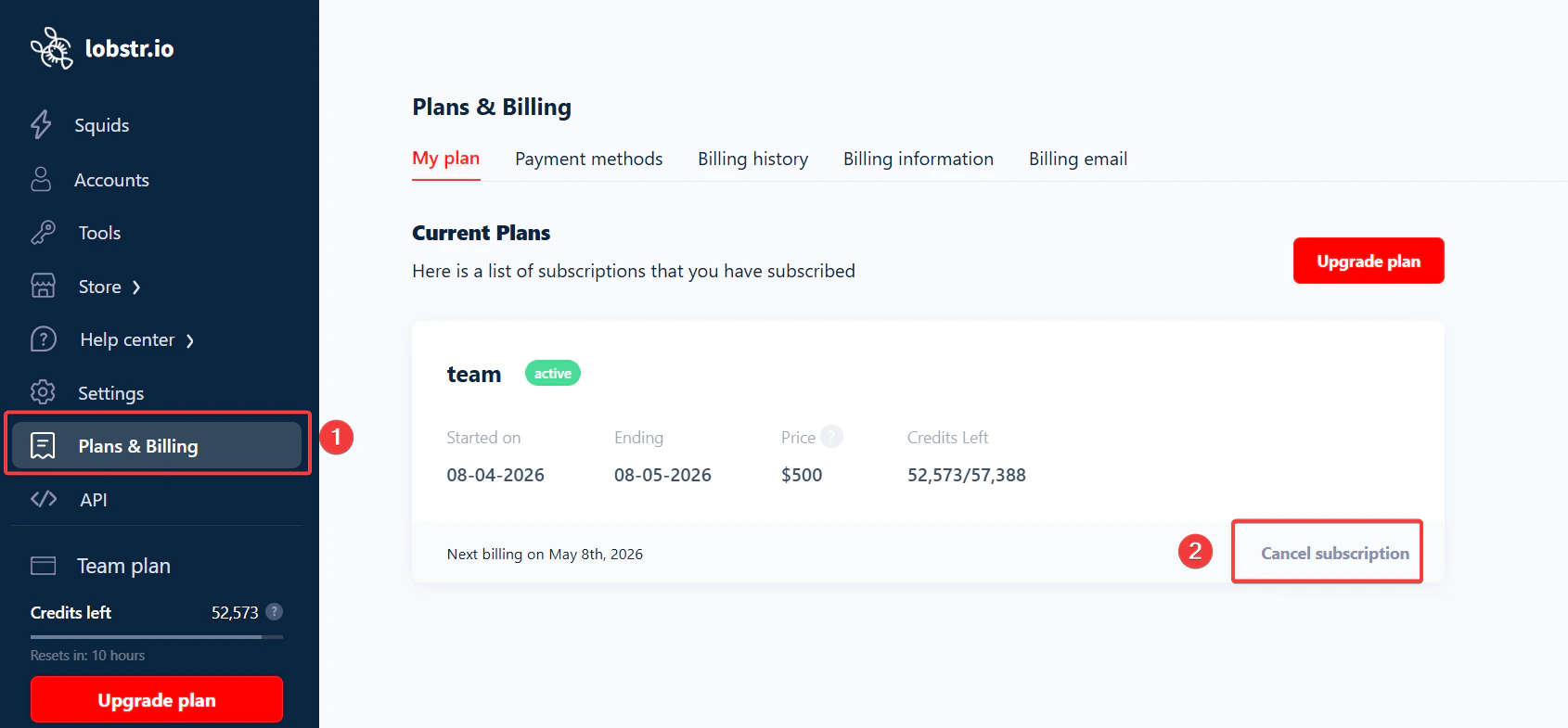 Sign in to your lobstr.io account.
In the left-hand menu, click **Plans & Billing**.
Under your current plan details, click **Cancel subscription**.
Share a reason (it helps lobstr.io improve) and confirm.
Or click here to go straight to the [plan cancellation menu](https://app.lobstr.io/dashboard/plans#my-plan).
### What happens if I cancel mid-month?
You can cancel anytime — **you won't lose access right away**. You've already paid for the full billing cycle, so you keep all your credits and features until the end of that cycle.
Sign in to your lobstr.io account.
In the left-hand menu, click **Plans & Billing**.
Under your current plan details, click **Cancel subscription**.
Share a reason (it helps lobstr.io improve) and confirm.
Or click here to go straight to the [plan cancellation menu](https://app.lobstr.io/dashboard/plans#my-plan).
### What happens if I cancel mid-month?
You can cancel anytime — **you won't lose access right away**. You've already paid for the full billing cycle, so you keep all your credits and features until the end of that cycle.
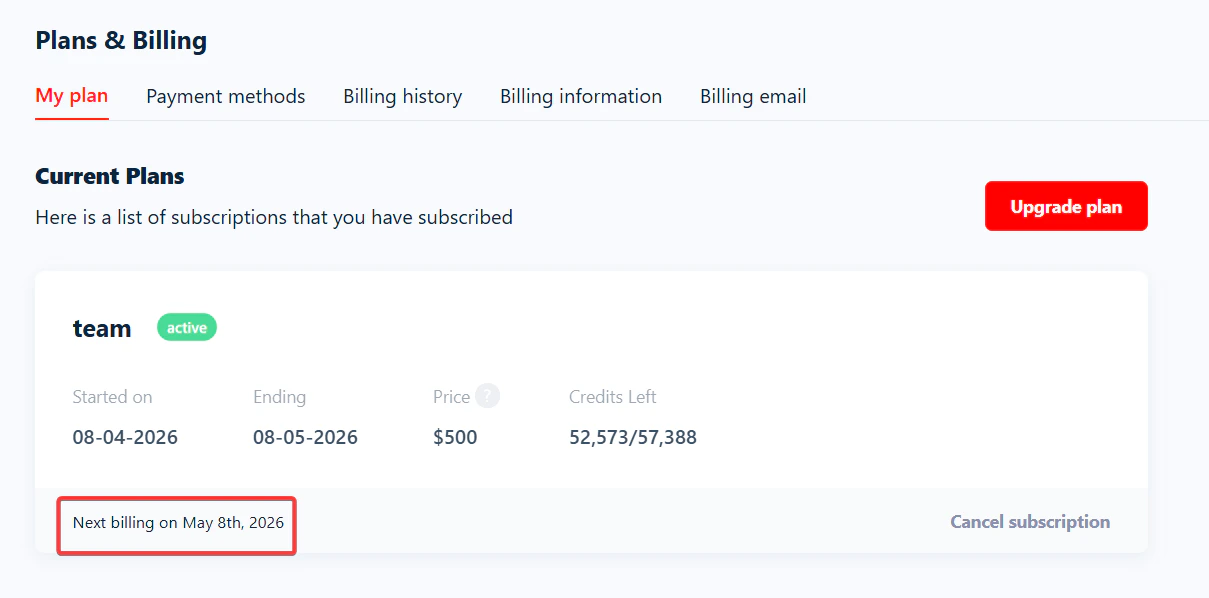 **Example:** your plan renews on the 3rd of each month and you cancel on the 18th — your subscription stays active until the 3rd of the next month.
## Pause your account
There's no actual "pause" button on lobstr.io — but you can still take a break whenever you need.
To do that, just **downgrade to the free plan** from the **Plans & Billing** section. You can keep using the free version of lobstr.io in the meantime.
**Example:** your plan renews on the 3rd of each month and you cancel on the 18th — your subscription stays active until the 3rd of the next month.
## Pause your account
There's no actual "pause" button on lobstr.io — but you can still take a break whenever you need.
To do that, just **downgrade to the free plan** from the **Plans & Billing** section. You can keep using the free version of lobstr.io in the meantime.
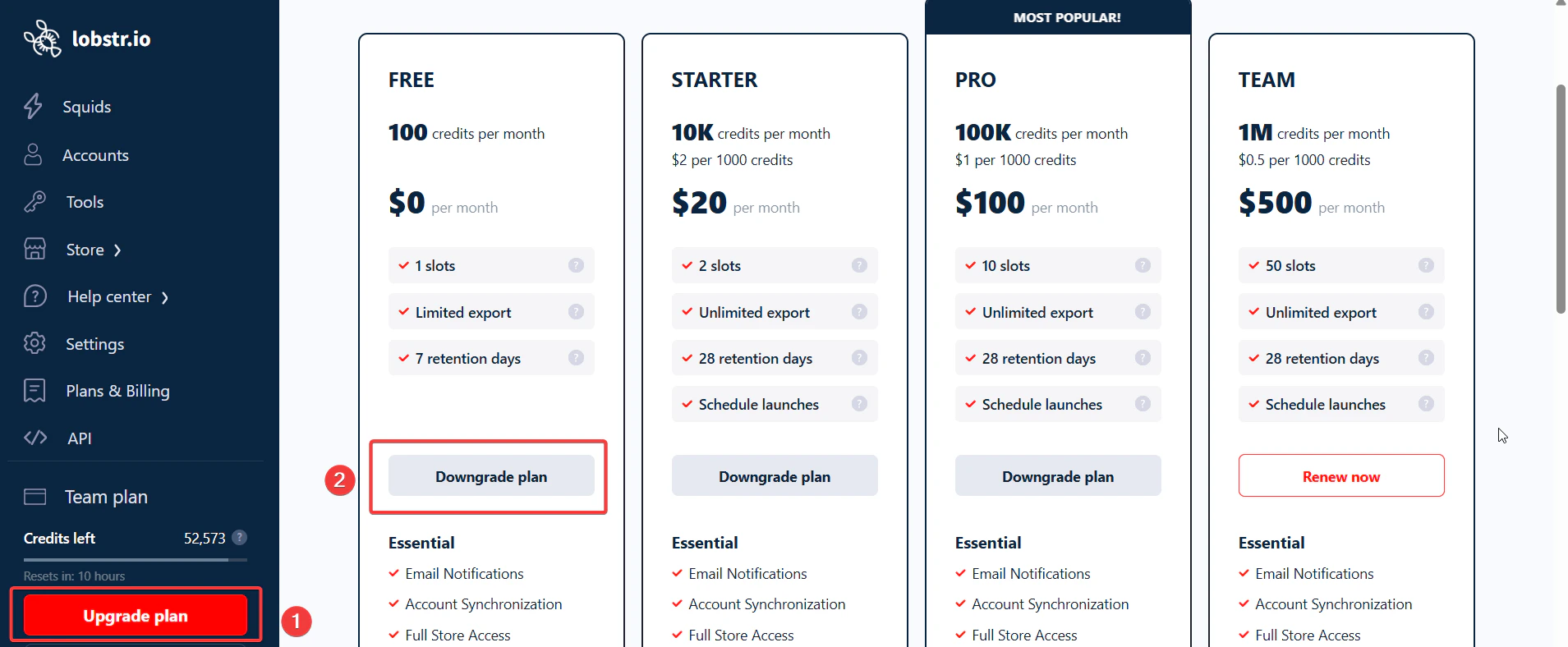 When you're ready to come back, simply upgrade to your preferred plan again. Your account will be right where you left it.
## Can I reset my subscription after using all my monthly credits?
Yes — see the detailed guide: [How to Reset Your Billing Cycle](/billing/reset-billing-cycle).
When you're ready to come back, simply upgrade to your preferred plan again. Your account will be right where you left it.
## Can I reset my subscription after using all my monthly credits?
Yes — see the detailed guide: [How to Reset Your Billing Cycle](/billing/reset-billing-cycle).