> ## Documentation Index
> Fetch the complete documentation index at: https://help.lobstr.io/llms.txt
> Use this file to discover all available pages before exploring further.
# How to find your API key and use the lobstr.io REST API
> Locate your lobstr.io API key in account Settings to access the REST API for triggering Squid runs and fetching scraped results programmatically.
Your lobstr.io API key gives you programmatic access to your scraping jobs. You can use it to trigger Squids, check their status, and retrieve results via the [lobstr.io REST API](https://docs.lobstr.io) — without touching the dashboard.
## Find your API key
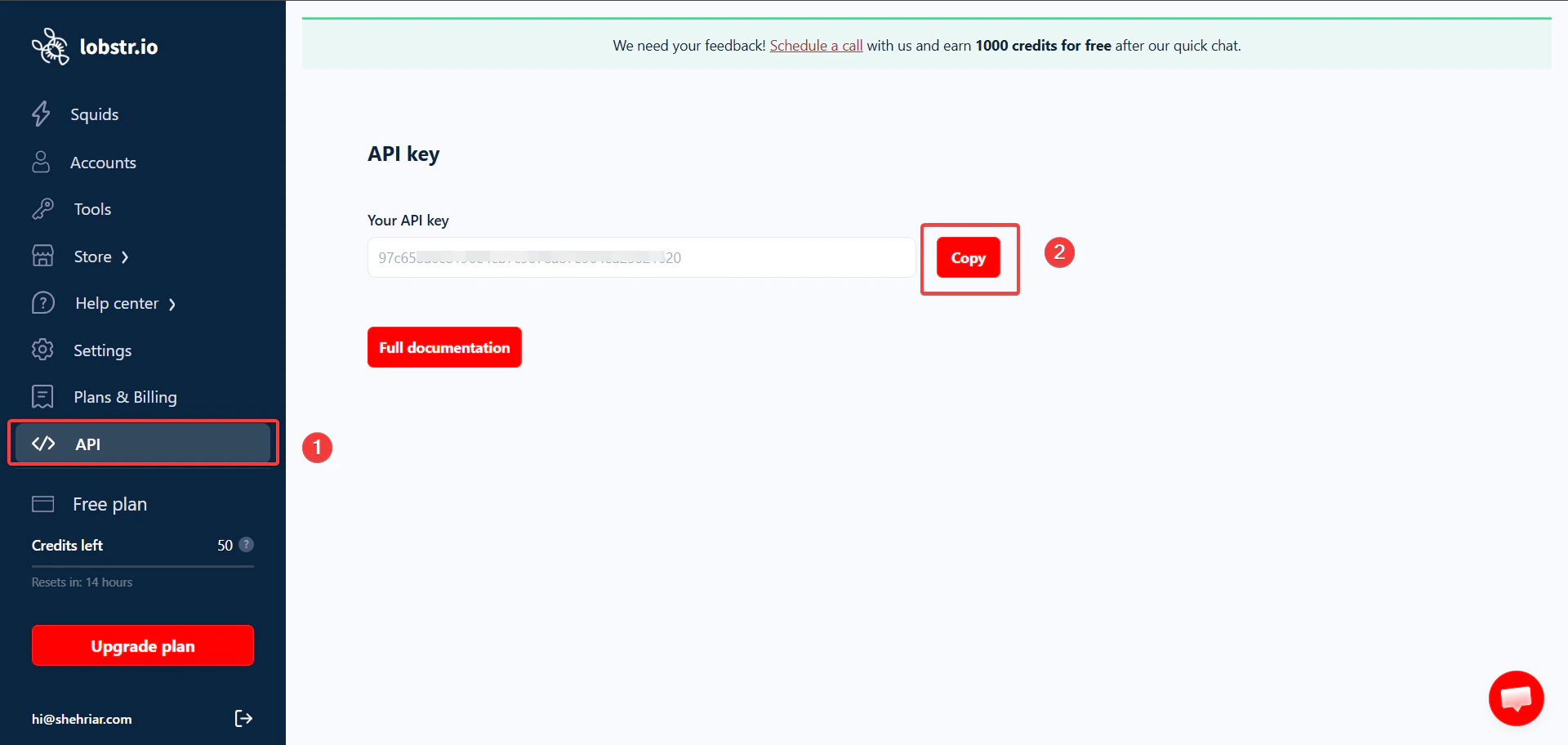 Log in to your [lobstr.io dashboard](https://app.lobstr.io) and click **Settings**.
On the Settings page, click the **API key** tab.
Click the **Copy** button to copy your API key to the clipboard.
## Use your API key
Pass your API key as a `Token` in the `Authorization` header of every request to the lobstr.io API:
```bash theme={null}
curl -X GET "https://api.lobstr.io/v1/me" -H "Authorization: Token YOUR_API_KEY"
```
Replace `YOUR_API_KEY` with the key you copied from Settings. For the full list of available endpoints, see the [lobstr.io API documentation](https://docs.lobstr.io).
Treat your API key like a password. Do not share it publicly, commit it to version control, or include it in client-side code. If your key is compromised, generate a new one from Settings immediately.
Log in to your [lobstr.io dashboard](https://app.lobstr.io) and click **Settings**.
On the Settings page, click the **API key** tab.
Click the **Copy** button to copy your API key to the clipboard.
## Use your API key
Pass your API key as a `Token` in the `Authorization` header of every request to the lobstr.io API:
```bash theme={null}
curl -X GET "https://api.lobstr.io/v1/me" -H "Authorization: Token YOUR_API_KEY"
```
Replace `YOUR_API_KEY` with the key you copied from Settings. For the full list of available endpoints, see the [lobstr.io API documentation](https://docs.lobstr.io).
Treat your API key like a password. Do not share it publicly, commit it to version control, or include it in client-side code. If your key is compromised, generate a new one from Settings immediately.