> ## Documentation Index
> Fetch the complete documentation index at: https://help.lobstr.io/llms.txt
> Use this file to discover all available pages before exploring further.

# Create a free lobstr.io account

> Sign up for free in less than a minute. No credit card required.

Sign up at [lobstr.io](https://lobstr.io) for free. No credit card required — just an email and a password.

<iframe width="100%" height="400" src="https://www.youtube.com/embed/21dB-zMnTO4" title="How to sign up on lobstr.io" frameBorder="0" allow="accelerometer; autoplay; clipboard-write; encrypted-media; gyroscope; picture-in-picture" allowFullScreen />

<Steps>
  <Step title="Create your account">
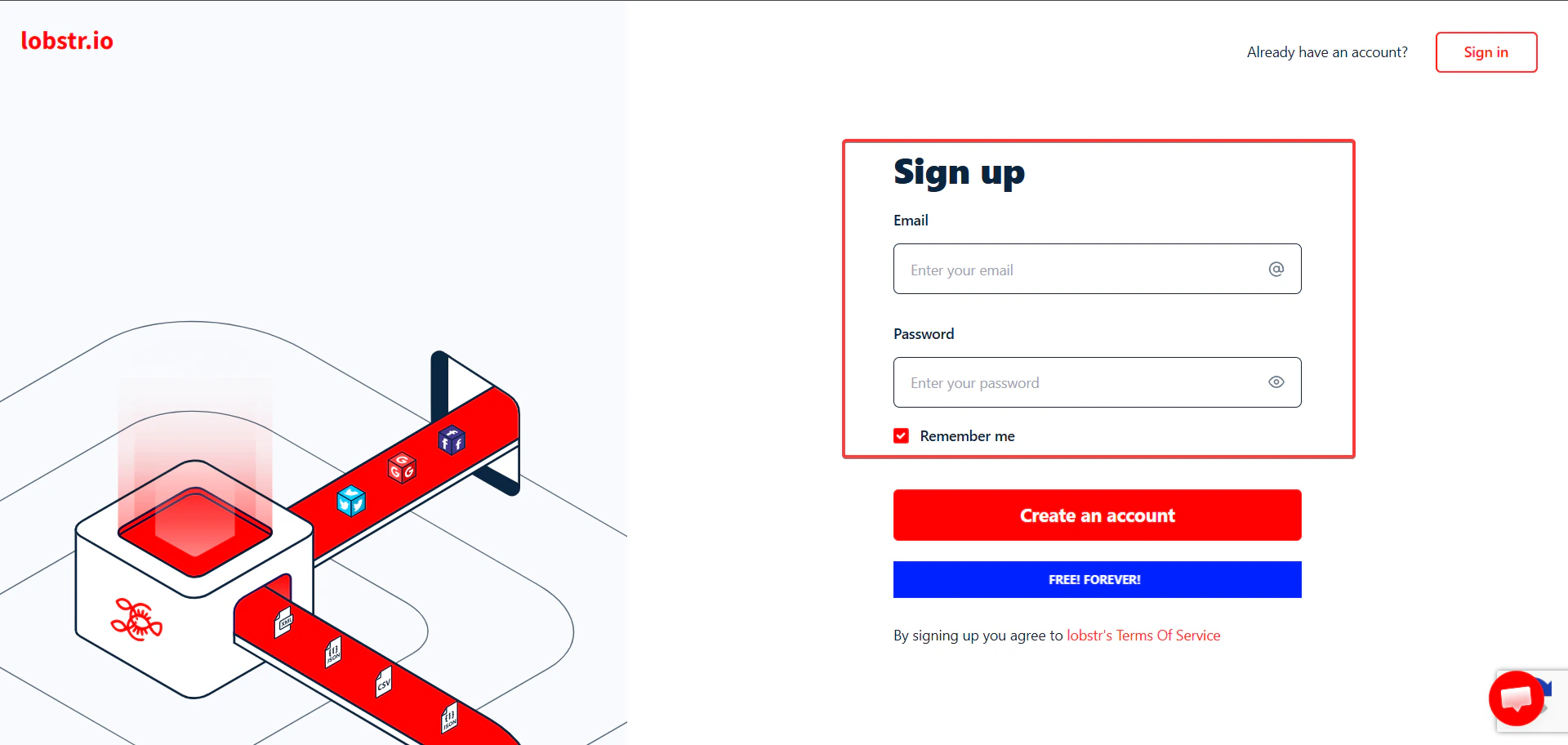
    Go to [lobstr.io](https://lobstr.io) and fill in the sign-up form:

    1. Enter your email address.
    2. Choose a password.
    3. Click **Create an account**.

    <Frame>
      <img src="https://mintcdn.com/lobstrio-8dcae32c/TP4dG_53RZAF-574/images/sign-up-page.png?fit=max&auto=format&n=TP4dG_53RZAF-574&q=85&s=799a148eceb5f0c2cac8a2493a639c0b" width="1920" height="912" data-path="images/sign-up-page.png" />
    </Frame>
  </Step>

  <Step title="Verify your email">
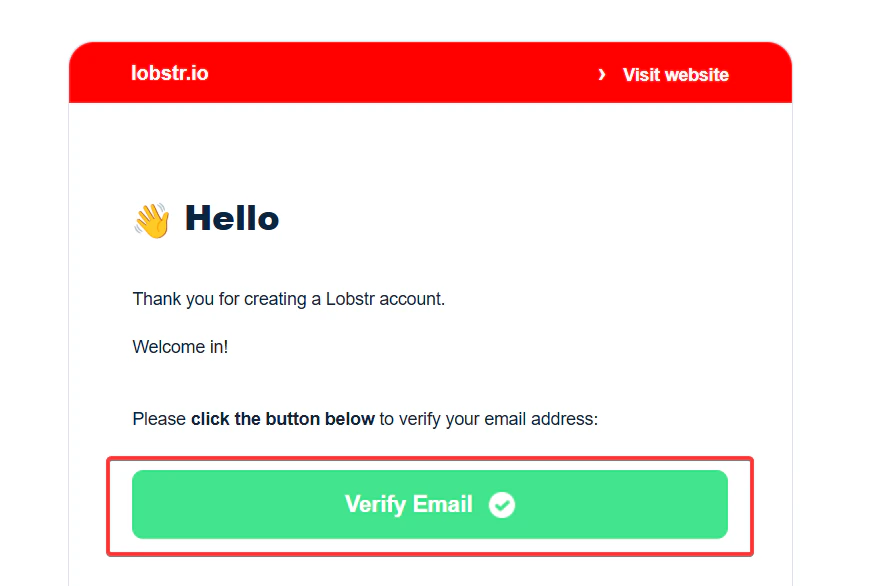
    Check your inbox for an email from lobstr.io with the subject **"Activate your account"** and click **Verify Email**.

    <Frame>
      <img src="https://mintcdn.com/lobstrio-8dcae32c/TP4dG_53RZAF-574/images/verify-email.png?fit=max&auto=format&n=TP4dG_53RZAF-574&q=85&s=655e027dfe853465e167b110c22eb5ba" width="874" height="586" data-path="images/verify-email.png" />
    </Frame>
  </Step>

  <Step title="Start scraping">
    You'll be redirected to a success page. Click **Start now** to open your dashboard and launch your first scraper.
  </Step>
</Steps>