> ## Documentation Index
> Fetch the complete documentation index at: https://help.lobstr.io/llms.txt
> Use this file to discover all available pages before exploring further.
# How Google Maps filtering works: geo match and category match
> The Google Maps Leads Scraper filters results at the crawl level with Geo Match and Category Match, so you only collect — and pay for — businesses that match your location and category.
Google Maps doesn't always return exactly what you search for — you often get the wrong business type, or businesses from the wrong city or country. The **Google Maps Leads Scraper** fixes this with two automatic filters that run at the crawling level, before results ever reach your output file.
Filtering happens automatically. You don't need to clean your data manually after a run — lobstr.io handles it during the scrape itself.
## Why Google Maps results can be inaccurate
When you search for businesses on Google Maps, the results don't always match what you're looking for — you often get the wrong business type or wrong city/country.
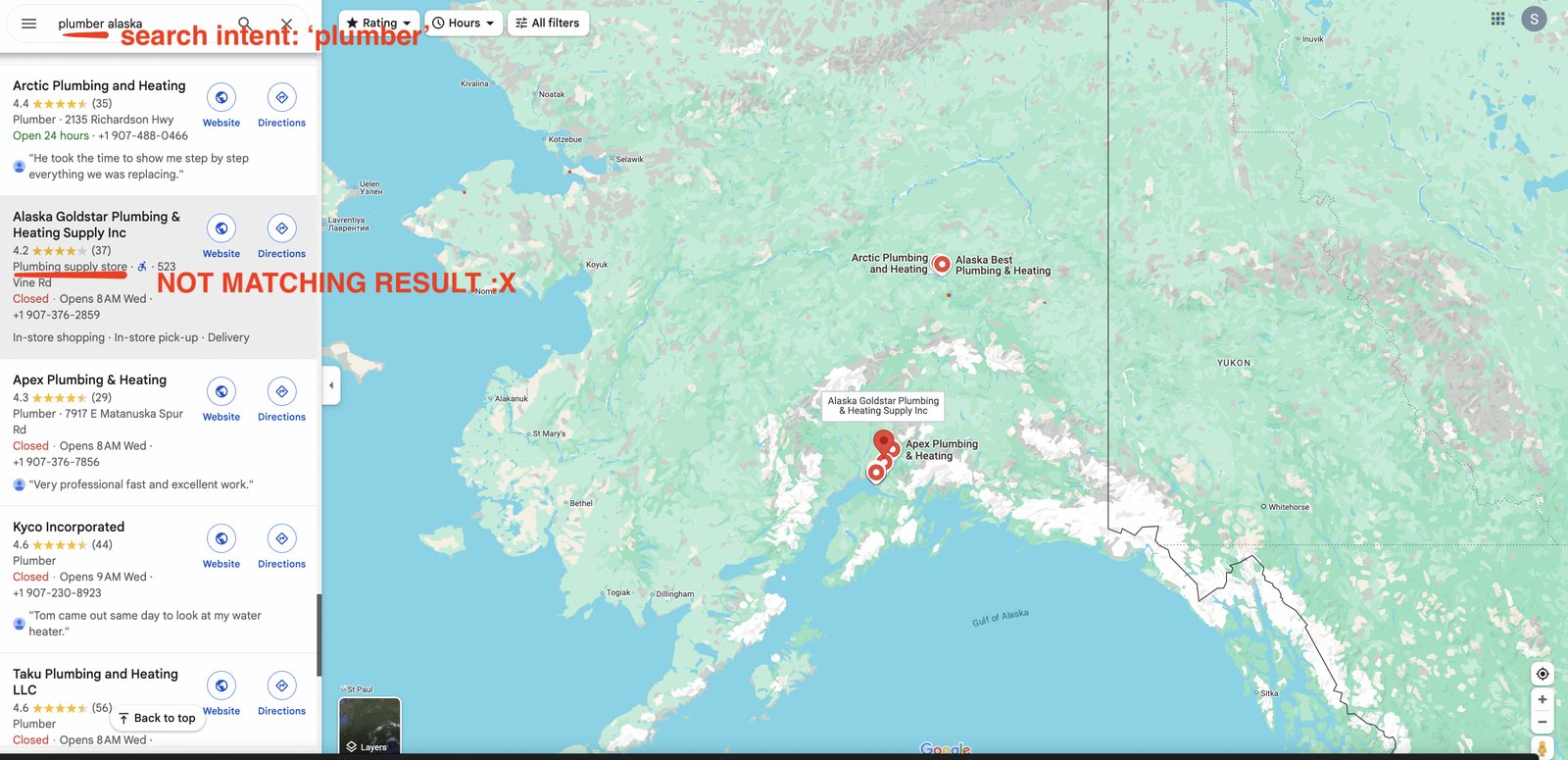
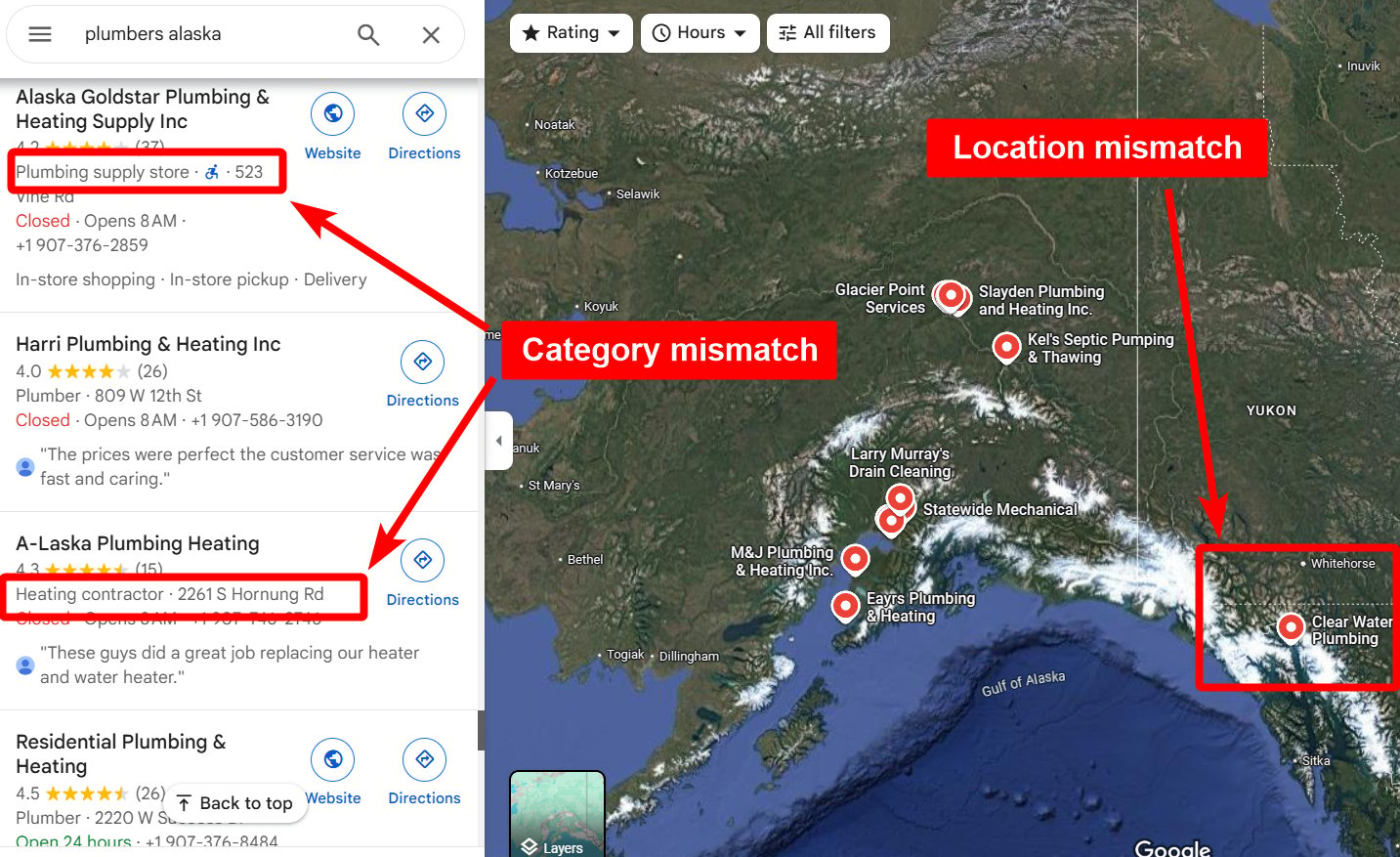 For example, search for plumbers in Alaska and you might get plumbing supply stores instead of actual plumbers.
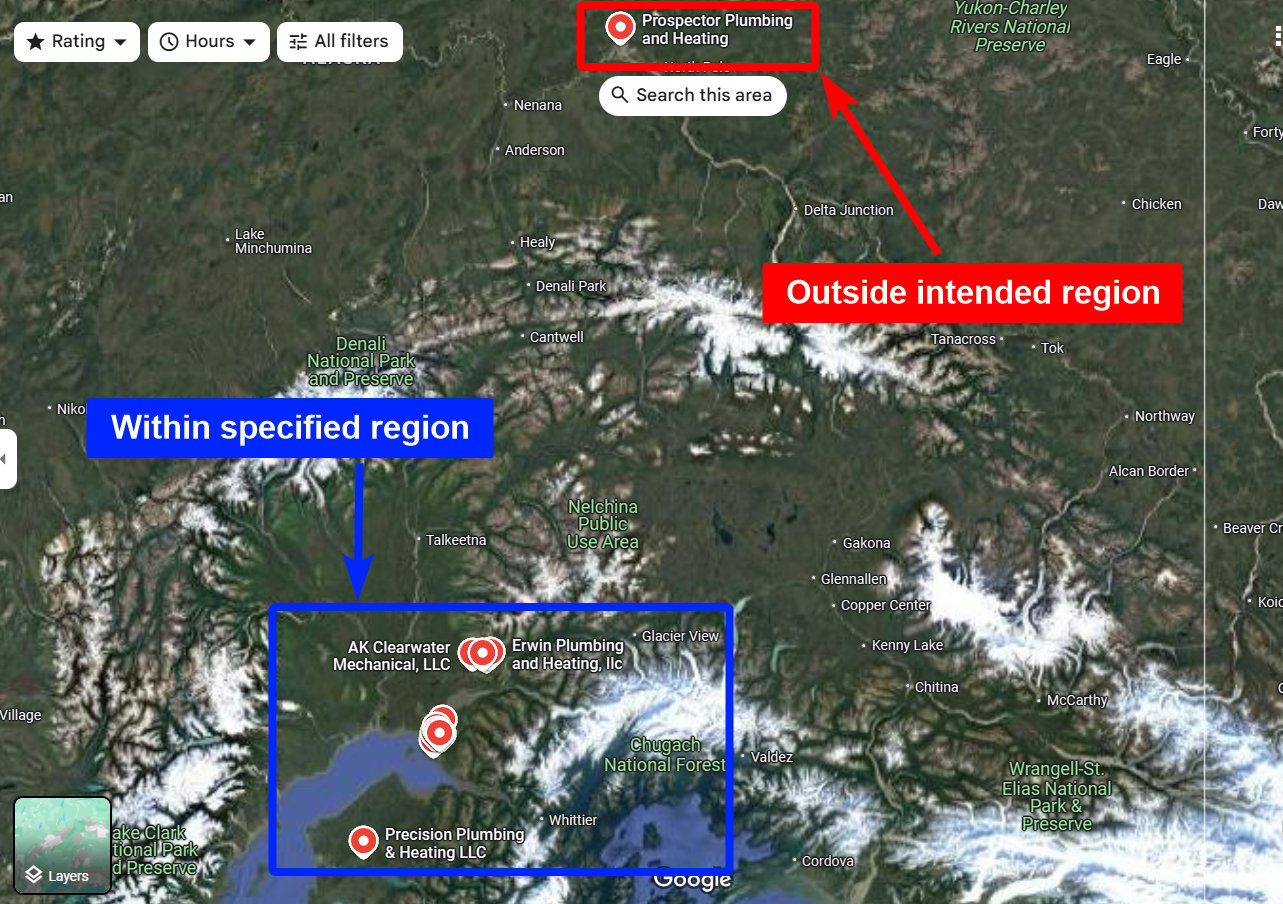
 Or search for businesses in one city and get results from another city — sometimes another country.
 To fix this, the Google Maps Leads Scraper applies two automatic filters at the crawling level.
## Geo Match filter
To fix this, the Google Maps Leads Scraper applies two automatic filters at the crawling level.
## Geo Match filter
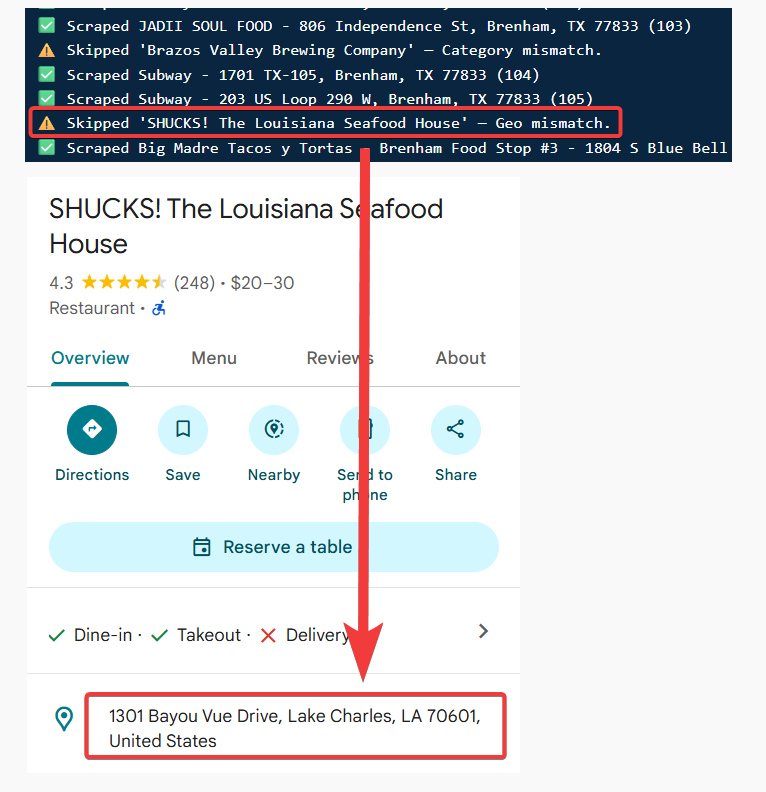 The Geo Match filter ensures every collected business is **within 50 km of your chosen location**. If a business falls outside that radius, the scraper skips it entirely — it never appears in your output file, and you're not charged for it.
## Category Match filter
The Geo Match filter ensures every collected business is **within 50 km of your chosen location**. If a business falls outside that radius, the scraper skips it entirely — it never appears in your output file, and you're not charged for it.
## Category Match filter
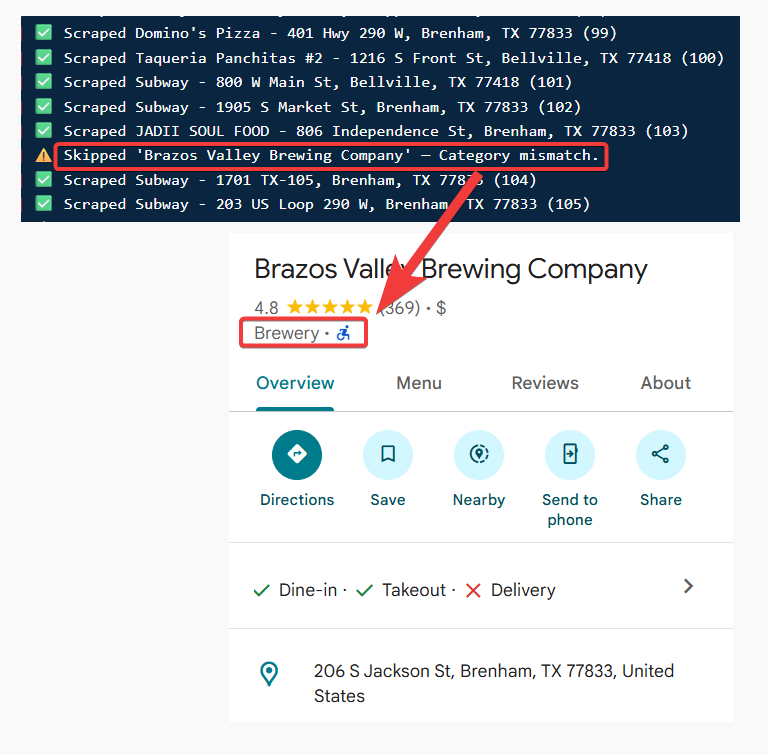 The Category Match filter checks that every result matches your search keyword or business category. It supports:
* **Translation matching** — catches matching categories even when Google lists them in a different language.
* **Fuzzy matching** — handles variations and similar category names (e.g., "Plumbing Service" matches "Plumber").
If a business doesn't match your category, it's skipped before it reaches your results.
These filters run **before** results are added to your output file. You only get clean, relevant data — and you're only billed for businesses that match your criteria.
## How to enable or disable these filters
The Category Match filter checks that every result matches your search keyword or business category. It supports:
* **Translation matching** — catches matching categories even when Google lists them in a different language.
* **Fuzzy matching** — handles variations and similar category names (e.g., "Plumbing Service" matches "Plumber").
If a business doesn't match your category, it's skipped before it reaches your results.
These filters run **before** results are added to your output file. You only get clean, relevant data — and you're only billed for businesses that match your criteria.
## How to enable or disable these filters
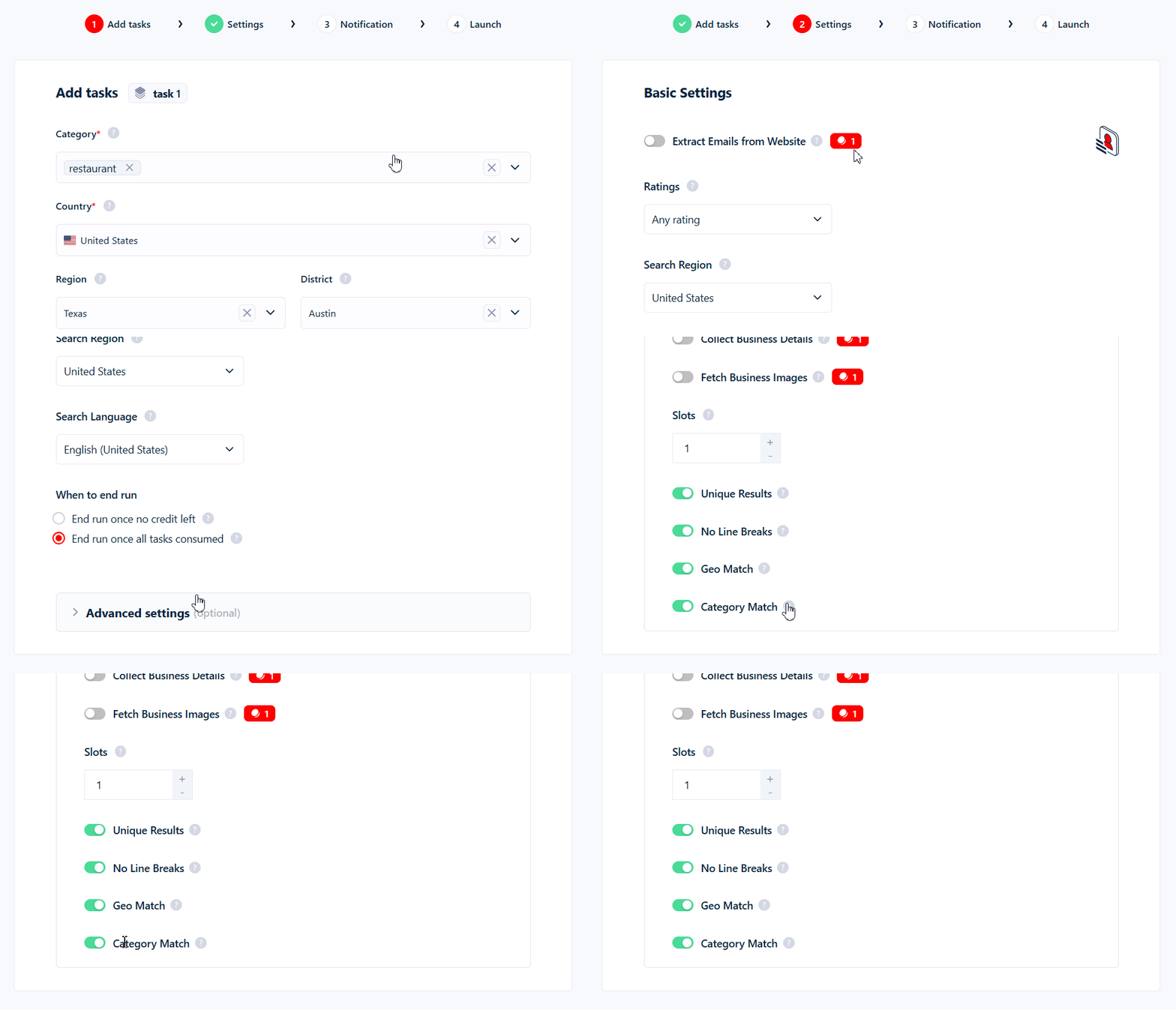 1. Open your Squid and go to the **Settings** tab.
2. Scroll to **Advanced Settings**.
3. Toggle **Geo Match** and/or **Category Match** on or off.
You can use one filter, both, or neither — the choice is yours.
## Billing impact
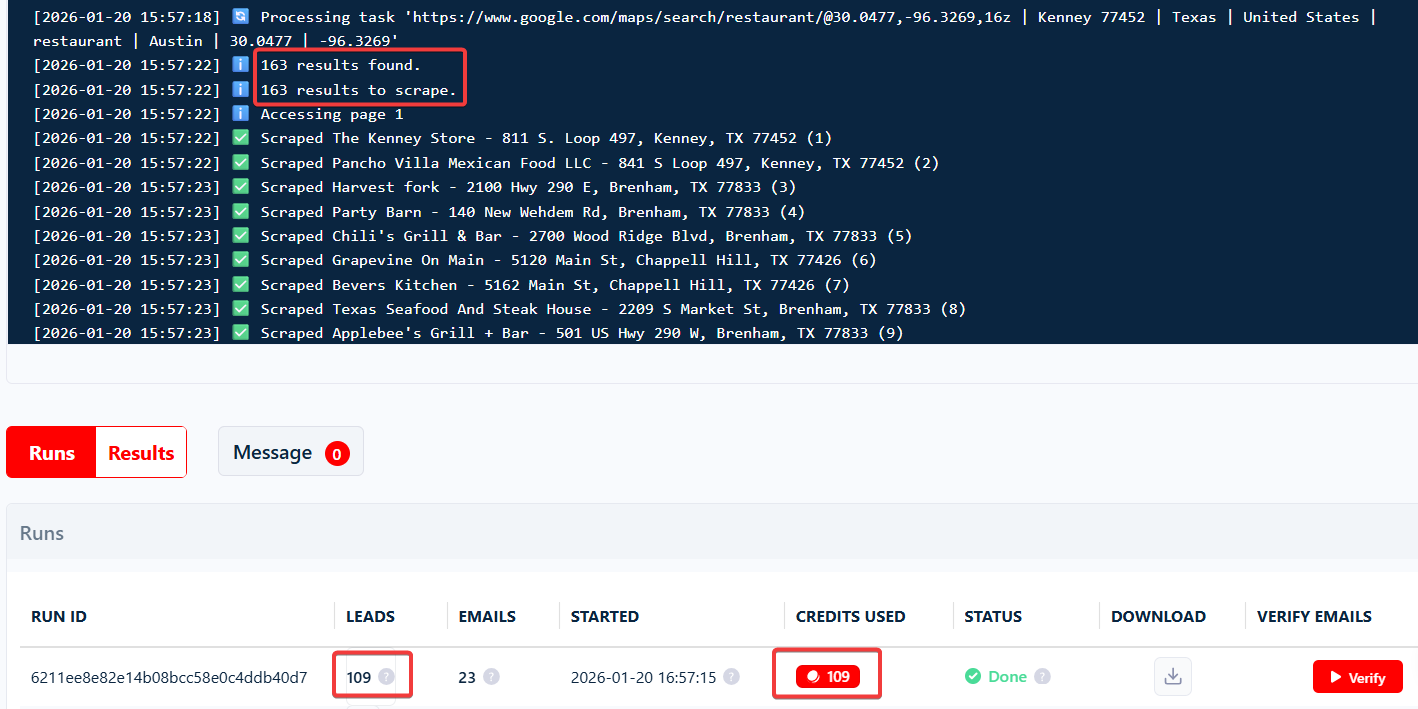
You only pay for results that pass your enabled filters. Skipped listings never count toward your usage.
1. Open your Squid and go to the **Settings** tab.
2. Scroll to **Advanced Settings**.
3. Toggle **Geo Match** and/or **Category Match** on or off.
You can use one filter, both, or neither — the choice is yours.
## Billing impact
You only pay for results that pass your enabled filters. Skipped listings never count toward your usage.