> ## Documentation Index
> Fetch the complete documentation index at: https://help.lobstr.io/llms.txt
> Use this file to discover all available pages before exploring further.
# How the Category Match filter works in the Google Maps Leads Scraper
> Category Match keeps only businesses that match your search keyword or category, using translation and fuzzy matching — so you don't collect or pay for the wrong business type.
Search Google Maps for one type of business and you'll often get another — plumbers turn into plumbing supply stores. The **Category Match** filter keeps only results that actually match what you searched for.
## What Category Match does
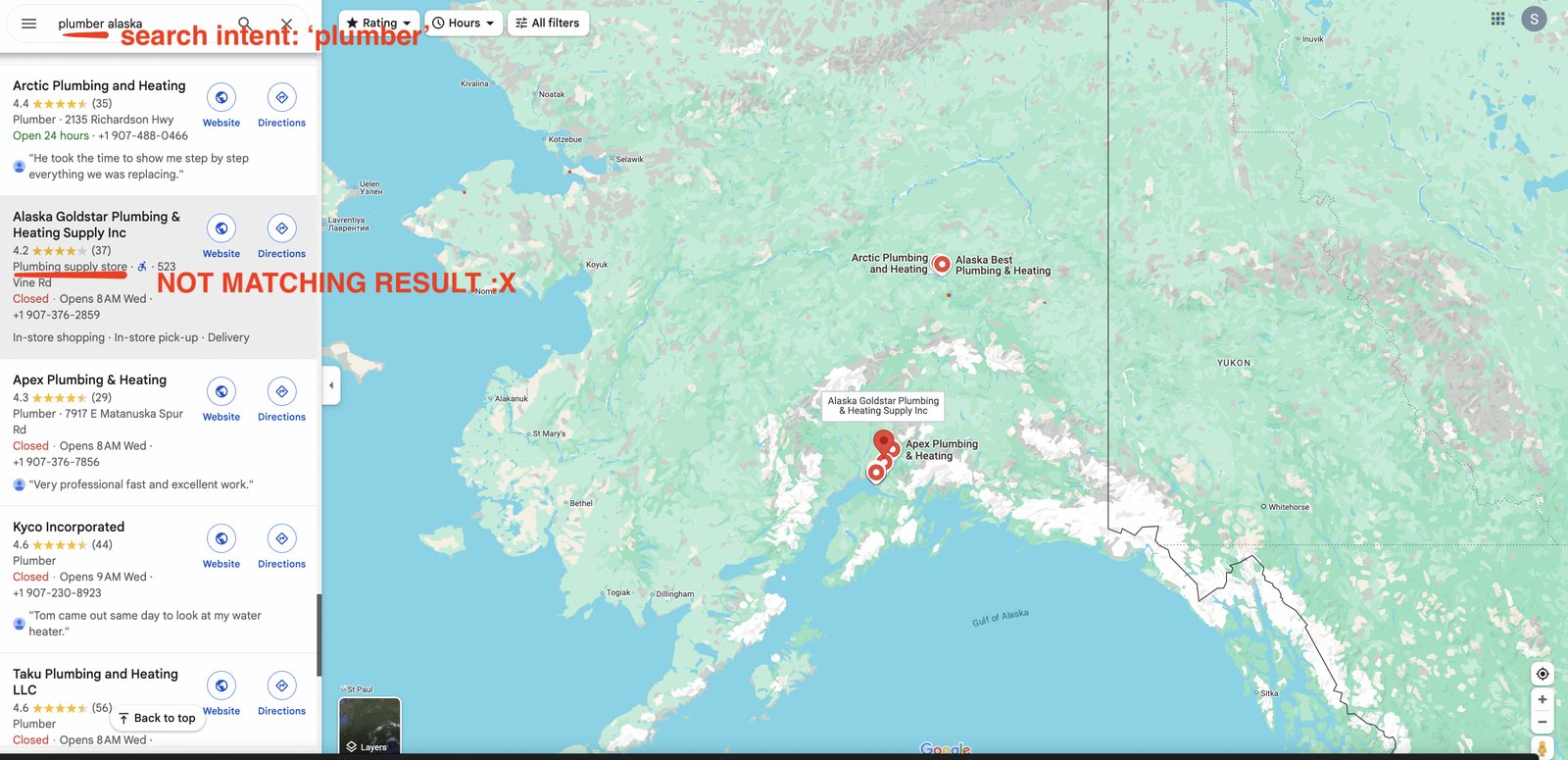 Category Match checks that every result matches your search keyword or business category. It supports:
* **Translation matching** — catches matching categories even when Google lists them in a different language.
* **Fuzzy matching** — handles variations and similar category names (e.g. "Plumbing Service" matches "Plumber").
If a business doesn't match your category, it's skipped before it reaches your results.
Category Match checks that every result matches your search keyword or business category. It supports:
* **Translation matching** — catches matching categories even when Google lists them in a different language.
* **Fuzzy matching** — handles variations and similar category names (e.g. "Plumbing Service" matches "Plumber").
If a business doesn't match your category, it's skipped before it reaches your results.
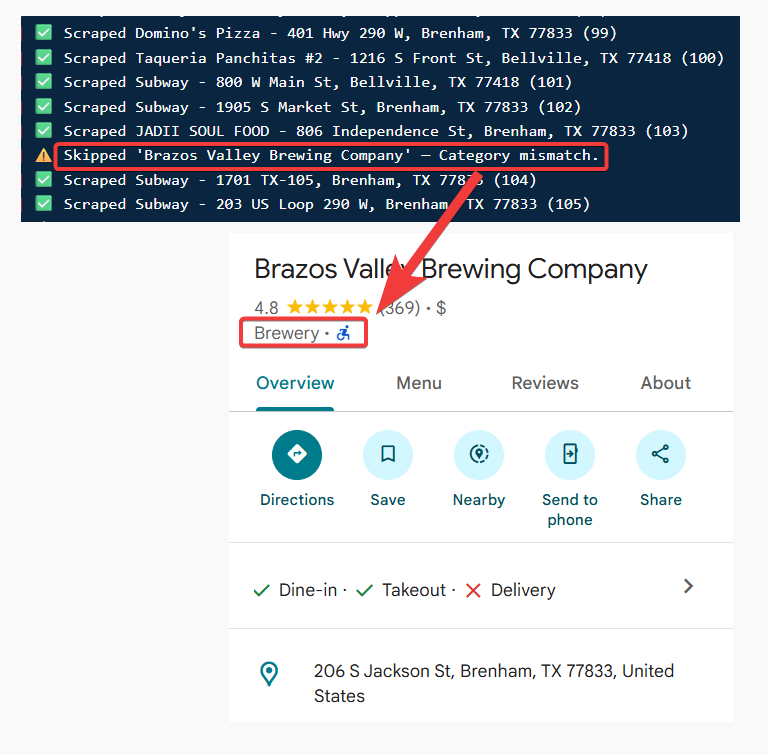 ## When it runs
Category Match runs at the **crawl level**, before results reach your output file. Businesses that don't match are skipped before collection, so they **never count toward your billing**.
## How to enable it
Toggle **Category Match** in your Squid's **Advanced Settings** — see [how to enable filters](/guides/google-maps/filtering#how-to-enable-filters) for the full steps.
## Category Match vs Exact Name Match
Category Match is **flexible** — it understands related terms and categories. If you need a **strict** match on the business *name* (for a specific brand or chain like Peugeot or Starbucks), use [Exact Name Match](/guides/google-maps/filtering/exact-name-match) instead, or alongside it. When both are on, a result has to satisfy both to be kept.
## When it runs
Category Match runs at the **crawl level**, before results reach your output file. Businesses that don't match are skipped before collection, so they **never count toward your billing**.
## How to enable it
Toggle **Category Match** in your Squid's **Advanced Settings** — see [how to enable filters](/guides/google-maps/filtering#how-to-enable-filters) for the full steps.
## Category Match vs Exact Name Match
Category Match is **flexible** — it understands related terms and categories. If you need a **strict** match on the business *name* (for a specific brand or chain like Peugeot or Starbucks), use [Exact Name Match](/guides/google-maps/filtering/exact-name-match) instead, or alongside it. When both are on, a result has to satisfy both to be kept.