> ## Documentation Index
> Fetch the complete documentation index at: https://help.lobstr.io/llms.txt
> Use this file to discover all available pages before exploring further.
# How Exact Name Match filters Google Maps results by business name
> Exact Name Match is an optional Google Maps Leads Scraper filter that keeps only results whose business name starts with your search query — ideal for scraping a single brand or chain like Peugeot or Starbucks.
Sometimes you're not after every business in an area — you want one specific **brand or chain**. **Exact Name Match** is an optional filter in the **Google Maps Leads Scraper** that keeps only the results whose business name matches what you searched for, and drops everything else.
It's built for one job: chasing a specific brand (like Peugeot, McDonald's, or Starbucks) without pulling in every unrelated business that happens to appear in the search area.
Exact Name Match is **off by default**. Turn it on only when you're targeting a single brand — it's the wrong tool for broad categories like "all coffee shops."
## Where to find it
Exact Name Match is a simple **on/off toggle** (a checkbox) in your Squid's settings, under the advanced / detail options.
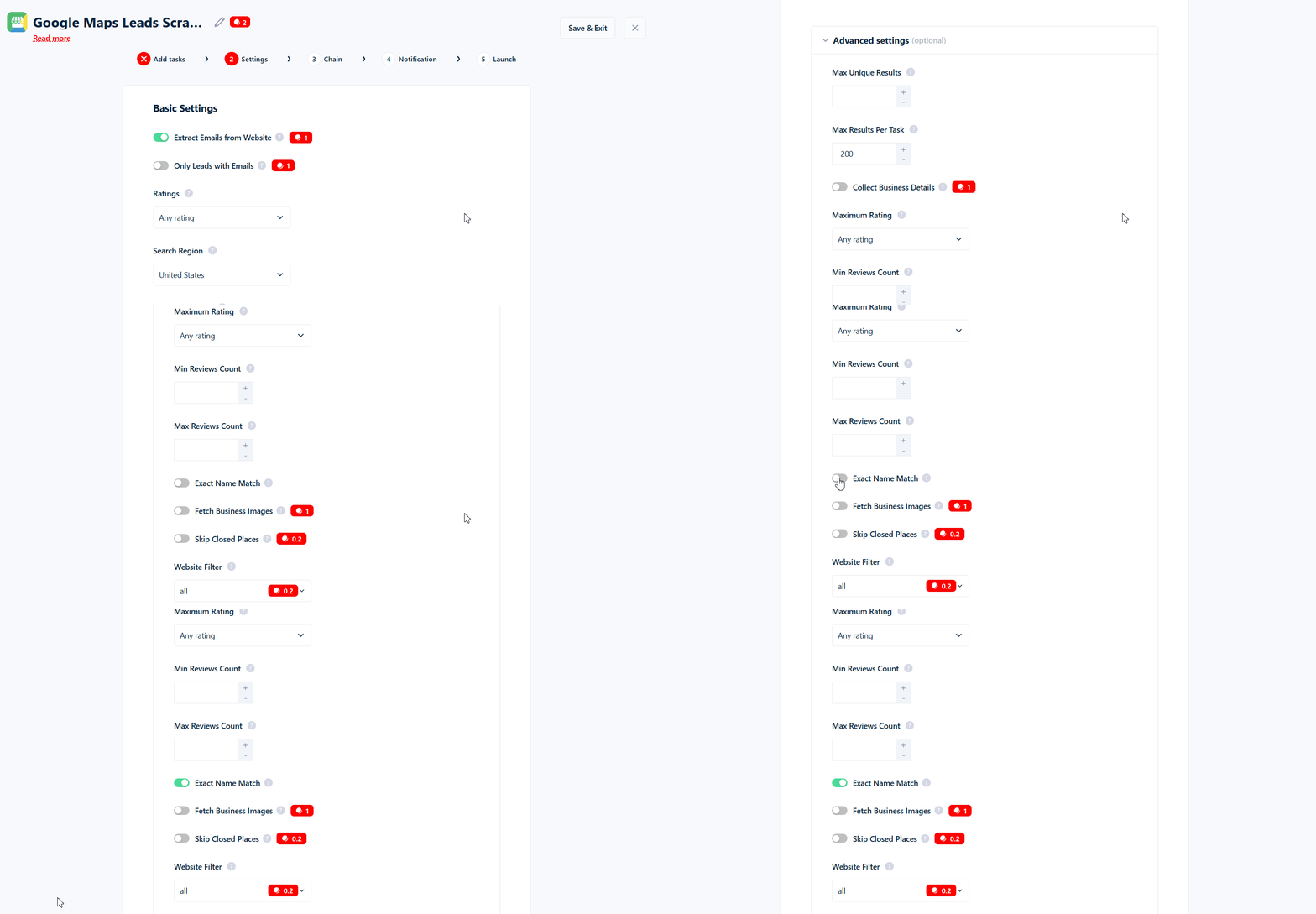 There is **no separate box to type names into**. The filter automatically compares each business name against the text you already entered in the **Category / Search Query** field. Whatever you typed to run the search is also what the names are matched against.
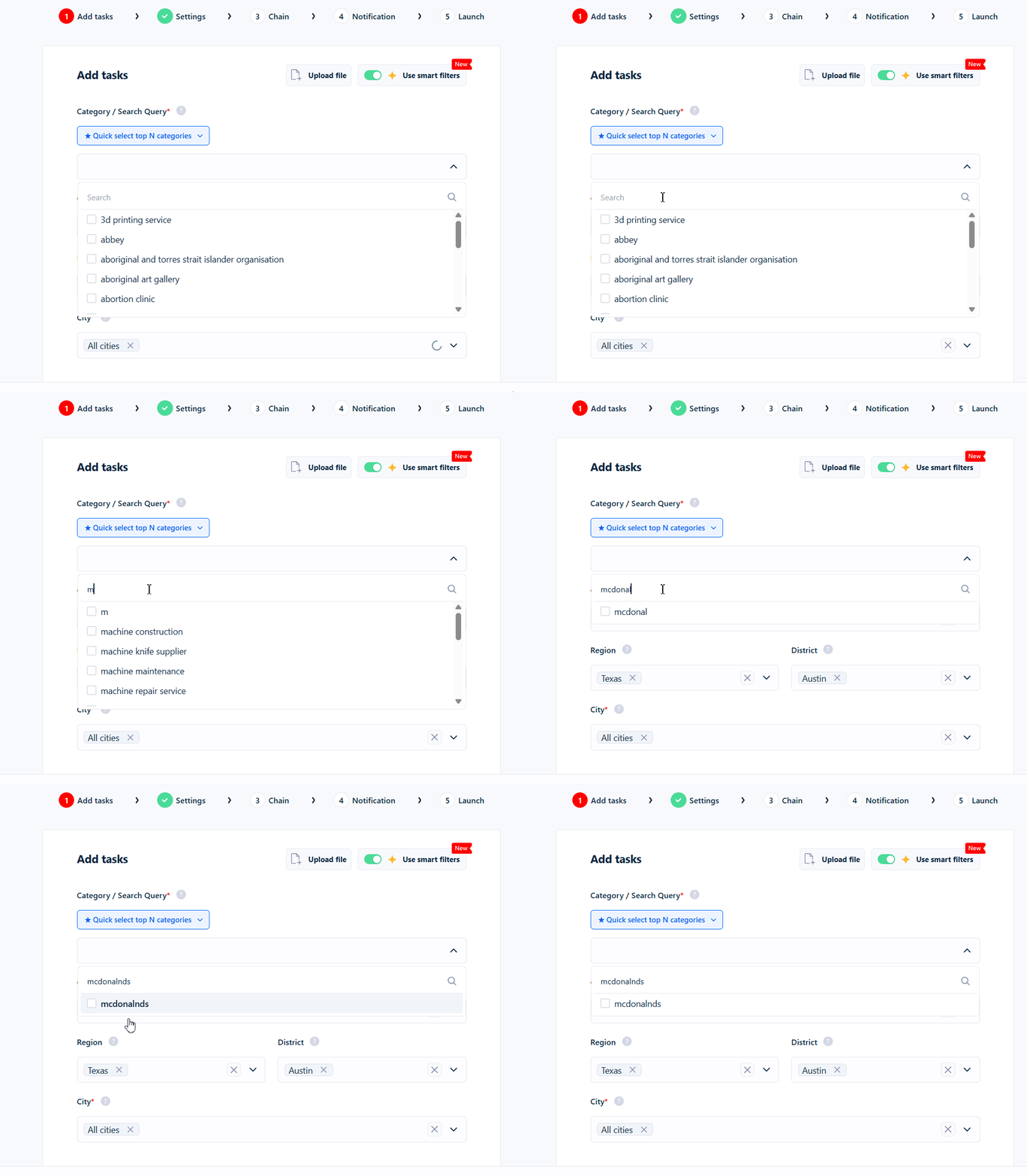 **Example:** If your Category / Search Query is `Peugeot`, turning on Exact Name Match keeps only results whose name matches "Peugeot" and removes everything else.
## How the matching works
This is the most important part to understand, because the name is a little misleading.
Exact Name Match keeps a result when the business name **starts with your search query**. It does **not** require the name to be exactly equal, and it does **not** look for your text just anywhere inside the name — it has to be at the **beginning**.
```mermaid theme={null}
%%{init: {"flowchart": {"htmlLabels": true, "nodeSpacing": 55, "rankSpacing": 70}, "themeVariables": {"fontSize": "16px"}}}%%
flowchart TD
N["Business name
**Example:** If your Category / Search Query is `Peugeot`, turning on Exact Name Match keeps only results whose name matches "Peugeot" and removes everything else.
## How the matching works
This is the most important part to understand, because the name is a little misleading.
Exact Name Match keeps a result when the business name **starts with your search query**. It does **not** require the name to be exactly equal, and it does **not** look for your text just anywhere inside the name — it has to be at the **beginning**.
```mermaid theme={null}
%%{init: {"flowchart": {"htmlLabels": true, "nodeSpacing": 55, "rankSpacing": 70}, "themeVariables": {"fontSize": "16px"}}}%%
flowchart TD
N["Business name
e.g. Citroën Garage Lyon"]
Q["Your search query
e.g. citroen"]
C["Tidy up both sides
ignore case, accents,
punctuation and spacing"]
D{"Does the name start
with your query?"}
K["Kept"]
X["Dropped"]
N --> C
Q --> C
C --> D
D -->|"yes"| K
D -->|"no"| X
style N fill:#fef3c7,stroke:#d97706,stroke-width:3px,color:#000
style Q fill:#fef3c7,stroke:#d97706,stroke-width:3px,color:#000
style C fill:#eef2ff,stroke:#4f46e5,stroke-width:3px,color:#000
style D fill:#eef2ff,stroke:#4f46e5,stroke-width:3px,color:#000
style K fill:#ecfdf5,stroke:#059669,stroke-width:3px,color:#000
style X fill:#fee4e4,stroke:#c00,stroke-width:3px,color:#000
```
Before comparing, both your search query and the business name are cleaned up so small differences don't get in the way. Matching is:
* **Not case-sensitive** — `peugeot`, `Peugeot`, and `PEUGEOT` are all treated the same.
* **Accent-insensitive** — `cafe` matches `Café`, and `citroen` matches `Citroën` (and the other way around).
* **Punctuation- and spacing-insensitive** — dots, hyphens, apostrophes, `&`, and extra spaces are ignored. So `St-Denis`, `St Denis`, and `StDenis` are all treated as the same thing, and `McDonald's` is treated as `McDonalds`.
What it does **not** do:
* It does **not** expand abbreviations. `Saint Denis` will not match `St-Denis`, and `Company` will not match `Co`.
* It does **not** match text in the middle or at the end of a name (see the examples below).
## Starts with, not contains: worked examples
These examples assume the toggle is **on**.
**Search query: `peu`**
| Business name | Kept? | Why |
| ------------------- | ----- | ----------------------------------------- |
| Peugeot | ✅ Yes | "Peugeot" starts with "peu" |
| Peugeot Lyon Centre | ✅ Yes | Still starts with "peu" |
| Garage Peugeot | ❌ No | "Peugeot" is in the middle, not the start |
**Search query: `geot`**
| Business name | Kept? | Why |
| ------------- | ----- | -------------------------------------------------------------------- |
| Peugeot | ❌ No | "geot" appears inside the name, but the name doesn't *start* with it |
**Search query: `citroen` (accents and casing)**
| Business name | Kept? | Why |
| ------------------- | ----- | ------------------------------------------ |
| Citroën | ✅ Yes | Accent is ignored, so it matches "citroen" |
| Citroën Garage Lyon | ✅ Yes | Starts with "citroen" |
| Garage Citroën | ❌ No | Matches in the middle, not at the start |
**Search query: `mcdonalds` (apostrophes and spacing)**
| Business name | Kept? | Why |
| ------------- | ----- | ----------------------------------- |
| McDonald's | ✅ Yes | Apostrophe and capitals are ignored |
| Burger King | ❌ No | Doesn't match the query |
If a brand name usually appears **after** other words (e.g. "Garage Peugeot"), those results get dropped. Search for the leading word if you can.
## Using a single search term
Exact Name Match works with **one search query at a time**. It does **not** support:
* **Multiple names** — you can't enter a list like `peugeot, citroen` and match either one. Because the filter treats your whole query as a single phrase, a comma-separated list effectively matches nothing.
* **Excluding names** — there's no way to say "remove any result whose name contains X." The filter can only *keep* matches, not block them.
If you need several brands, run a **separate crawl for each one**.
## What happens when it's off
When the toggle is **off** (the default), names are not filtered at all — you get every result the search returned, subject to any *other* filters you've set.
## How it works with the Category Match filter
Exact Name Match and the [Category Match filter](/guides/google-maps/filtering/category-match) are **separate settings that work together** — both must pass. Category Match is flexible and understands related terms and categories, while Exact Name Match is strict and only looks at how the business name begins. When both are turned on, a result has to satisfy **both** to be kept.
## When the filter runs
Exact Name Match is applied **after** results are collected. It trims down the results you get, rather than changing how the search itself is performed.
## Tips and common mistakes
**Use it for brands and chains, not generic categories.** It shines for "only Starbucks" but is the wrong tool for "all coffee shops."
* **Remember it's "starts with."** If the brand name usually appears after other words (e.g. "Garage Peugeot"), those results will be dropped. Search for the leading word if you can.
* **Don't expect abbreviations to be understood.** "Saint" vs "St", "and" vs "&", and "Company" vs "Co" are all treated as different.
* **One brand per run.** Comma-separated lists won't work — split them into separate crawls.
* **It matches your search query, not a custom list.** You can't match a name that's different from what you searched for.
## A note on the name
Although it's called **Exact Name Match**, it's more forgiving than a strict, character-for-character match: it ignores case, accents, and punctuation, and it accepts any name that *begins* with your query. Think of it as **"name starts with my search term"** rather than "name is identical to my search term."