> ## Documentation Index
> Fetch the complete documentation index at: https://help.lobstr.io/llms.txt
> Use this file to discover all available pages before exploring further.
# How the Geo Match filter works in the Google Maps Leads Scraper
> Geo Match keeps only businesses within 50 km of your chosen location, skipping out-of-area results before they reach your output file — so you don't collect or pay for them.
Google Maps often returns businesses from the wrong city — sometimes the wrong country. The **Geo Match** filter fixes this by keeping only results close to the location you searched for.
## What Geo Match does
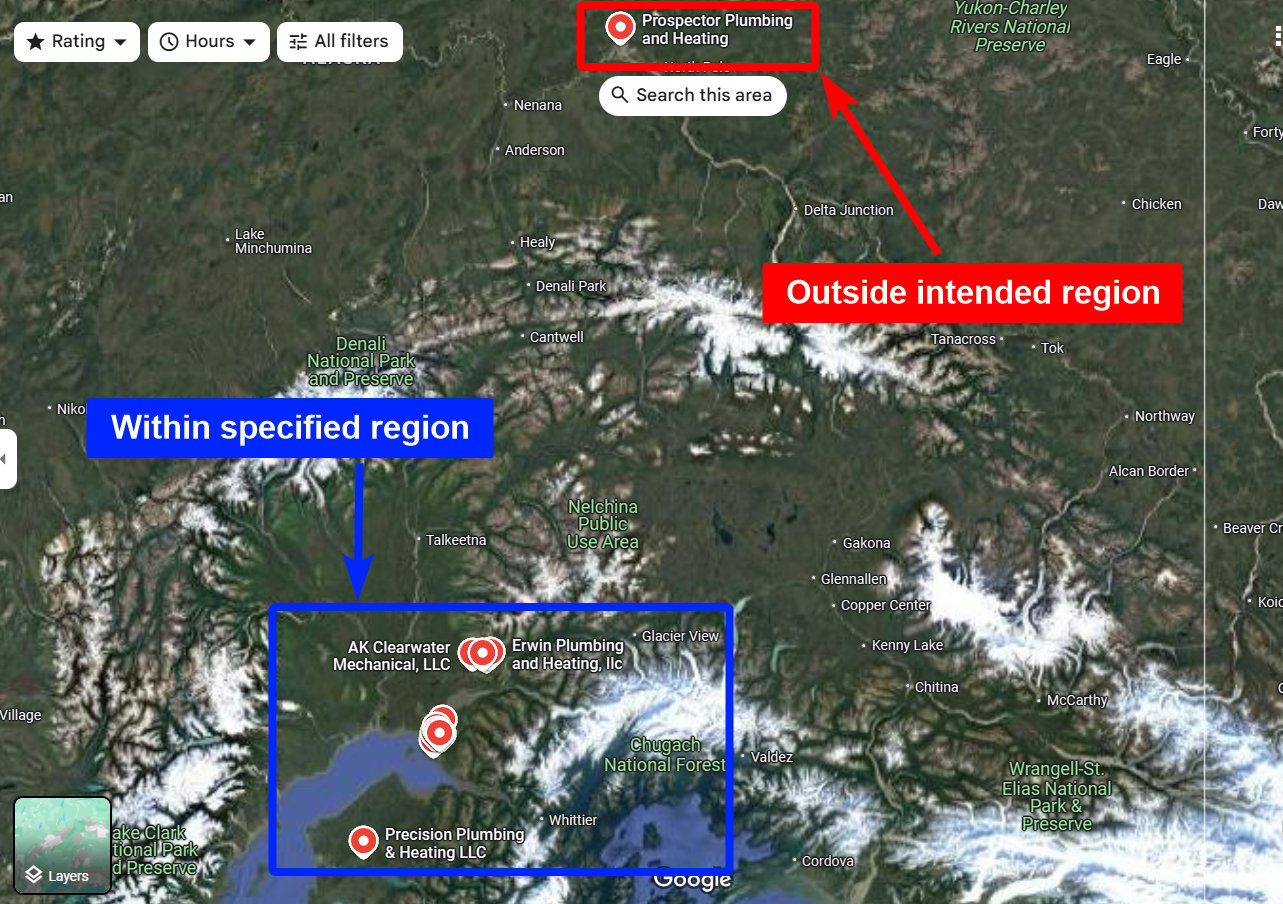 Geo Match ensures every collected business is **within 50 km of your chosen location**. If a business falls outside that radius, the scraper skips it entirely — it never appears in your output file.
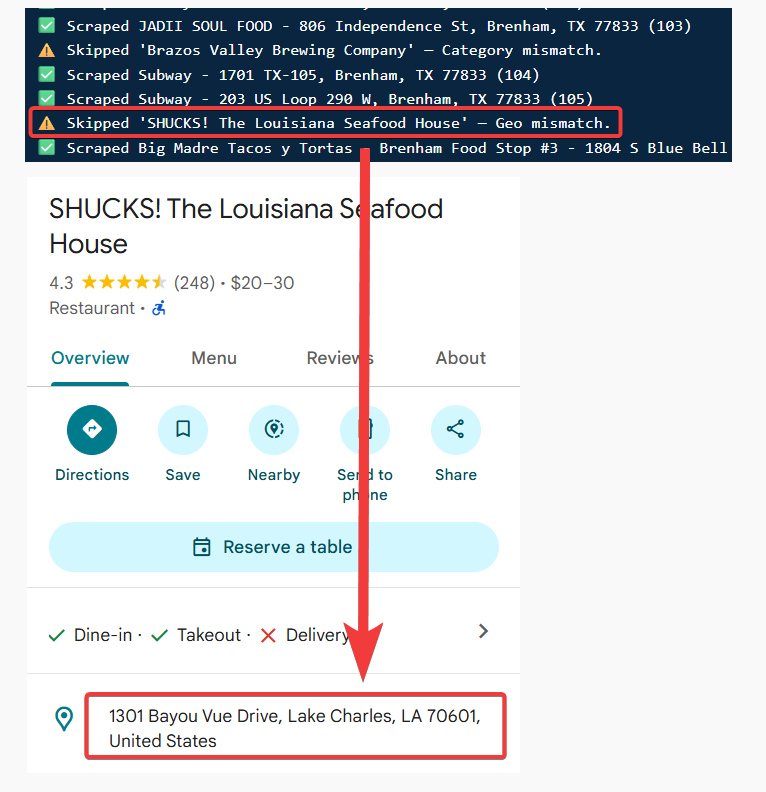 ## When it runs
Geo Match runs at the **crawl level**, before results reach your output file. Because out-of-area listings are skipped before collection, they **never count toward your billing**.
## How to enable it
Toggle **Geo Match** in your Squid's **Advanced Settings** — see [how to enable filters](/guides/google-maps/filtering#how-to-enable-filters) for the full steps.
Geo Match works alongside [Category Match](/guides/google-maps/filtering/category-match). You can use either, both, or neither — when both are on, a result has to pass both to be kept.
## When it runs
Geo Match runs at the **crawl level**, before results reach your output file. Because out-of-area listings are skipped before collection, they **never count toward your billing**.
## How to enable it
Toggle **Geo Match** in your Squid's **Advanced Settings** — see [how to enable filters](/guides/google-maps/filtering#how-to-enable-filters) for the full steps.
Geo Match works alongside [Category Match](/guides/google-maps/filtering/category-match). You can use either, both, or neither — when both are on, a result has to pass both to be kept.