> ## Documentation Index
> Fetch the complete documentation index at: https://help.lobstr.io/llms.txt
> Use this file to discover all available pages before exploring further.
# Personalize messages in Leboncoin auto message sender
> Use the pseudo and title variables in Leboncoin Auto Message Sender to automatically insert each seller's nickname and listing title into your messages.
Some users notice the `title` and `pseudo` options in the message box of the [Leboncoin Auto Message Sender](https://www.lobstr.io/store/leboncoin-auto-message-sender) and get confused about what they're for.
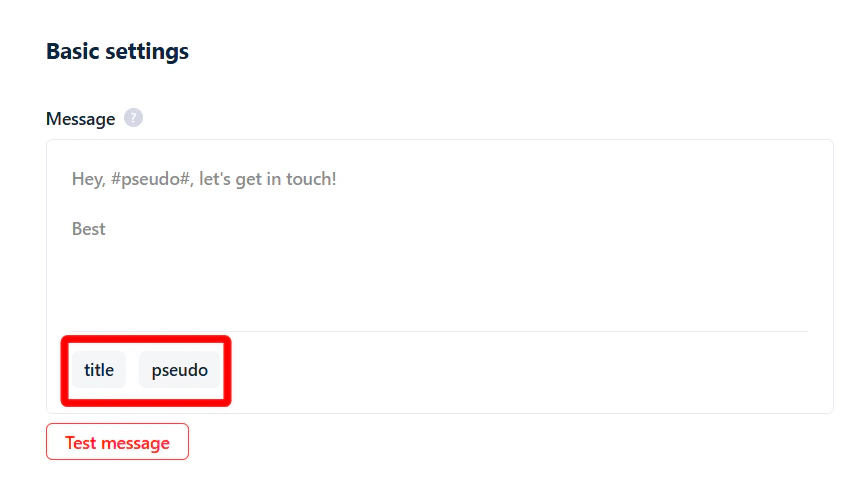 They look like placeholders or settings, so it's easy to miss their purpose. In reality, these options let you **personalize your message for each person you're contacting on Leboncoin**.
## How to send personalized messages
You can personalize messages inside lobstr.io's no-code app using two smart variables:
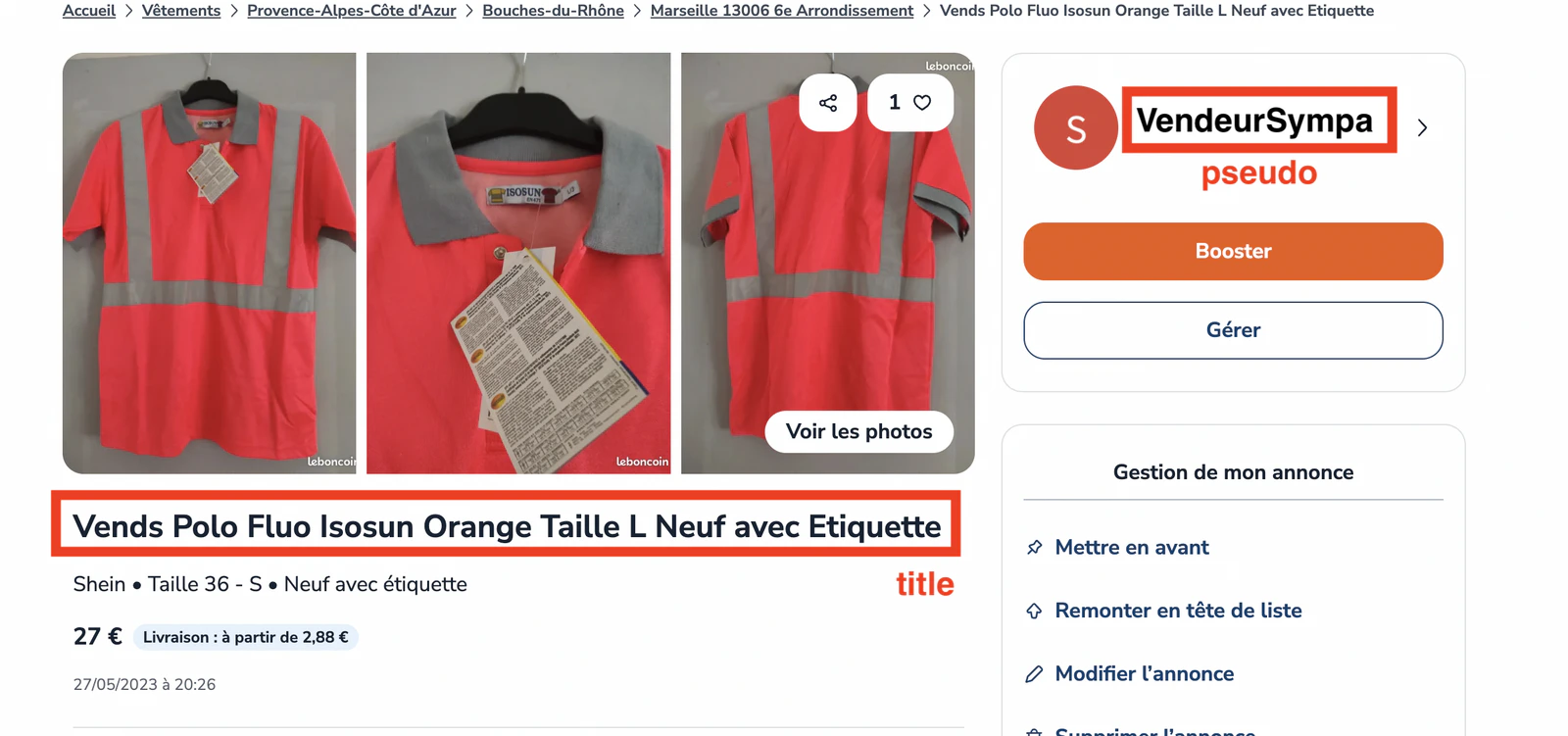
* `pseudo` — the **username/nickname** shown on the Leboncoin profile of the person you're messaging.
* `title` — the **title line of their listing** on Leboncoin.
They look like placeholders or settings, so it's easy to miss their purpose. In reality, these options let you **personalize your message for each person you're contacting on Leboncoin**.
## How to send personalized messages
You can personalize messages inside lobstr.io's no-code app using two smart variables:
* `pseudo` — the **username/nickname** shown on the Leboncoin profile of the person you're messaging.
* `title` — the **title line of their listing** on Leboncoin.
 ### How does it work?
When you add Leboncoin listing URLs to your task, the tool automatically pulls two things from each listing:
* The **title** of the ad.
* The **pseudo** (nickname) of the seller.
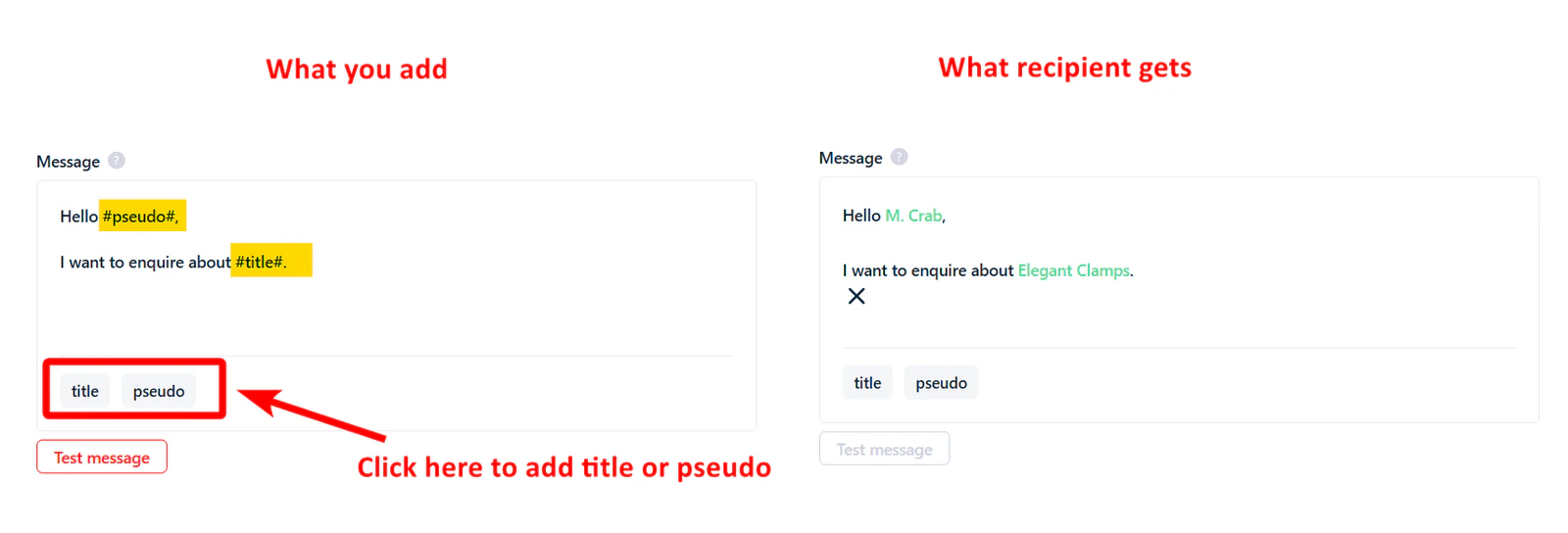
When you write your message, include `#pseudo#` and `#title#` in the text — or click the **title** and **pseudo** buttons. These placeholders are replaced with the actual nickname and listing title for each seller when the message is sent.
### How does it work?
When you add Leboncoin listing URLs to your task, the tool automatically pulls two things from each listing:
* The **title** of the ad.
* The **pseudo** (nickname) of the seller.
When you write your message, include `#pseudo#` and `#title#` in the text — or click the **title** and **pseudo** buttons. These placeholders are replaced with the actual nickname and listing title for each seller when the message is sent.
 ### Example
Your message template:
> Hi #pseudo#, is the item "#title#" still available?
If the seller's pseudo is "Sofiane" and their listing title is "Bel appartement à sous louer entièrement", they receive:
> Hi Sofiane, is the item "Bel appartement à sous louer entièrement" still available?
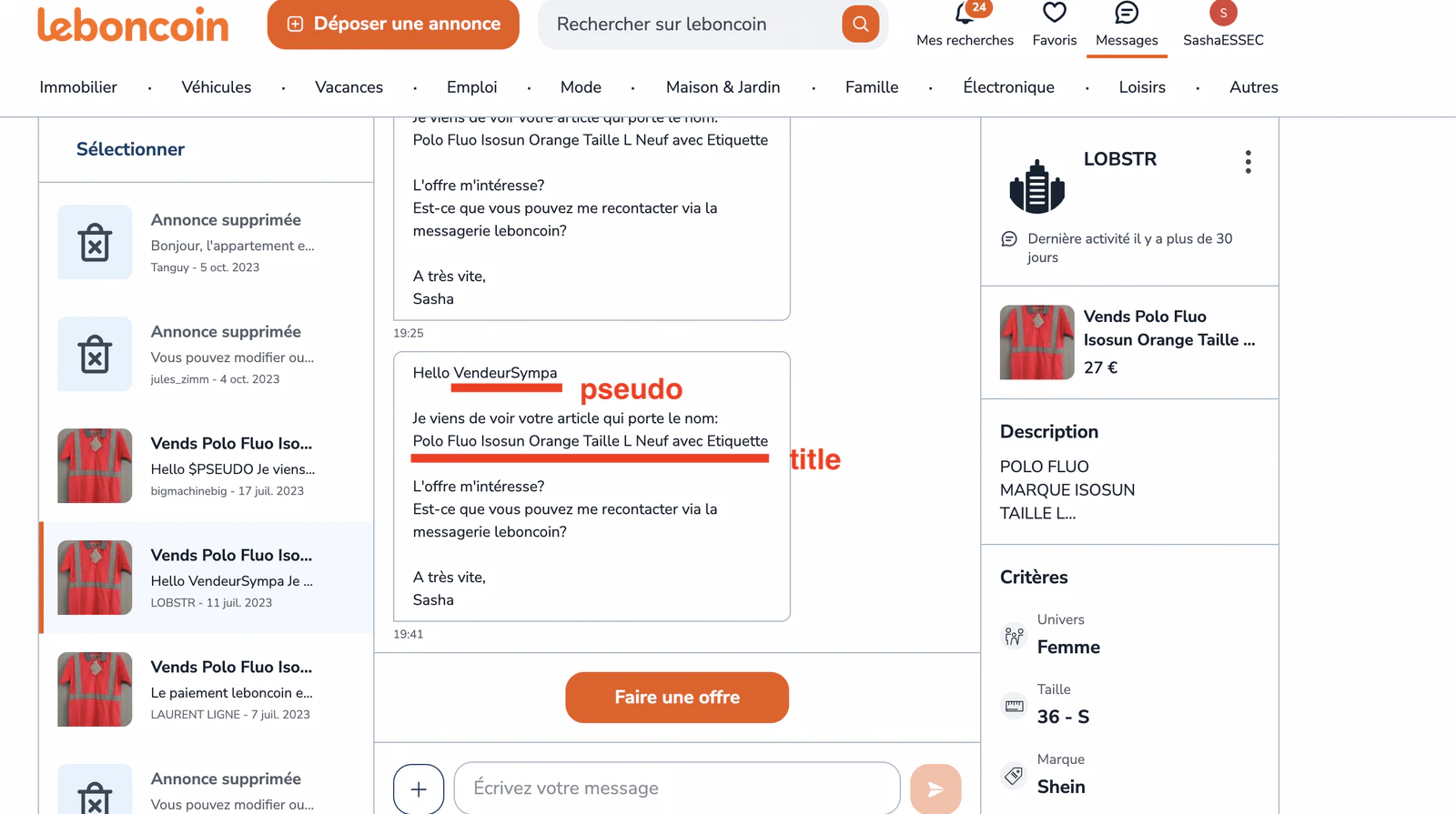
Here's how the message looks inside the Leboncoin interface:
### Example
Your message template:
> Hi #pseudo#, is the item "#title#" still available?
If the seller's pseudo is "Sofiane" and their listing title is "Bel appartement à sous louer entièrement", they receive:
> Hi Sofiane, is the item "Bel appartement à sous louer entièrement" still available?
Here's how the message looks inside the Leboncoin interface:
 ## Related articles
* [Account Bans & Rate Limits — Leboncoin messaging](/safety/account-bans#what-are-the-limits-of-a-leboncoin-account) — batch and daily messaging limits to keep your account safe.
## Related articles
* [Account Bans & Rate Limits — Leboncoin messaging](/safety/account-bans#what-are-the-limits-of-a-leboncoin-account) — batch and daily messaging limits to keep your account safe.