
What credits buy
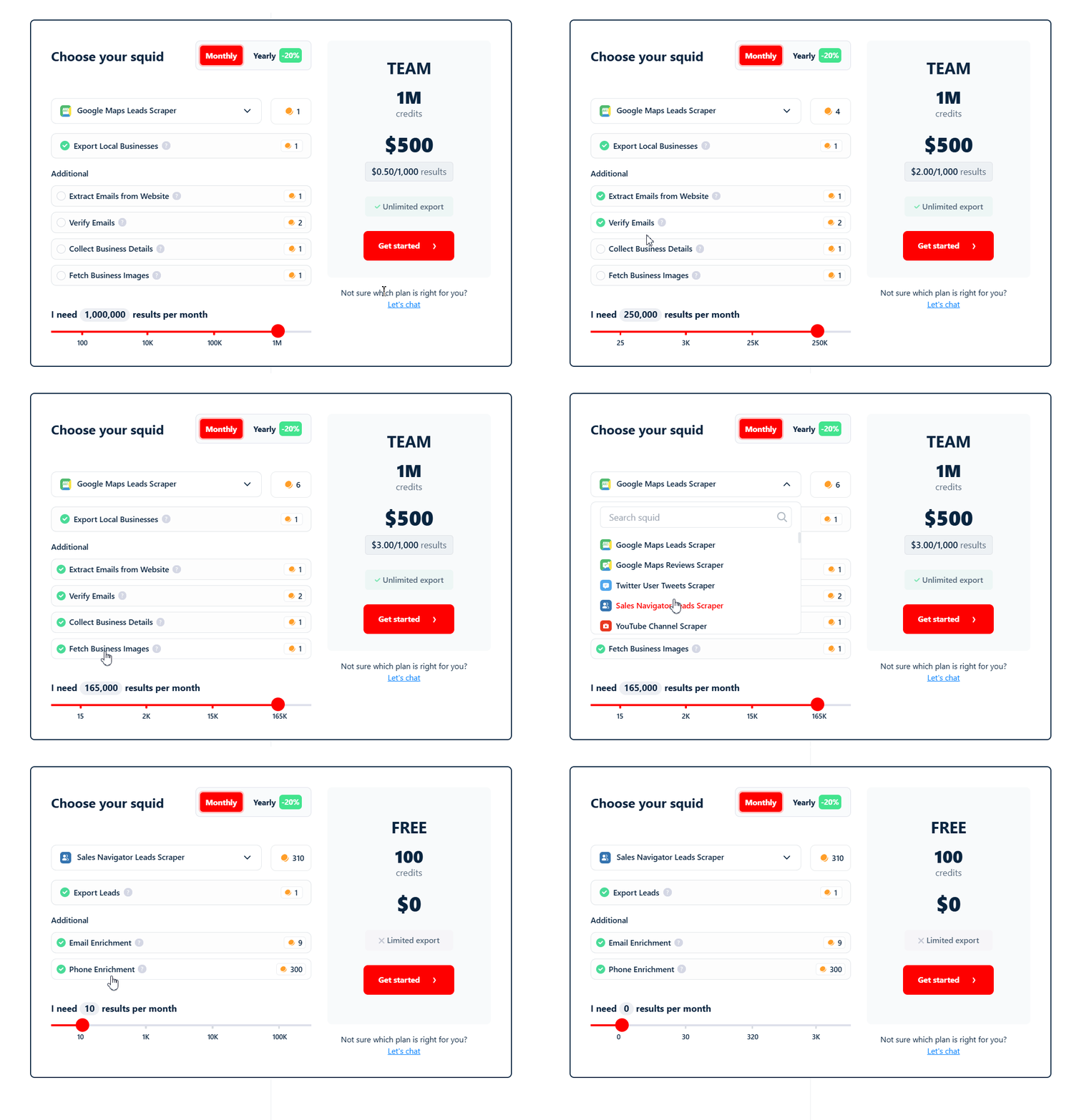
- Scraped rows — each result a Squid collects consumes credits. This covers both basic data collection and any additional data functions you enable. For example, on a LinkedIn leads scraper, collecting a profile from a search result is one function, and visiting the profile to pull extra details is a separate function — each adds to the row’s credit cost. The exact amount varies by scraper and which functions are turned on.
- Email enrichment — available on scrapers that don’t already return emails in their scraped data. Enrichment costs 9 credits per email found and validated. Emails that can’t be found, or that fail validation, don’t cost credits. lobstr.io’s enrichment has a bounce rate of less than 3% (accuracy above 97%).
- Email validation — available on scrapers where emails already appear in the scraped data but aren’t pre-verified (e.g. Google Maps Leads Scraper pulling emails off business websites). Each email that passes validation costs 2 credits. Emails that fail validation don’t cost credits.
- Phone enrichment — finds a contact’s work phone number from sources outside the scraped page. Costs 300 credits per valid work phone number found. If a phone number is already part of the scraped data (for example on Google Maps or Leboncoin listings), that isn’t enrichment — it’s billed as part of the scraped row, not as phone enrichment.
Viewing your credit balance
Your remaining credits and renewal countdown are always visible at the bottom of the left sidebar in your dashboard.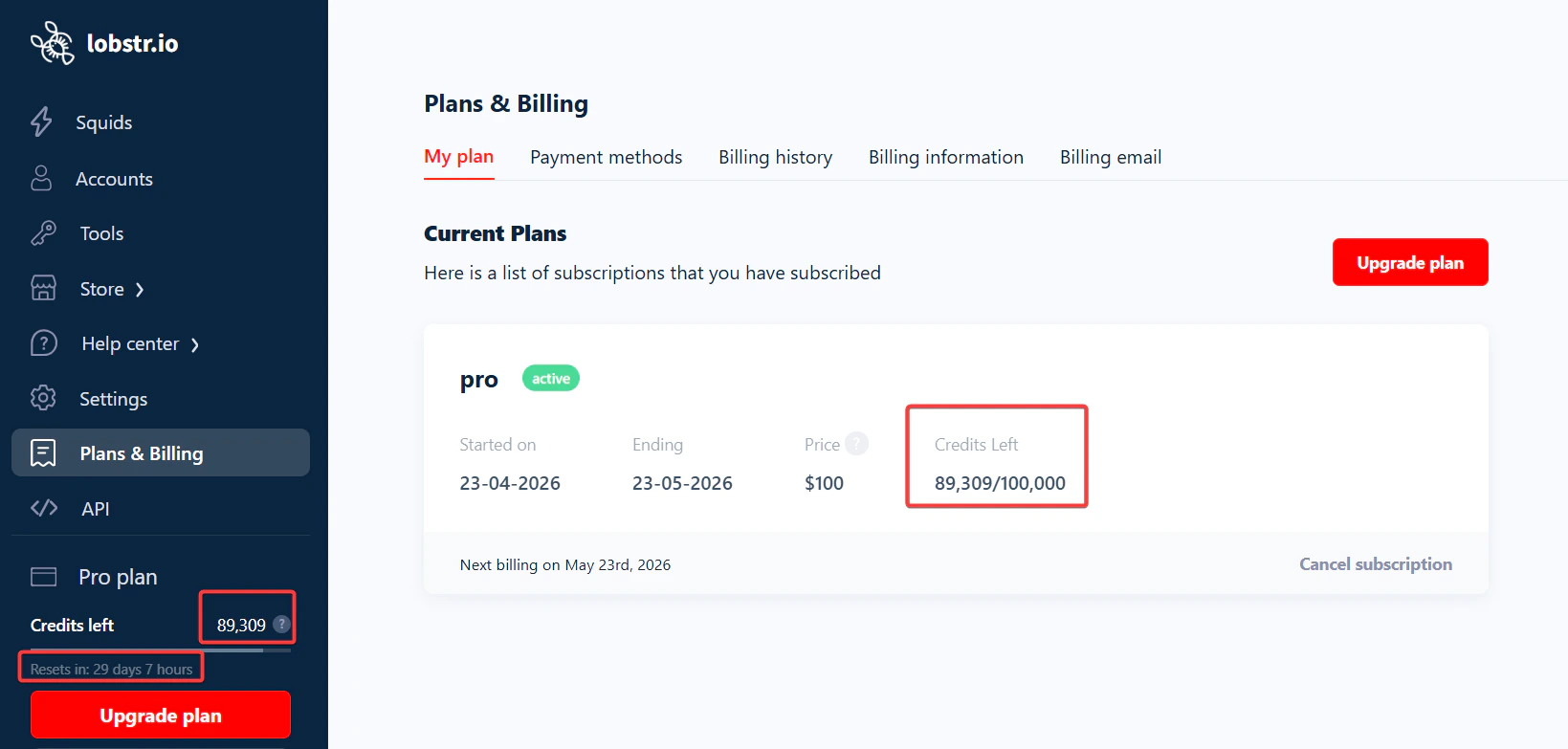
Tracking your credit consumption
When you want to know where your credits actually went — not just how many are left — lobstr.io gives you two complementary views: an account-wide Credits Usage dashboard, and a per-run Credits tab. Both share the same 7d / 30d / Monthly time-range toggle in the top-right.Account-wide: the Credits Usage page
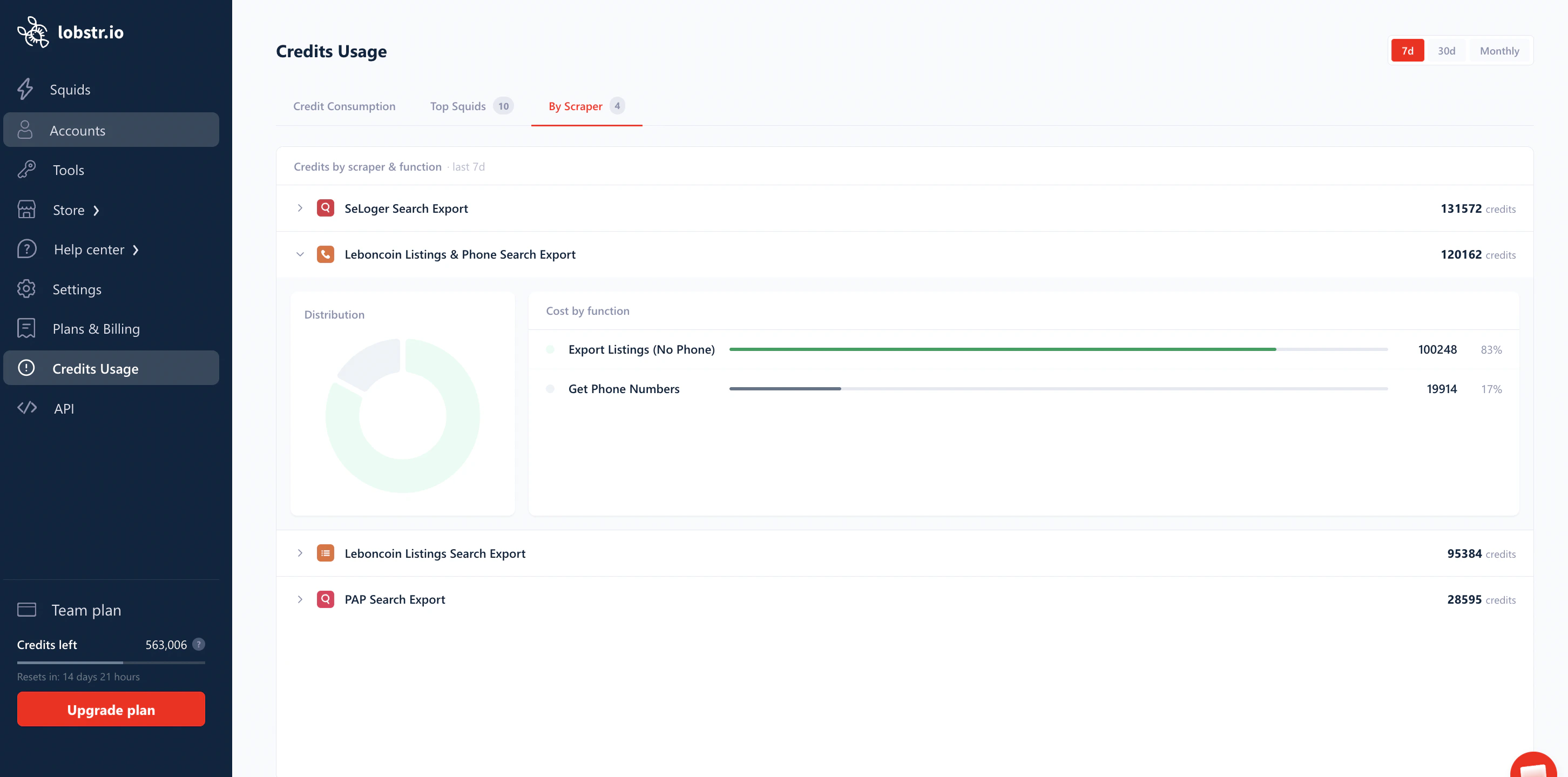
Open Credits Usage in the left sidebar. The page has three tabs, each answering a different question.- Credit Consumption
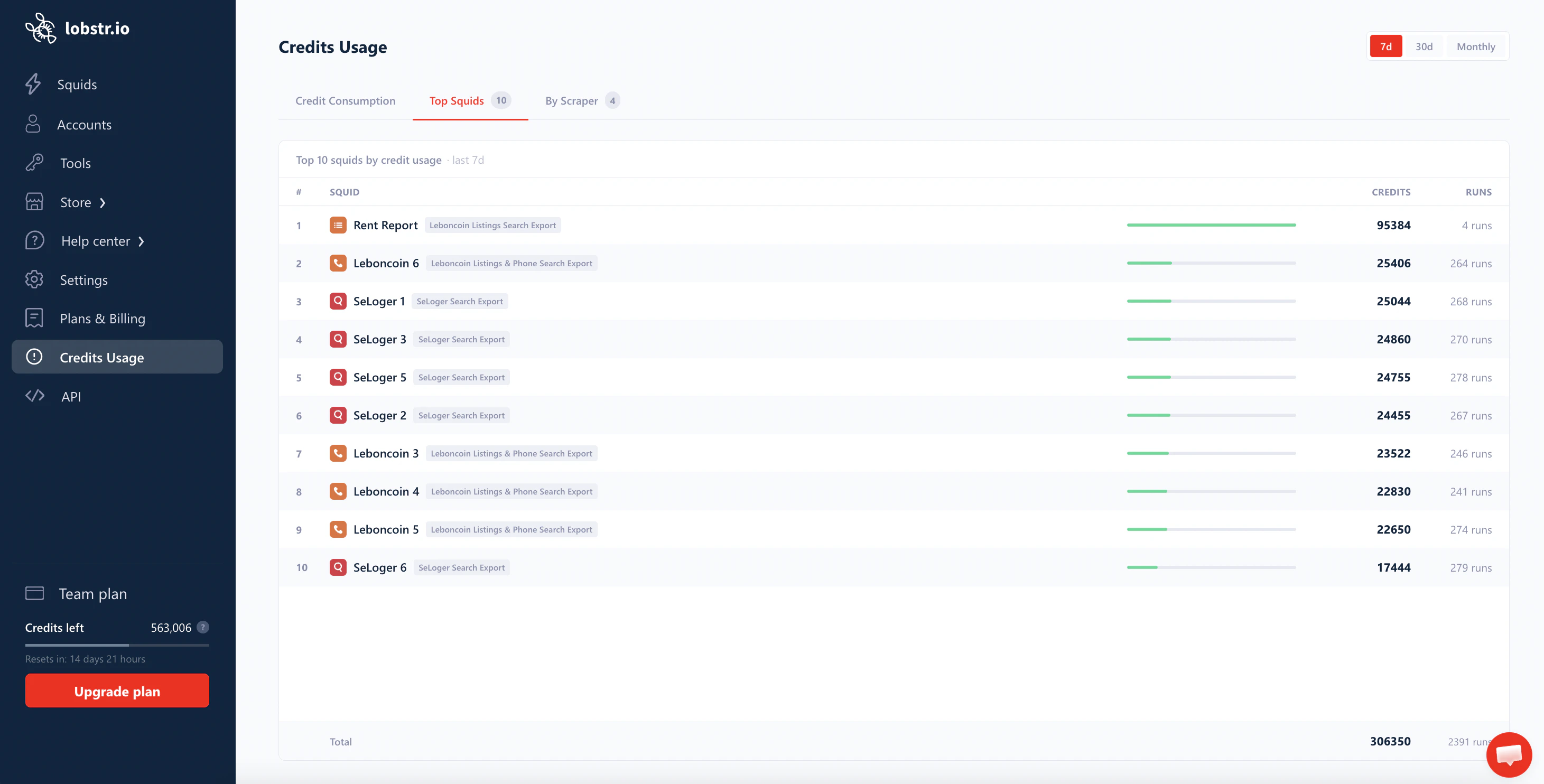
- Top Squids
- By Scraper
A daily-spend chart with headline KPIs — the when of your consumption.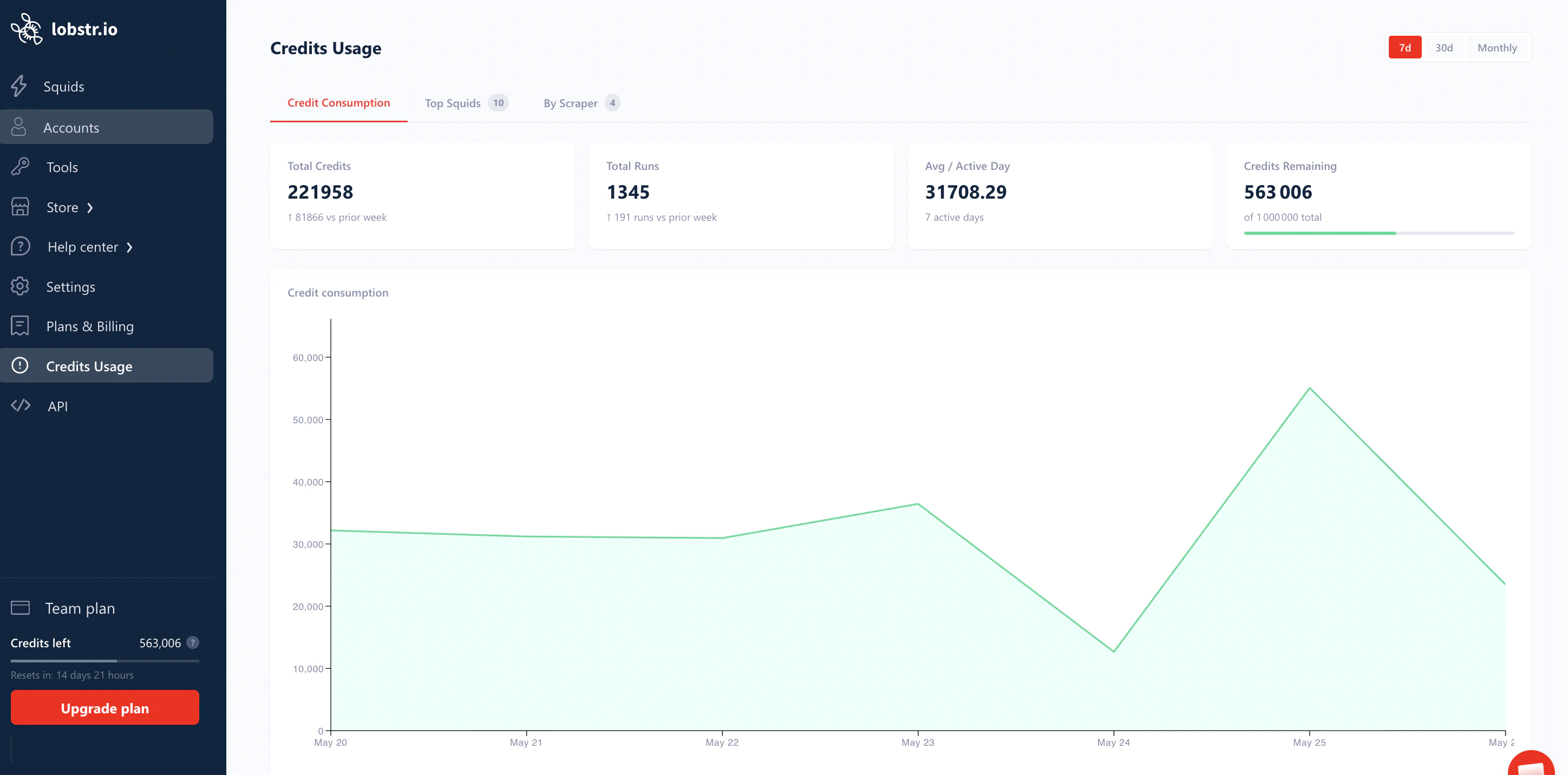
The chart below plots daily consumption — quickest way to spot the day a spike happened, then click through to the runs from that day.
Per-run: the Credits tab on a run
Every run detail page has a Credits tab that breaks down the cost of that single execution.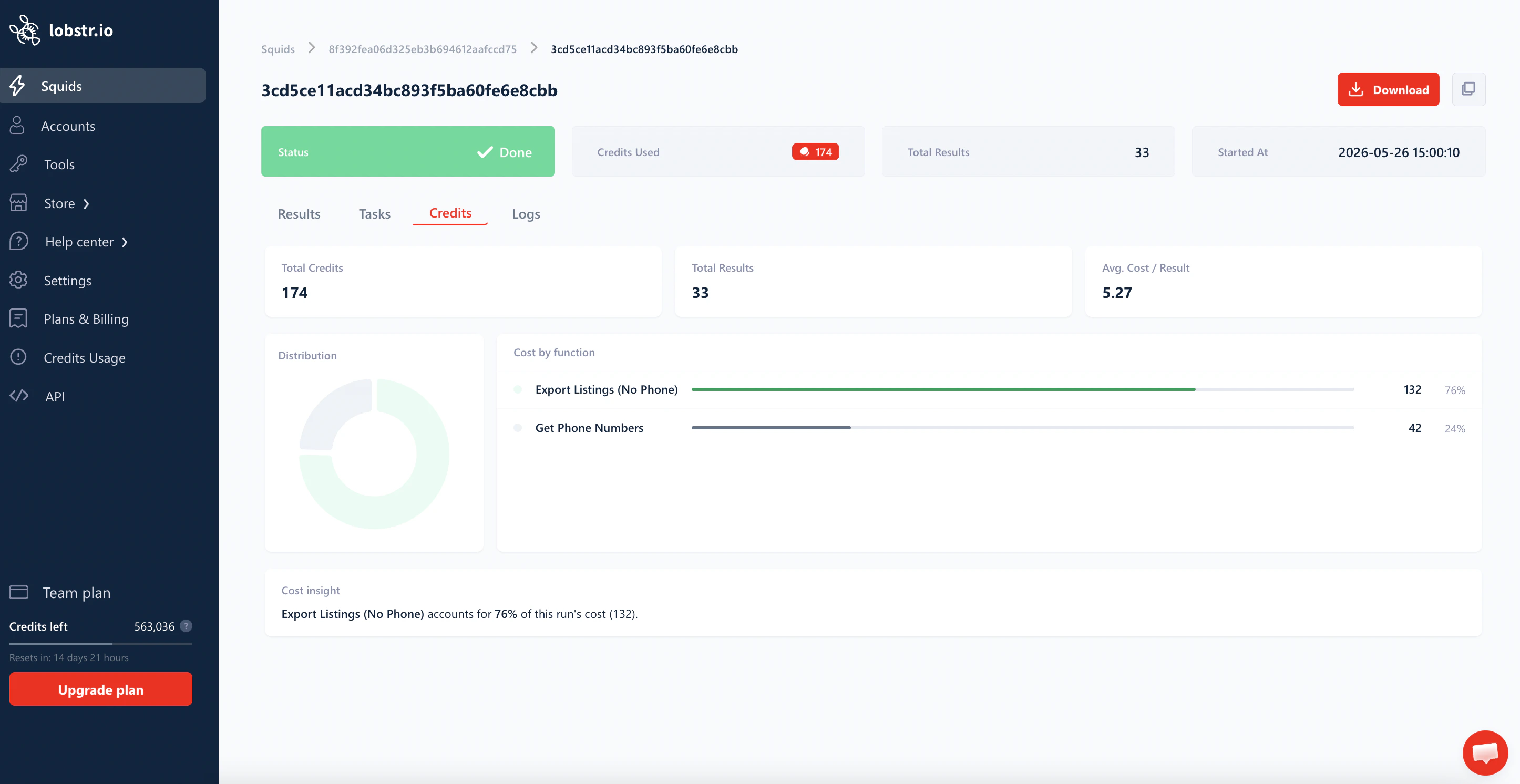
- Total Credits — credits this run consumed.
- Total Results — rows the run produced.
- Avg. Cost / Result — credits divided by results. This is the number to watch when a run feels expensive.
- Distribution — a donut chart showing the share of the run’s total credits taken by each function.
- Cost by function — a per-function bar list with the exact credit count and percentage. Functions can be base scraping (e.g.
Export Listings,Export Listings (No Phone)),Get Phone Numbers, email enrichment, email validation, etc. - Cost insight — a one-line plain-English summary calling out the dominant function (for example: “Export Listings (No Phone) accounts for 76% of this run’s cost (132).”).
Credit allocation modes
lobstr.io lets you choose how your monthly credits are distributed across the billing cycle.- Daily allocation
- Monthly allocation
With Daily Allocation, your monthly credits are divided by the remaining days in your billing cycle, giving you a fixed daily budget.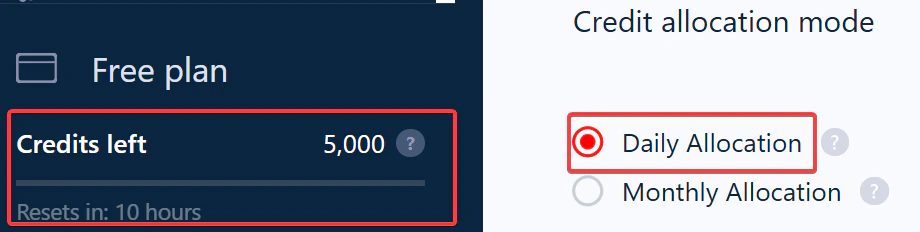
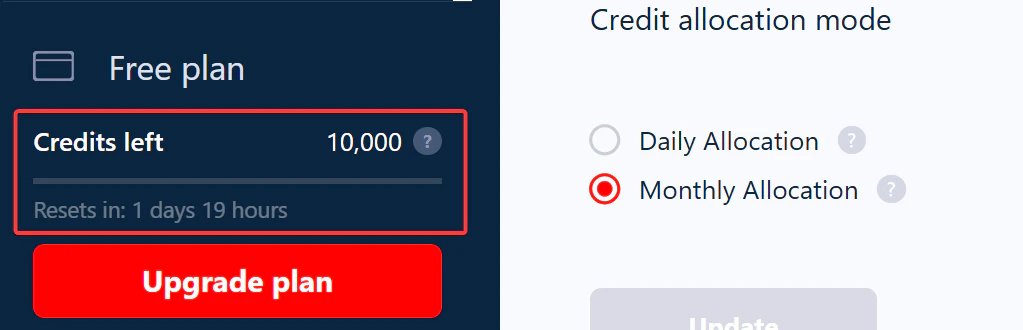
How to switch allocation modes
You can change mode at any time from your account settings.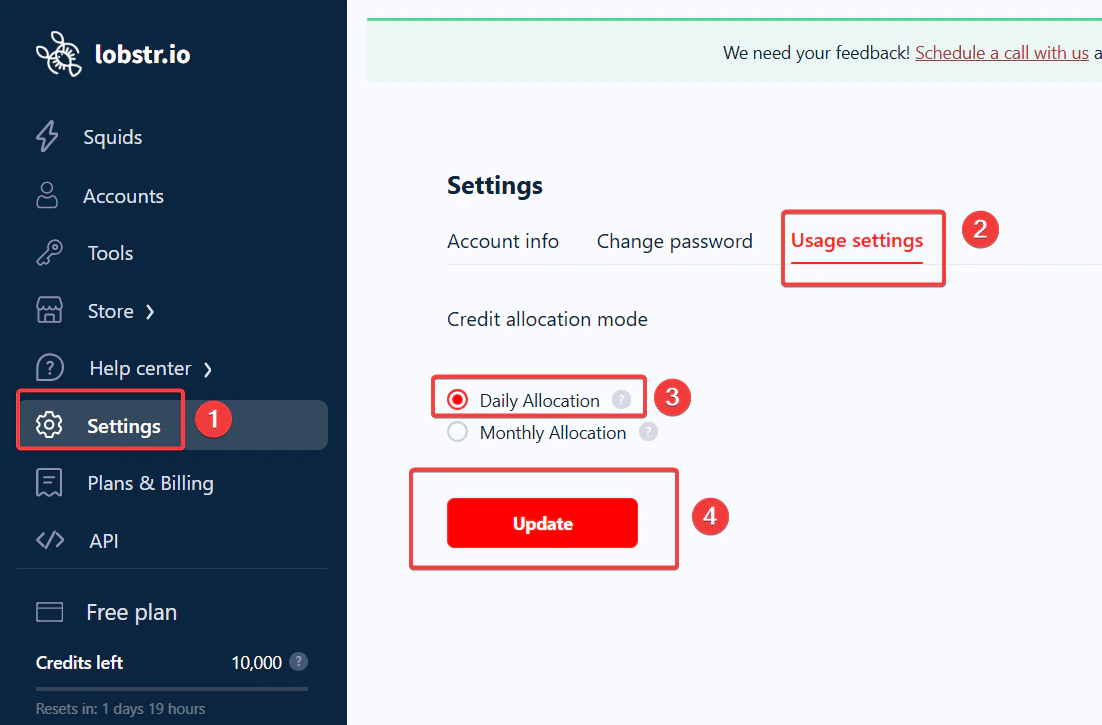
1
Open Settings
Click Settings in the left sidebar of your lobstr.io dashboard.
2
Go to Usage settings
Select Usage settings.
3
Choose your mode
Under Credit allocation mode, select either Daily or Monthly.
Spreading a large job across multiple days
If you’re on daily allocation and a Squid needs more credits than your daily quota, configure it to pause automatically when credits run out and resume the next day.1
Open Squid Settings
Navigate to your Squid and click Settings.
2
Enable end-run behavior
Find the When to end run section and turn on End run once all tasks consumed.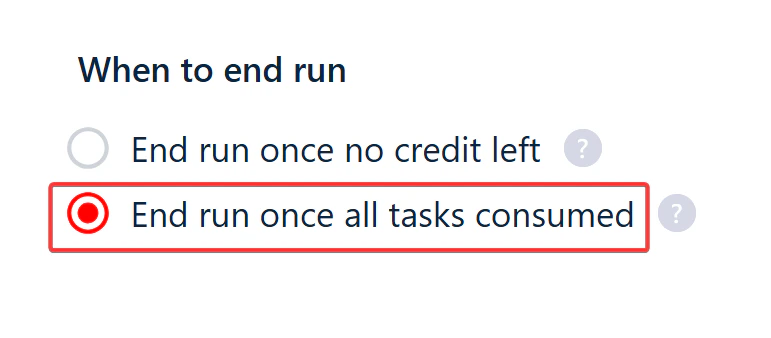
3
Save and launch the run
Click Save & Exit, then press Launch. When today’s credits are exhausted the run pauses; tomorrow, when credits refresh, it resumes where it stopped.
Related
- How Credit Allocation Affects Your Billing — billing impact of daily vs monthly
- Reset Your Billing Cycle — get fresh credits before your renewal date
- Pricing calculator — estimate credit and dollar cost per plan