
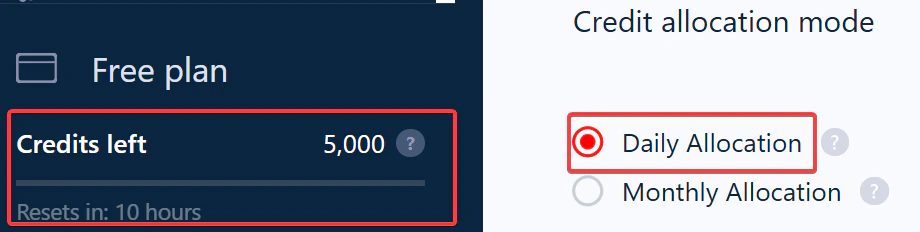
- Some scrape data every day and want to avoid burning all their credits at once.
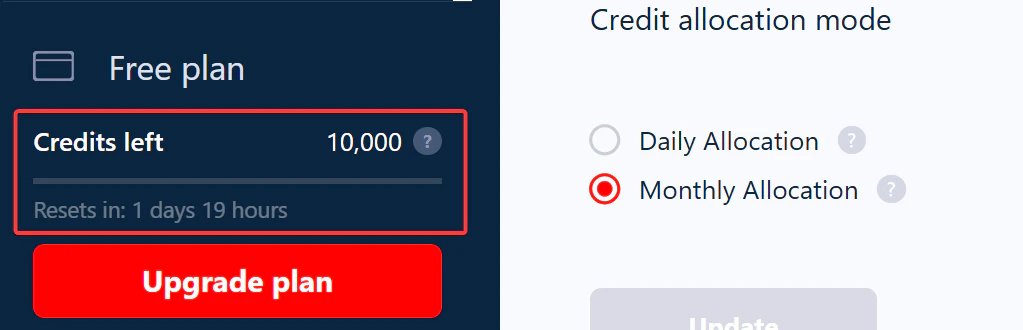
- Others want to run large one-off jobs and prefer all credits available upfront.
Daily allocation
Monthly allocation
Switching between modes
You can change your allocation mode anytime: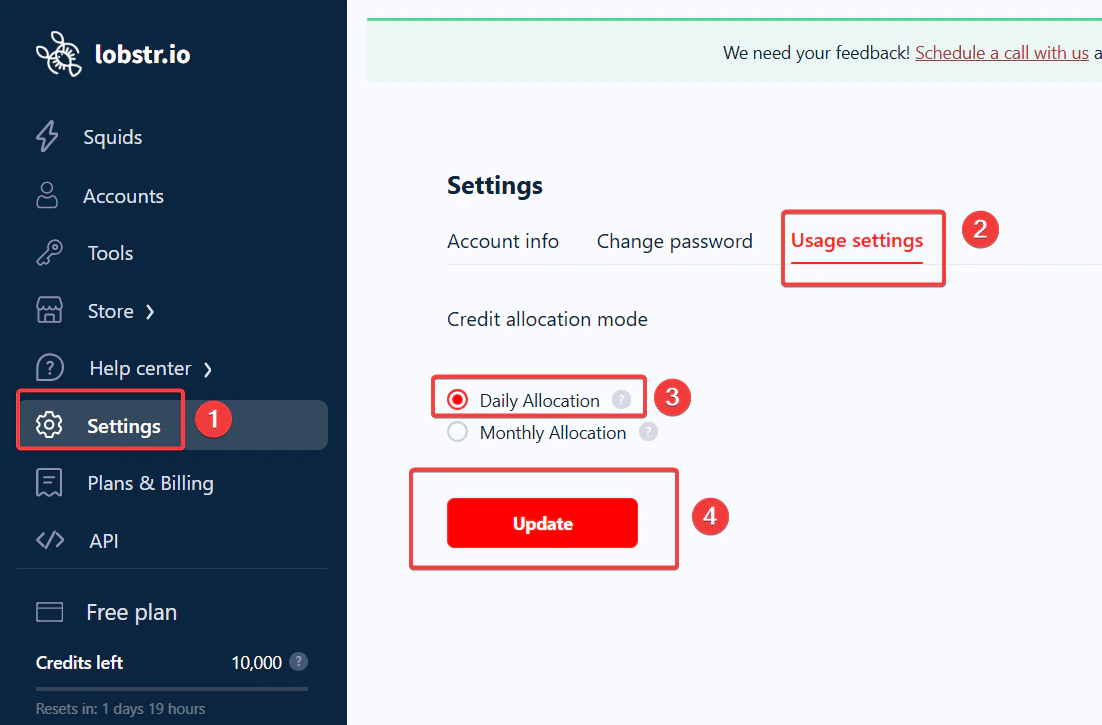
- Go to Settings from the left sidebar of your lobstr.io dashboard.
- Click Usage settings.
- Under Credit allocation mode, choose Daily or Monthly.
Switching modes does not add or remove credits — it only changes how your existing balance is distributed.
What if your Squid needs more credits than your daily quota?
If a scraping job needs more credits than you have for the day, you can set up a temporary pause so it resumes the next day. In your Squid settings, go to When to end run and turn on End run once all tasks consumed.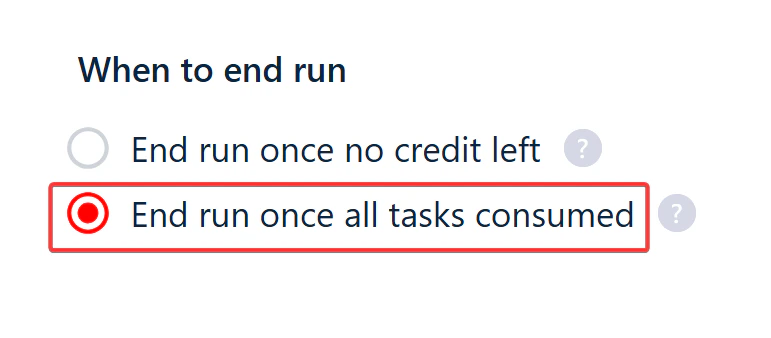
Detailed walkthrough: spreading daily credits
1
Update your end-run settings
By default, the scraper stops when the day’s credits have been used up.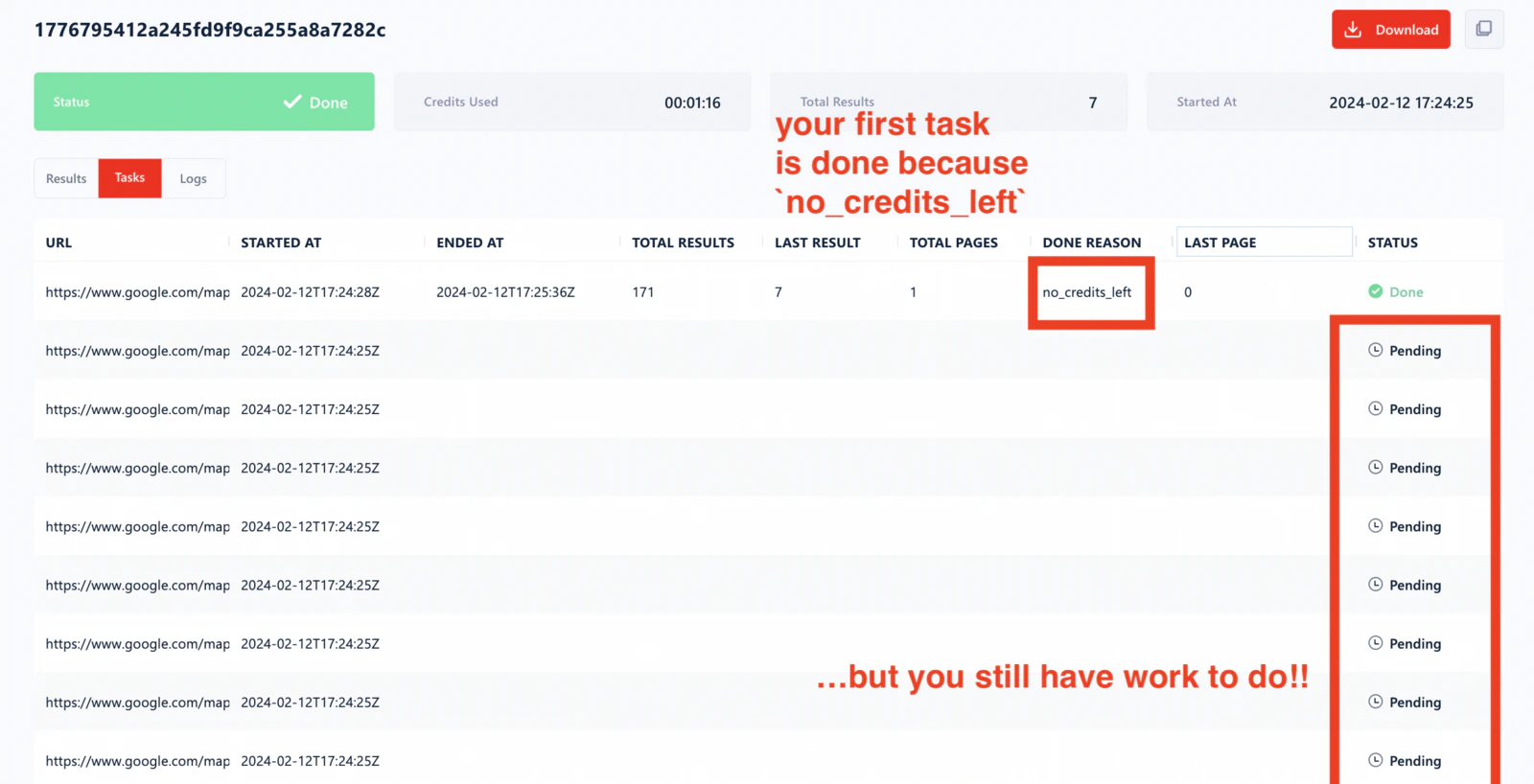
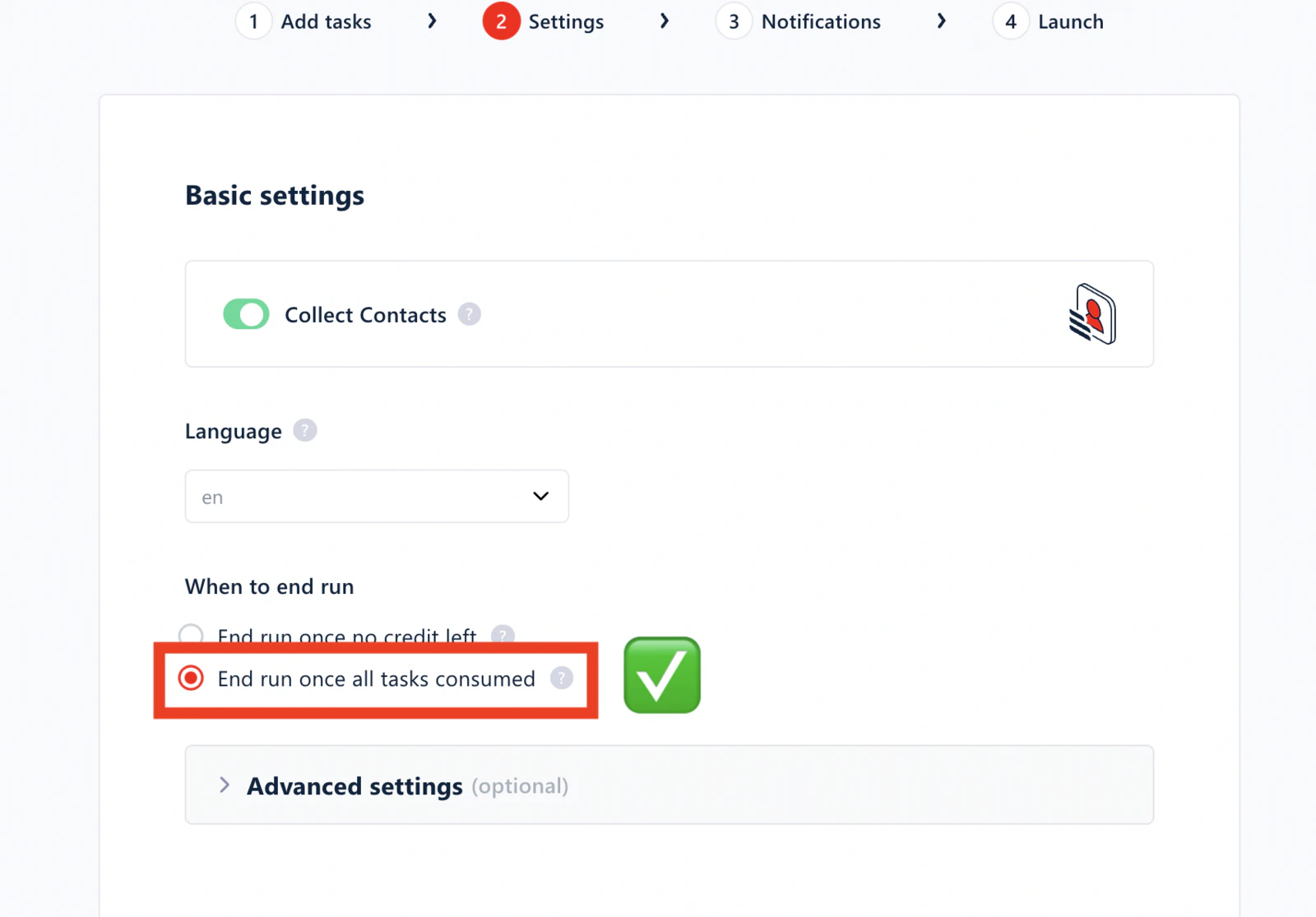
- Go to your Squid settings.
- Open the Settings section.
- Select End run once all tasks consumed.
2
Restart collection
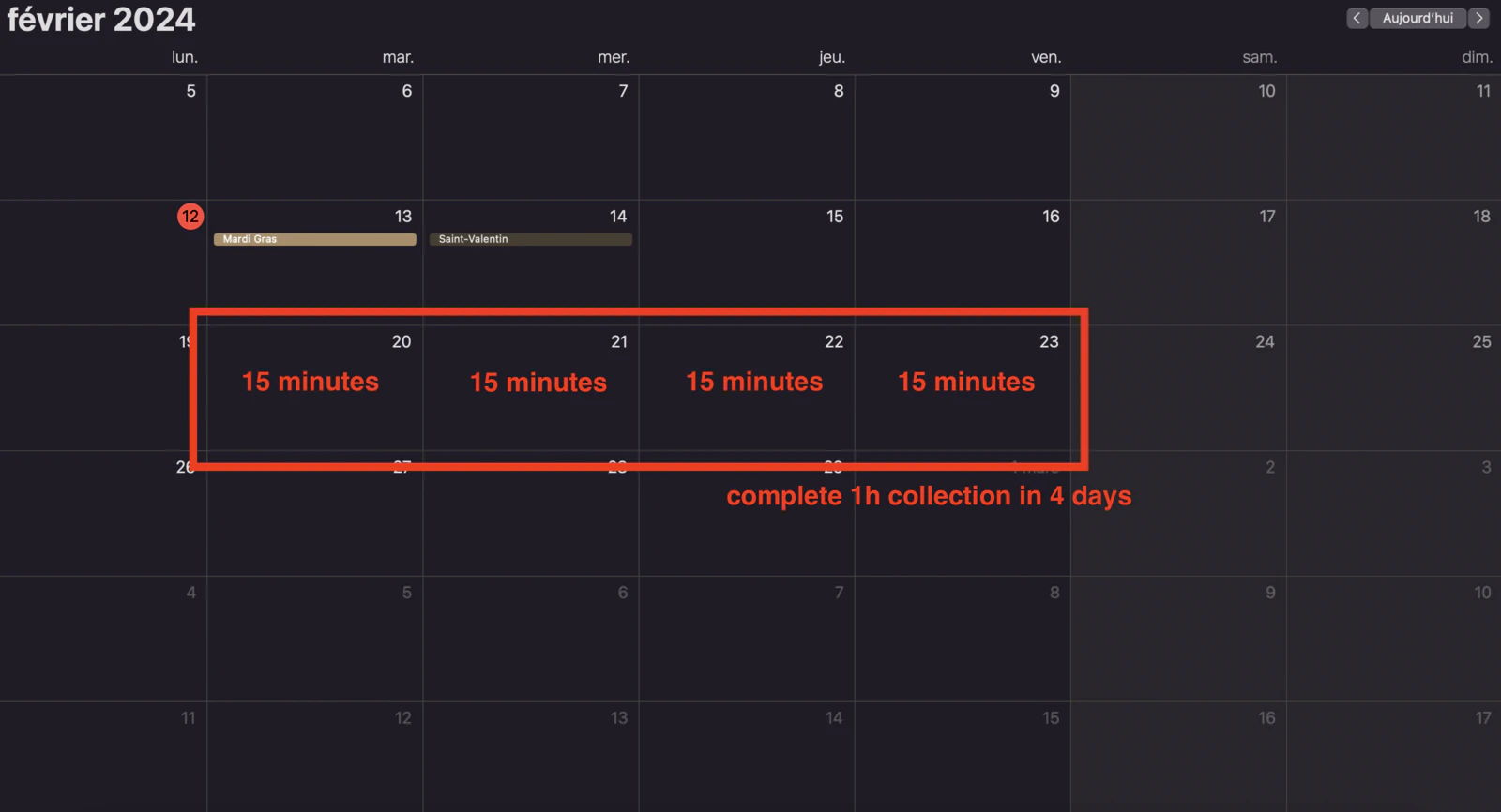
Go back to your Squid and restart the collection. The scraper will collect as much data as possible, pause when credits run out, and resume the next day.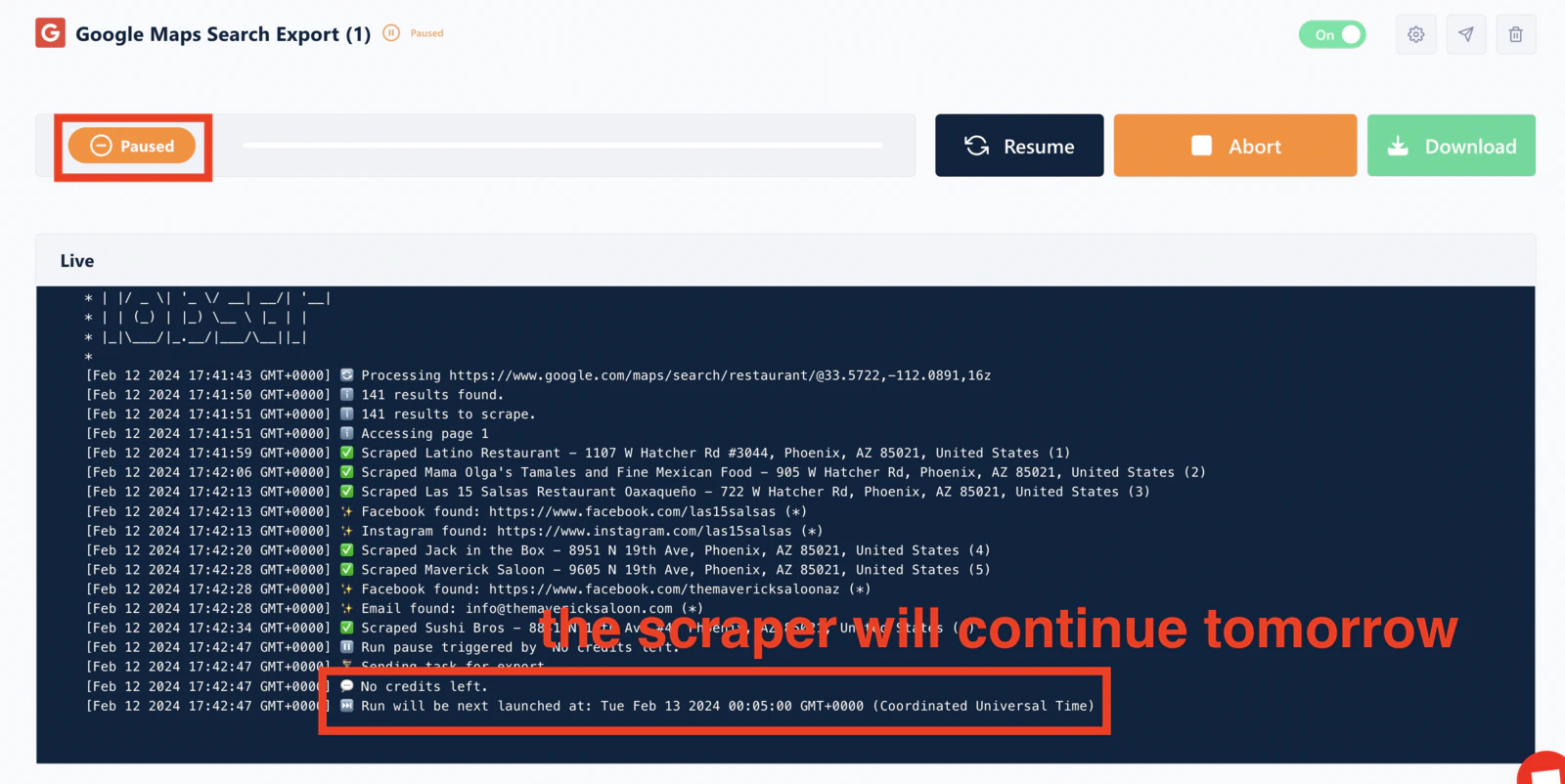
Running out of credits
If you exhaust your credits before the billing cycle renews:- On daily mode: wait for tomorrow’s refresh, or switch to monthly to access any remaining balance.
- On monthly mode: wait for your next billing cycle, or reset your billing cycle to get a fresh allocation (this charges your plan price plus any applicable tax immediately).
Related articles
- Credits: How Usage Is Measured and Allocated — full guide to credit modes
- Reset Your Billing Cycle — get fresh credits before renewal
- Manage Your Subscription — upgrade for more credits