
Download results from an individual run
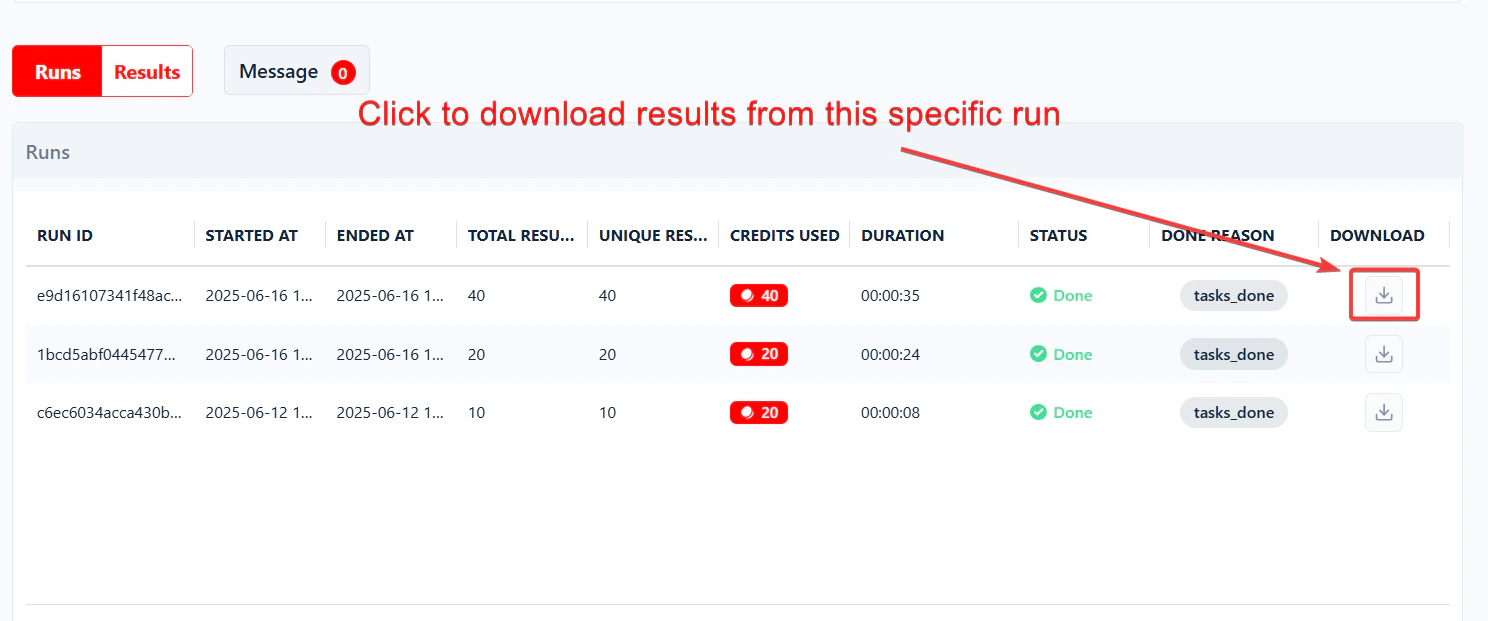
You can download results from any individual run, including the most recent one.- Scroll down to the Runs table below the live console.
- Find the run you want.
- Click the download icon (the small downward arrow) on the right side.
- Pick CSV or Excel (.xlsx) for an instant download — or click More export options… to choose another format and select columns.
Download results from the latest run
Click the big green Download button at the top right of the Squid page — next to the Launch button — and pick your format. This downloads the data collected by the most recent run.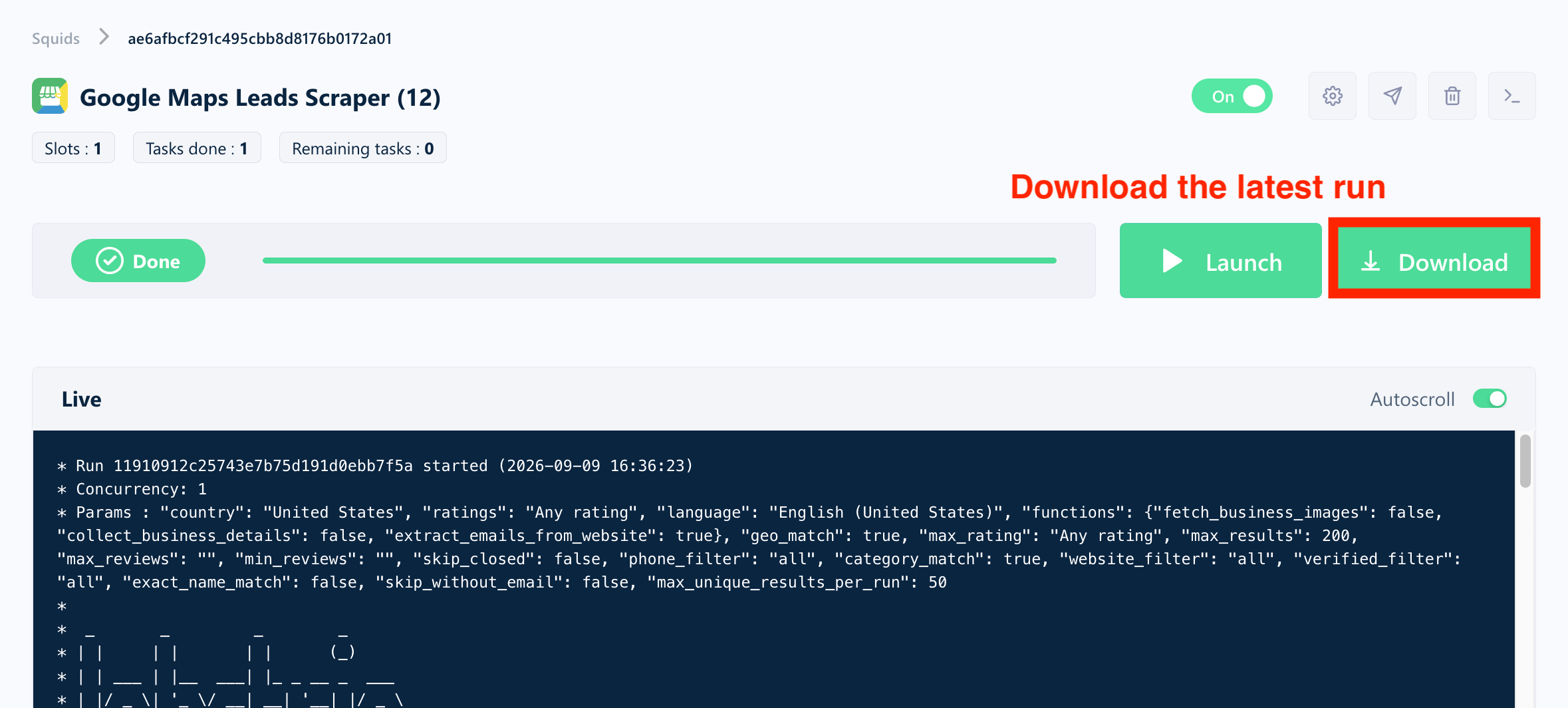
The green Download button exports the latest run only. To retrieve data from older runs, download them individually from the Runs table. To automatically archive every run’s file as it completes, set up a delivery channel like Amazon S3.
Choose your format and columns
Clicking More export options… in any download menu opens the Export results dialog: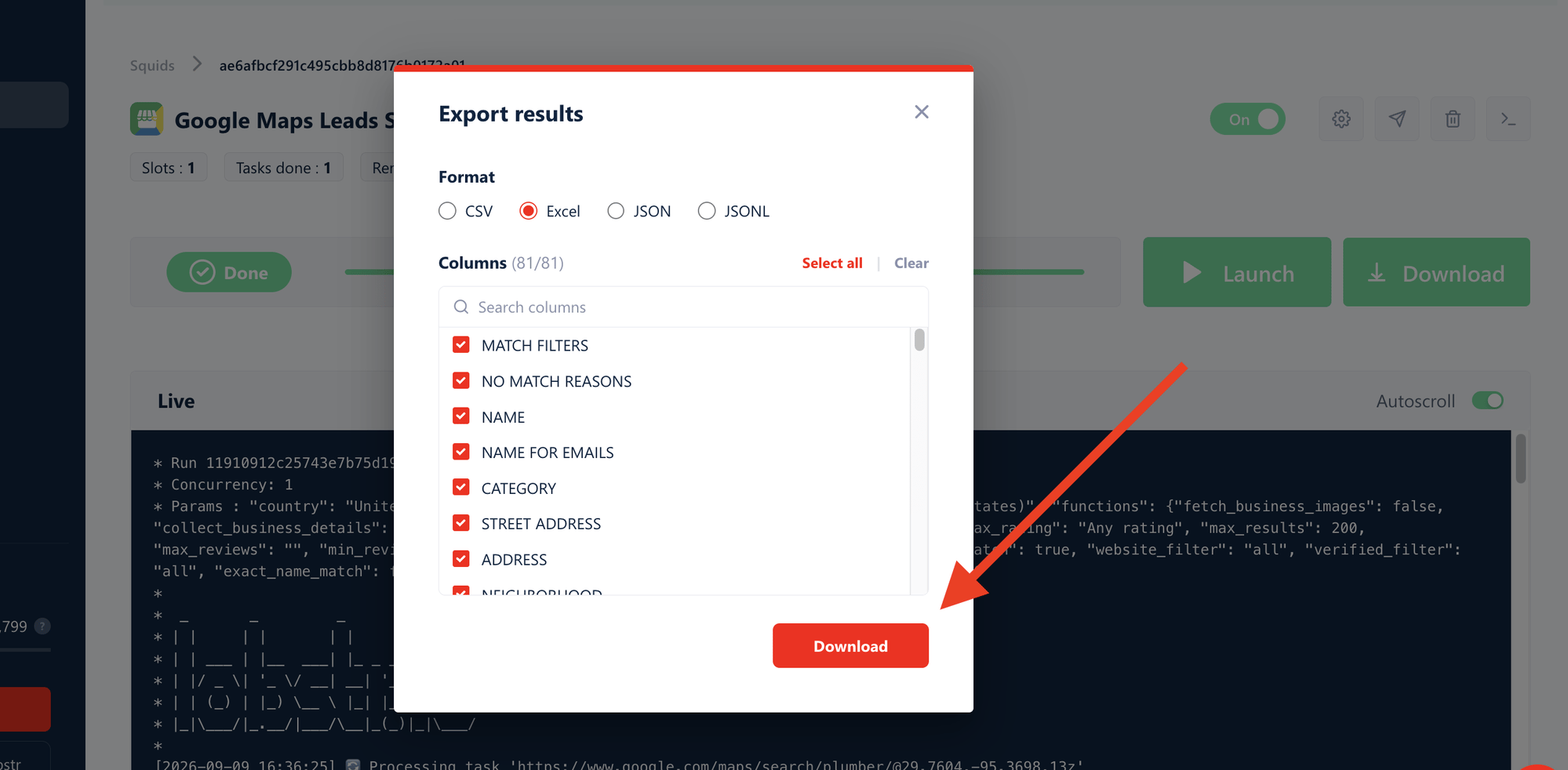
- Format — pick CSV, Excel, JSON, or JSONL.
- Columns — every column is selected by default. Untick the ones you don’t need, use the search box to find a specific column, or use Select all / Clear to start over. The counter shows how many columns are included.
file_format and fields parameters.
Can I export results to Google Sheets?
Yes. You can set up a Squid to automatically push results to a Google Sheet after every run. The sheet always contains the data from the last run — each new run overwrites the previous export.The Google Sheets export applies to future runs only. Past runs are not retroactively exported.
Can I download results as an Excel file?
Yes. Every download button lets you export directly in Excel (.xlsx) format — pick Excel in the download menu, or in the Export results dialog if you also want to select columns. The file opens straight in Microsoft Excel, no conversion needed.
Still have older CSV exports to convert? It takes a few clicks: How to convert a CSV file to Excel.
Can I download results as JSON?
Yes. Click More export options… and pick one of the two JSON formats:- JSON — a single structured array of objects. Best for importing into apps, scripts, and APIs.
- JSONL — one JSON object per line (newline-delimited). Best for large datasets and data pipelines, since each line can be processed independently.
On very wide datasets (2,000+ columns), CSV and Excel exports may not include every column. JSON and JSONL always include them all.
How long is my data available?
lobstr.io keeps your data for 28 days on premium plans (7 days on the free plan) after each Squid run.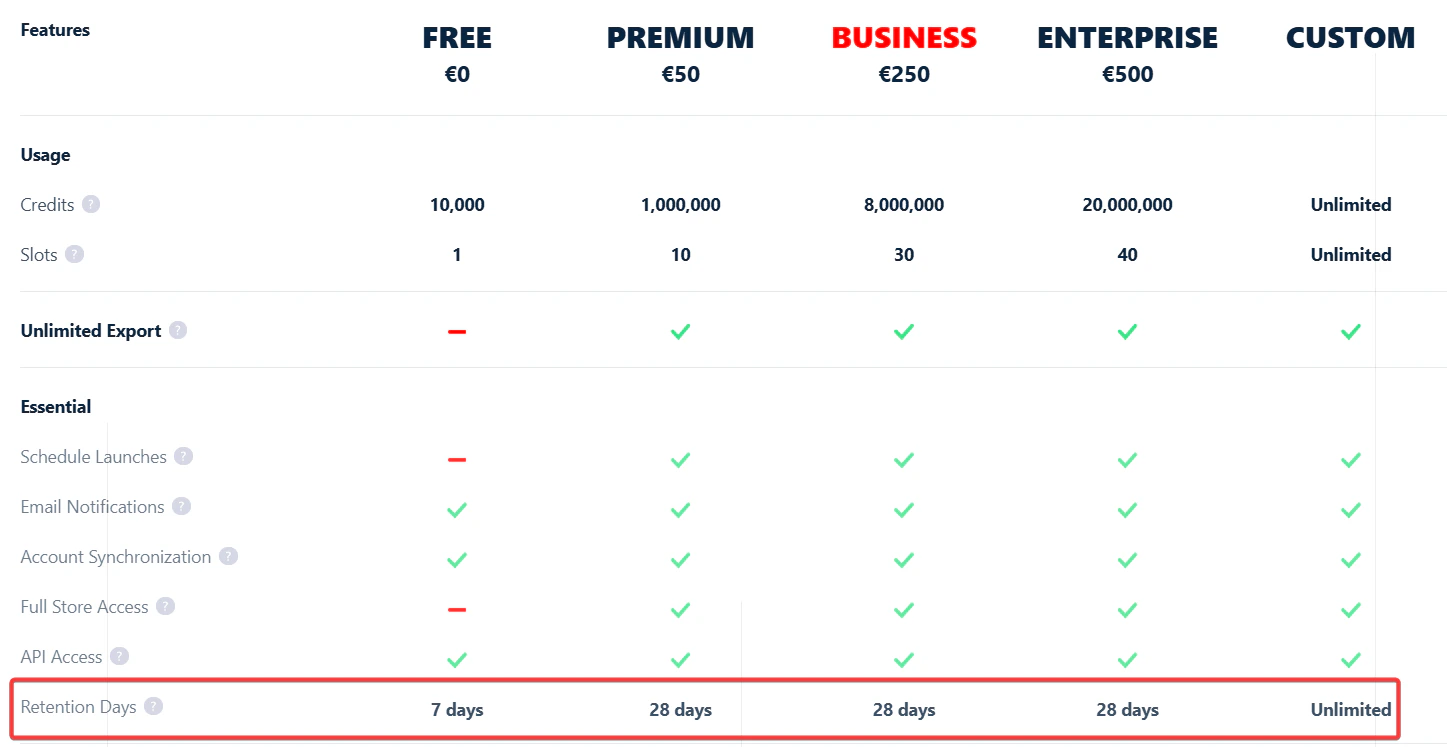
- You can download your run results anytime during that window.
- You can re-download the same run as many times as you need — no limit.
- After 28 days, the data is automatically deleted from lobstr.io’s servers and can’t be recovered.