
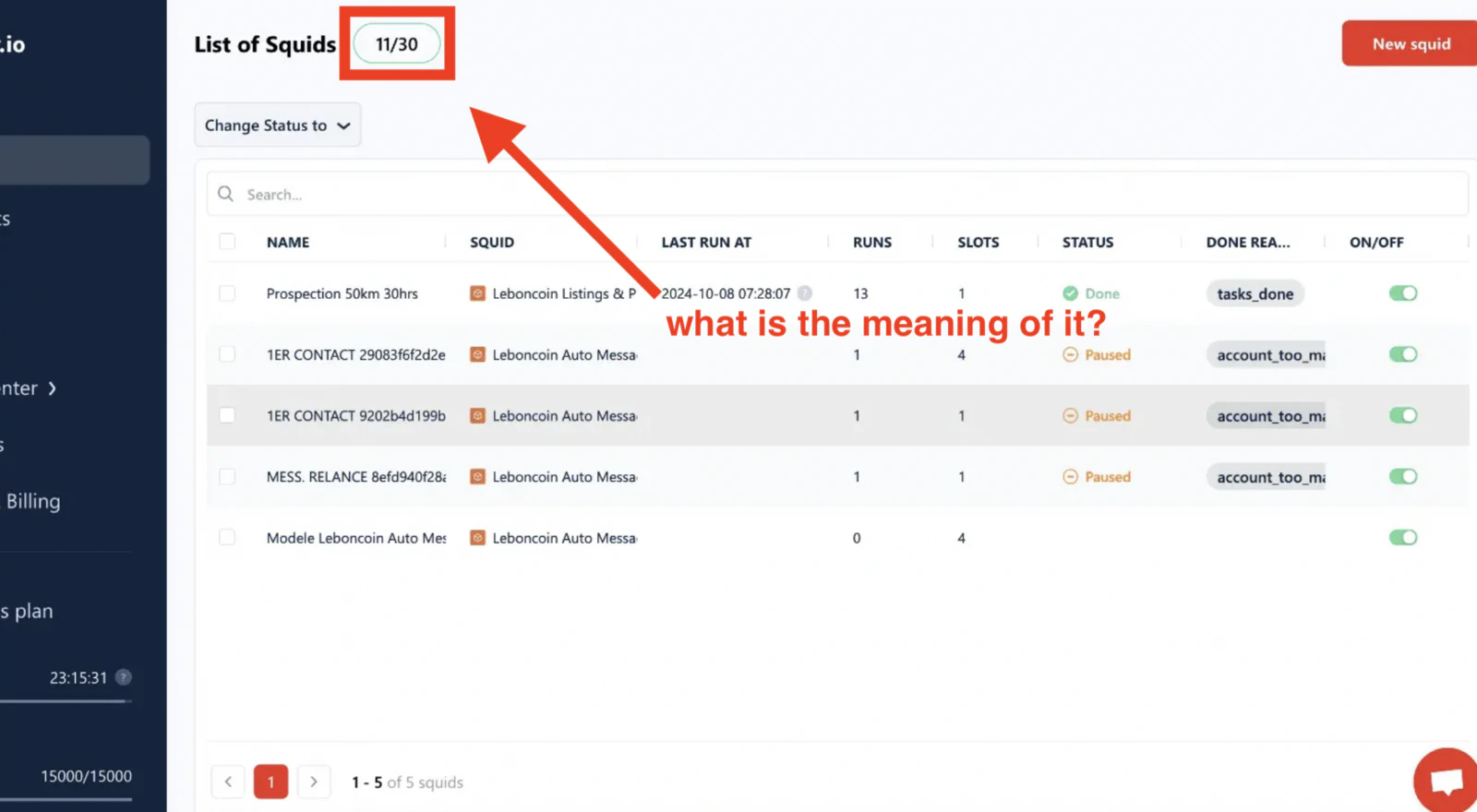
What is a slot?
A slot is a parallel scraper instance. Each Squid has aslots setting that determines how many scrapers it launches simultaneously to process its tasks — and each of those scrapers counts as one slot against your plan’s total.
Open your Squids list and you’ll see the per-Squid slot count next to each entry:
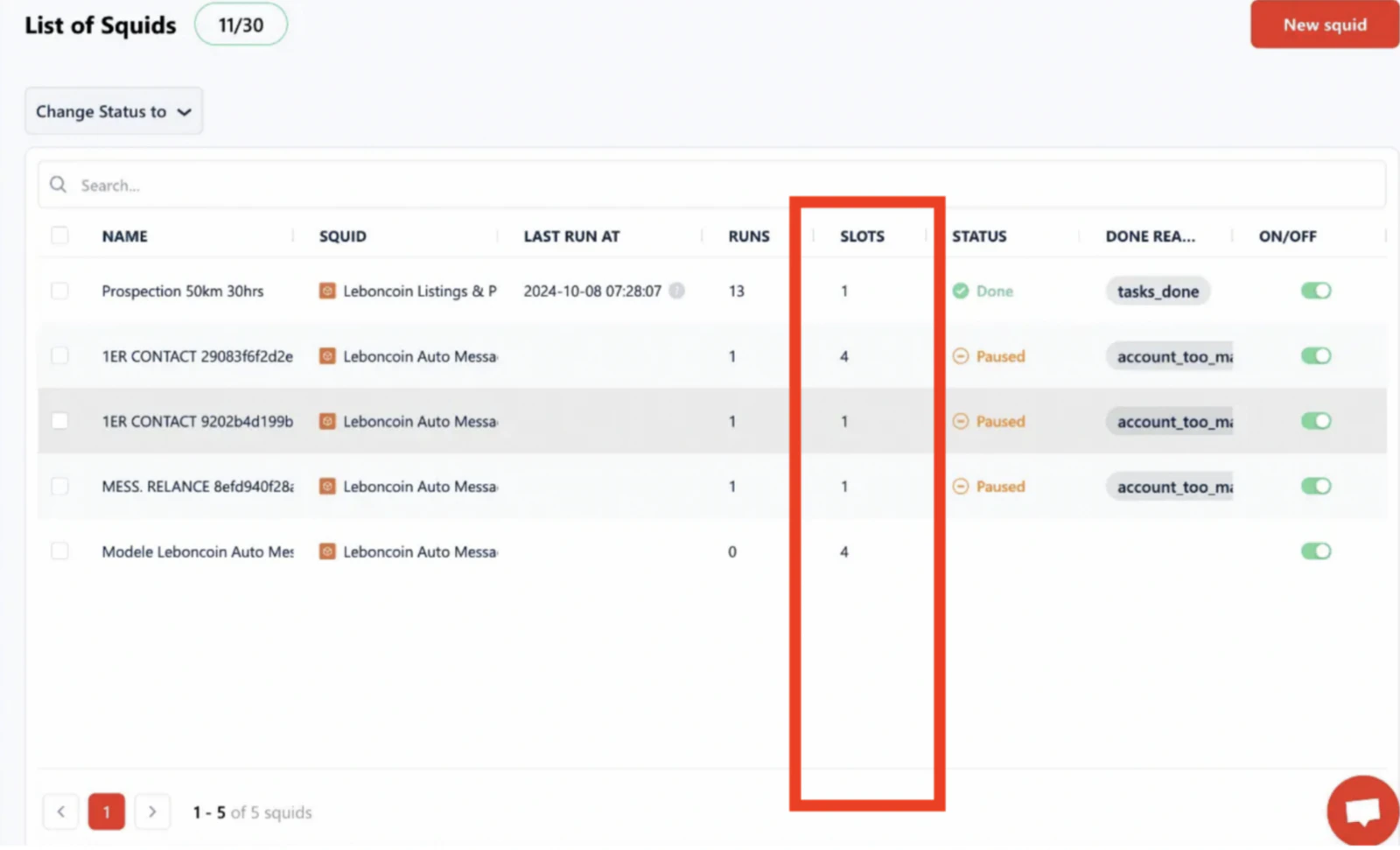
slots setting has been raised in their Settings to boost speed — each additional slot adds another scraper working through the task list in parallel.
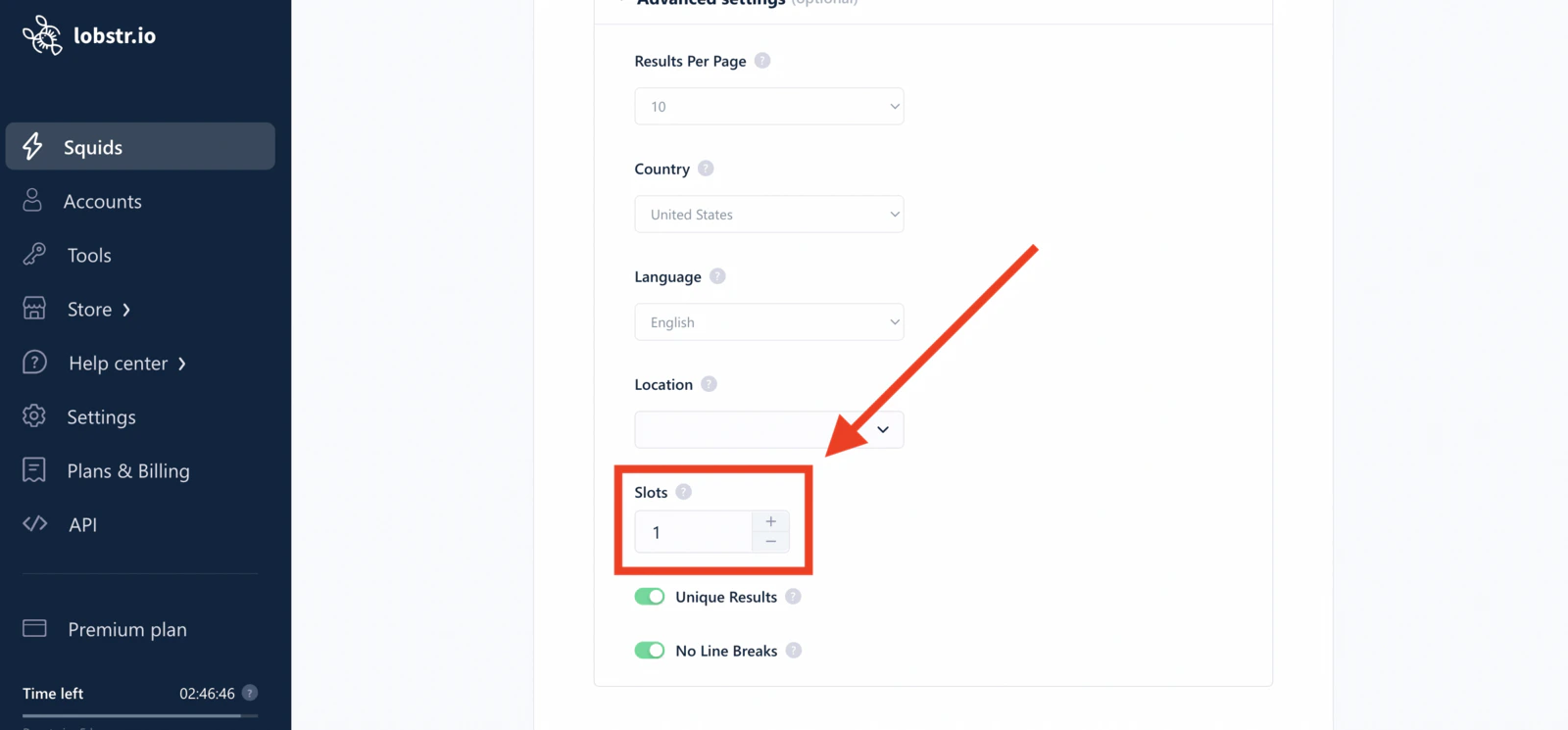
slots value → Save & Exit. Higher slots = faster runs, at the cost of more of your plan’s total capacity being used at once.
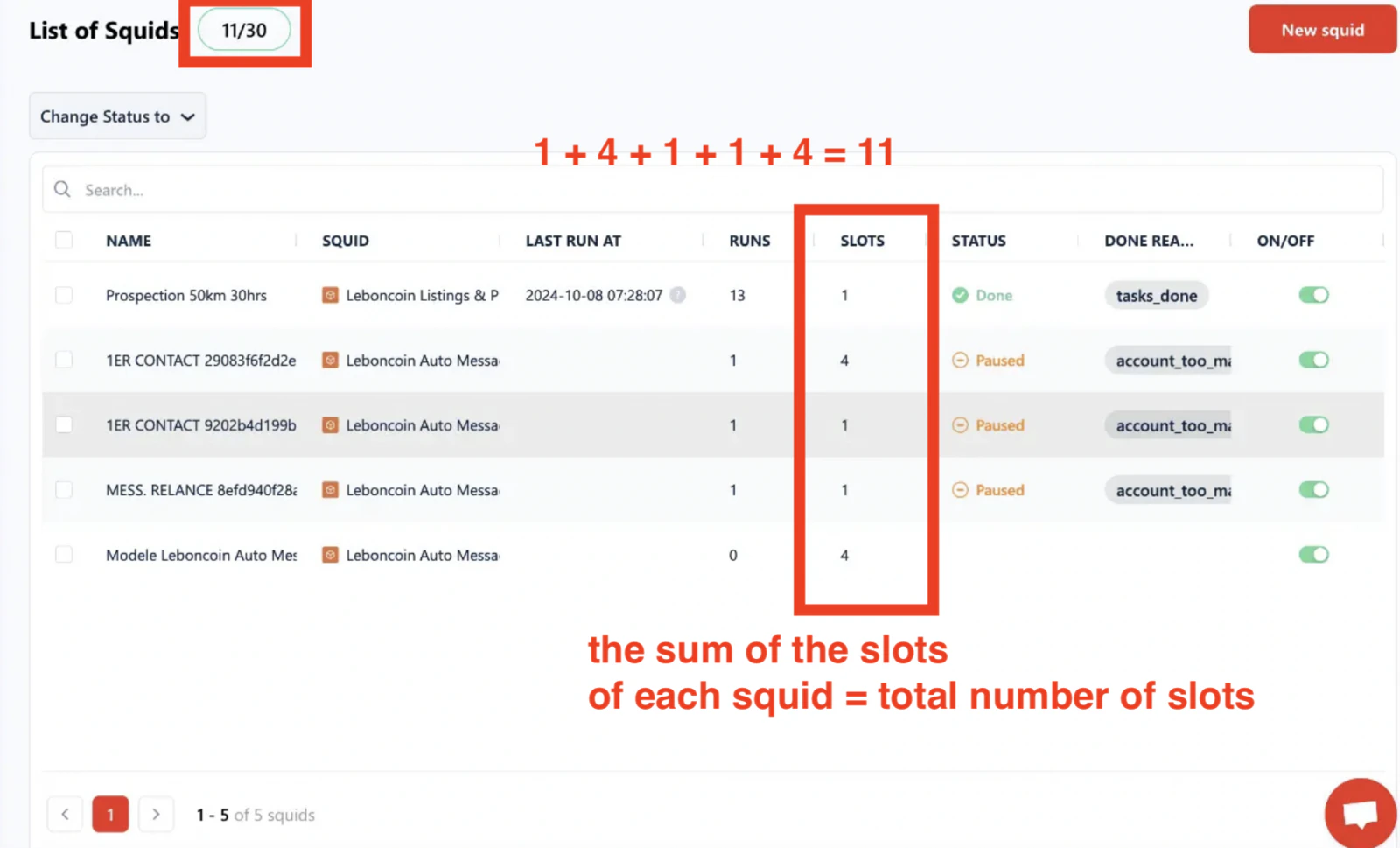
How your total slot count is computed
Your total is the sum of theslots setting across all your active Squids.
For example, with 5 active Squids:
Limits on the slots setting
There are two caps on how high you can set a Squid’s slots value:
- 20 per run — regardless of your plan’s total, a single Squid can’t exceed 20 parallel instances in one run. Even on the Team plan (50 slots), each individual Squid is still capped at 20.
- Number of synced accounts — for Squids that require account sync (Sales Nav, Leboncoin, Twitter/X, Facebook), the
slotsvalue is also capped by the number of accounts you have synced for that platform. One scraper instance uses one account’s session, so you can’t run 10 instances with only 5 linked accounts.
- Free — 1 slot
- Starter — 2 slots
- Pro — 10 slots
- Team — 50 slots
When you hit your plan’s slot limit
Because your total is the sum ofslots across every active Squid, you can run out of capacity in two ways: raising one Squid’s slots too high, or simply having too many Squids active at once.
When you’re at your limit, lobstr.io won’t let you claim more capacity than your plan includes — raising a Squid’s slots past what’s left over is refused when you save. On the free plan, with a single slot, that means one active Squid at a time.
You have three ways out:
- Free up slots — deactivate a Squid you’re not using (see below). This is instant.
- Stagger schedules — if two Squids don’t actually need to run simultaneously, offset their schedules so they take turns using the same capacity.
- Upgrade — see Manage subscription.
The same ceiling applies at launch time, not just in settings. If a run starts when your active Squids already account for every slot you have, it stops with the
slots_limit_exceeded stop reason instead of running.Freeing up slots
If you’re approaching your plan’s total and need capacity for another Squid, deactivate any Squid you’re not currently using. Deactivating a Squid releases its slots immediately.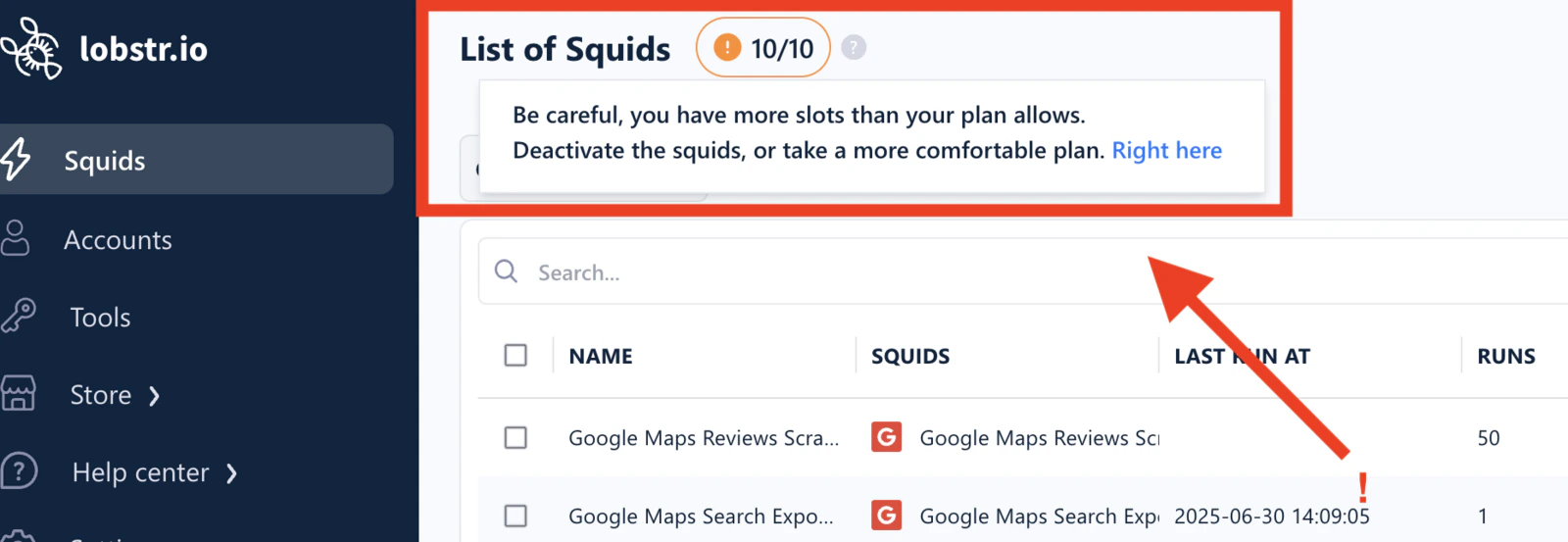
1
Open your Squids dashboard
Go to your Squids list.
2
Select the Squid to deactivate
Click the Squid you want to pause.
3
Set it to Inactive
Click Change Status to → Inactive. Your total slot count drops by that Squid’s
slots value immediately.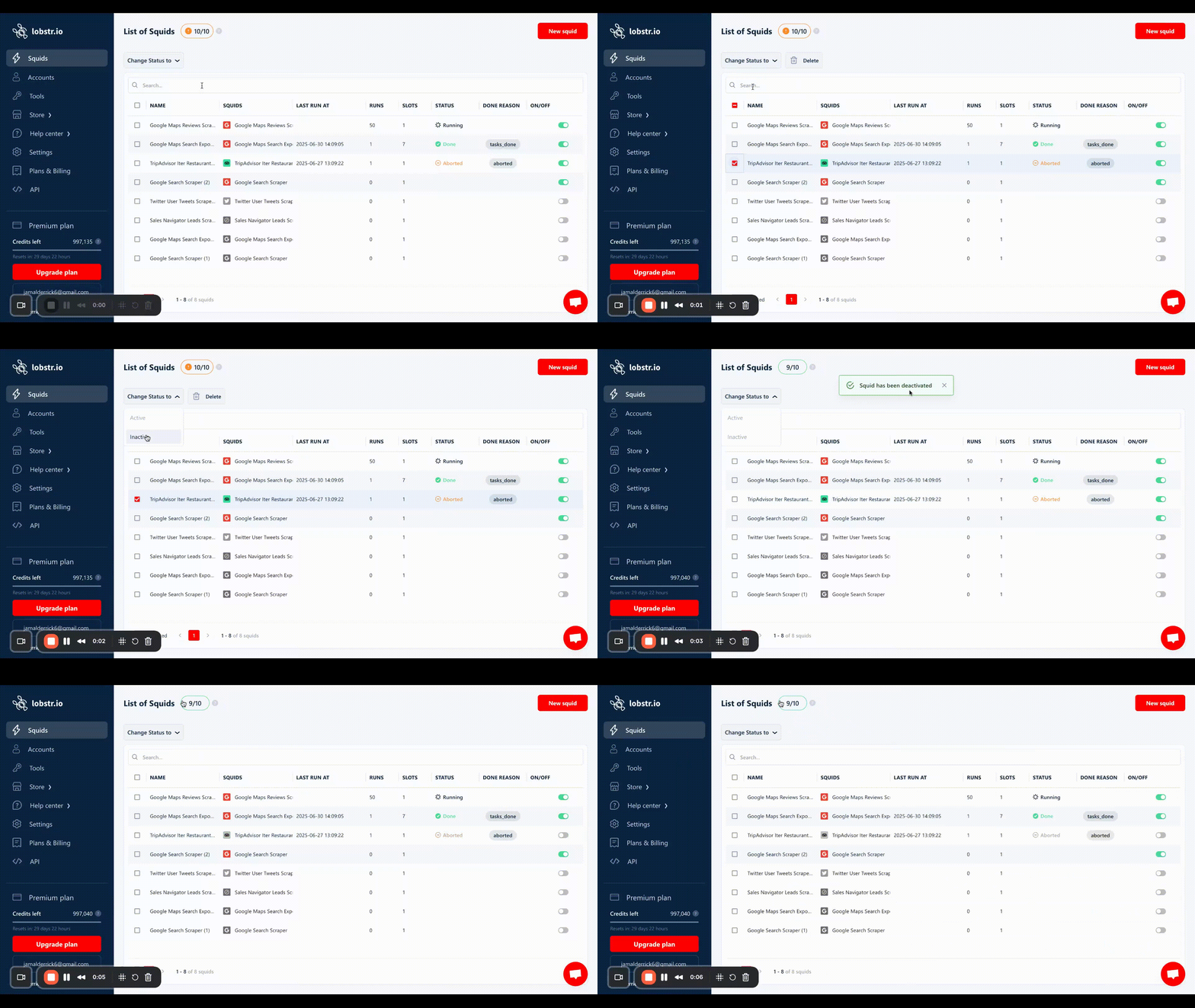
Related
- Runs — how concurrency works inside a single run
- Account Sync — synced accounts are what let you raise
slotson account-gated Squids - Account Bans & Limits — why slot capacity matters for account-based scraping