
- Run notifications — optional alerts when a Squid run finishes. You turn these on per Squid.
- Account alerts — automatic emails when a synced account needs attention, such as when its cookies expire. Always on, nothing to configure.
Run notifications
Run notifications email you when a Squid run finishes. They apply to both manual and scheduled runs. You pick one of three options:- None — no email is sent (default).
- On success — email sent when a run completes successfully.
- On error — email sent when a run fails or stops because of an error.
You can only pick one option at a time — success or error, not both.
Enable run notifications
1
Open Squid Settings
Navigate to your Squid and click Settings.
2
Go to Notifications
Open the Notifications section.
3
Choose an option
Select None, On success, or On error, then click Save.
Run notifications are per-Squid — configure them individually on each Squid you want alerts for.
Account alerts
Some emails are sent automatically — you don’t set these up, and there’s no toggle. The most common is the cookies-expired alert. When a synced account’s login cookies expire, lobstr.io emails you right away so you can fix it before more runs stall. Any scrapers using that account are paused until you re-sync it.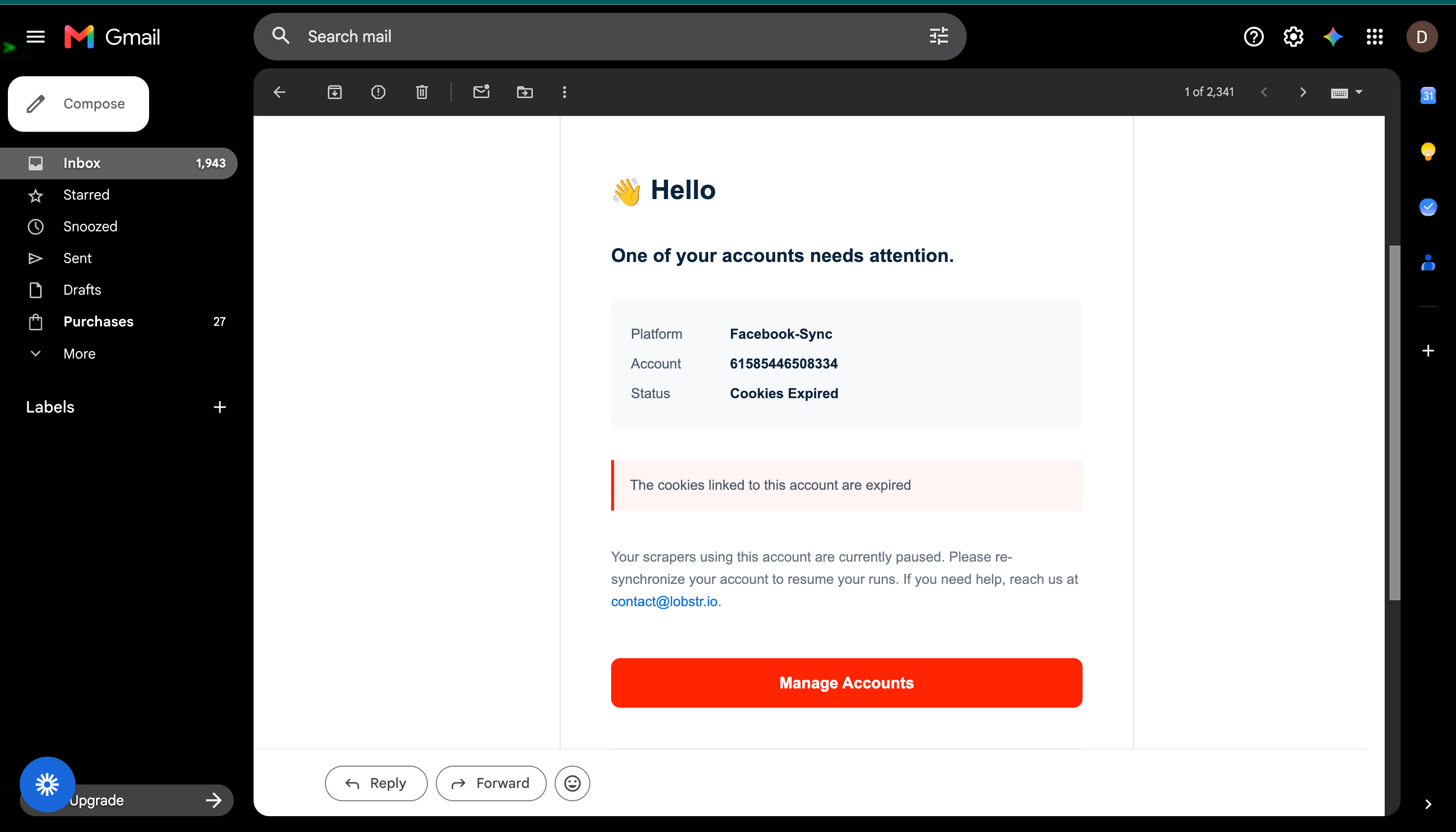
- Platform — the synced platform the account belongs to (e.g. Facebook, Sales Navigator, Leboncoin, X).
- Account — the specific account whose cookies expired.
- Status — Cookies Expired.
- A Manage Accounts button that takes you straight to your Accounts page to re-sync.
cookies_expired run stop reason.
Account alerts are automatic and always on — there’s nothing to enable. They go to your lobstr.io account email, the same address used for run notifications.