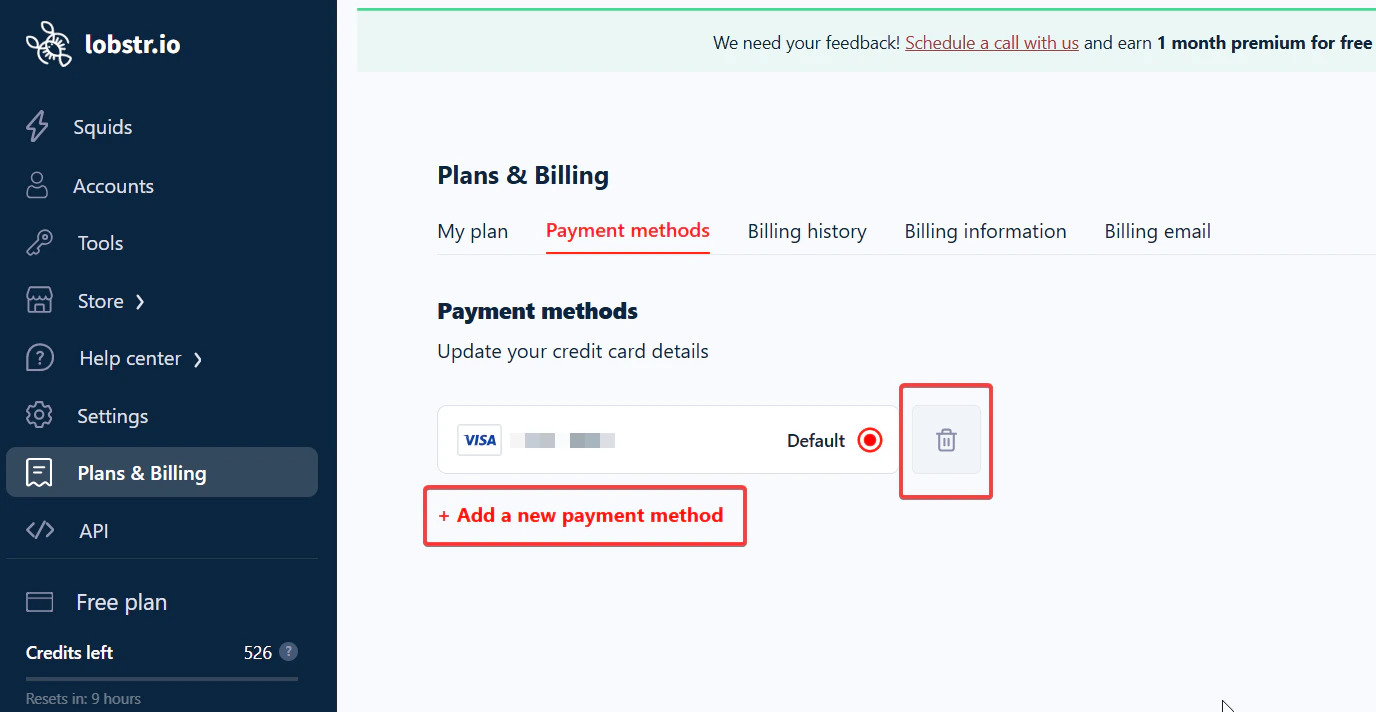
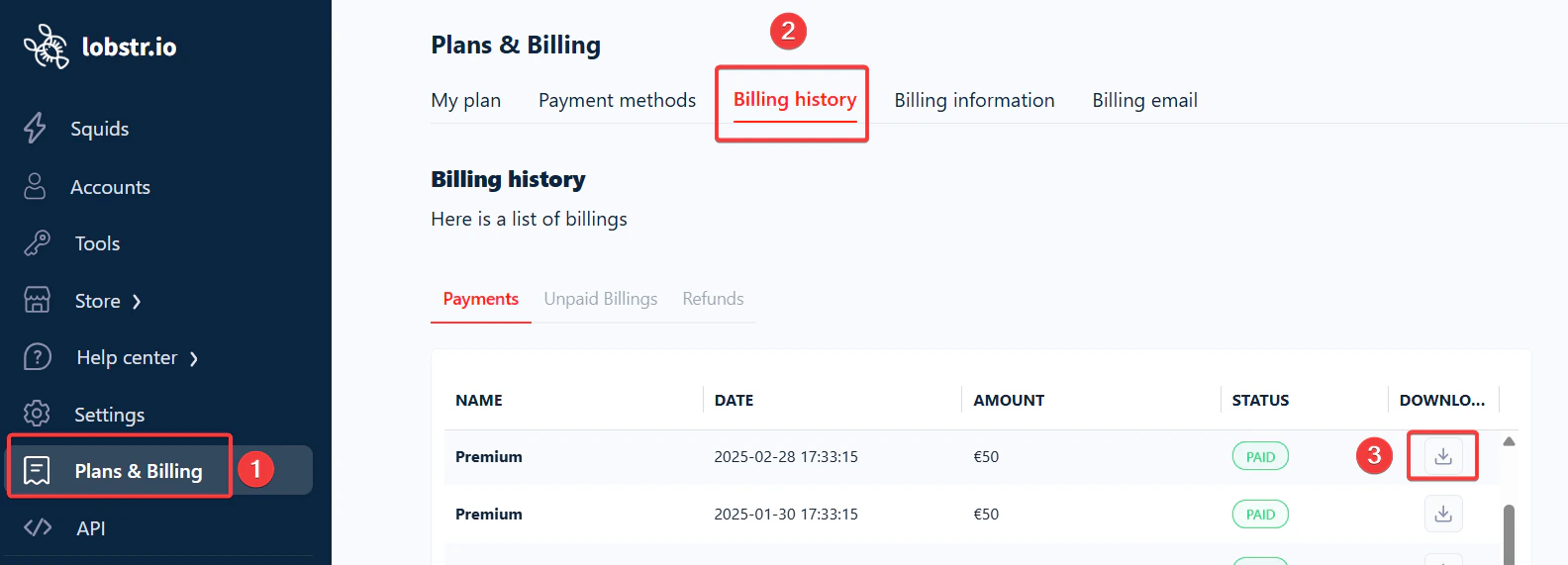
All billing management in lobstr.io happens from the Settings > Plans & Billing section. From there you can update your billing details, manage your payment cards, and download PDF invoices for your records.
Keep your billing information up to date. Outdated or incorrect details can cause payment failures that interrupt your subscription.

Update billing information
1

Go to Billing Information

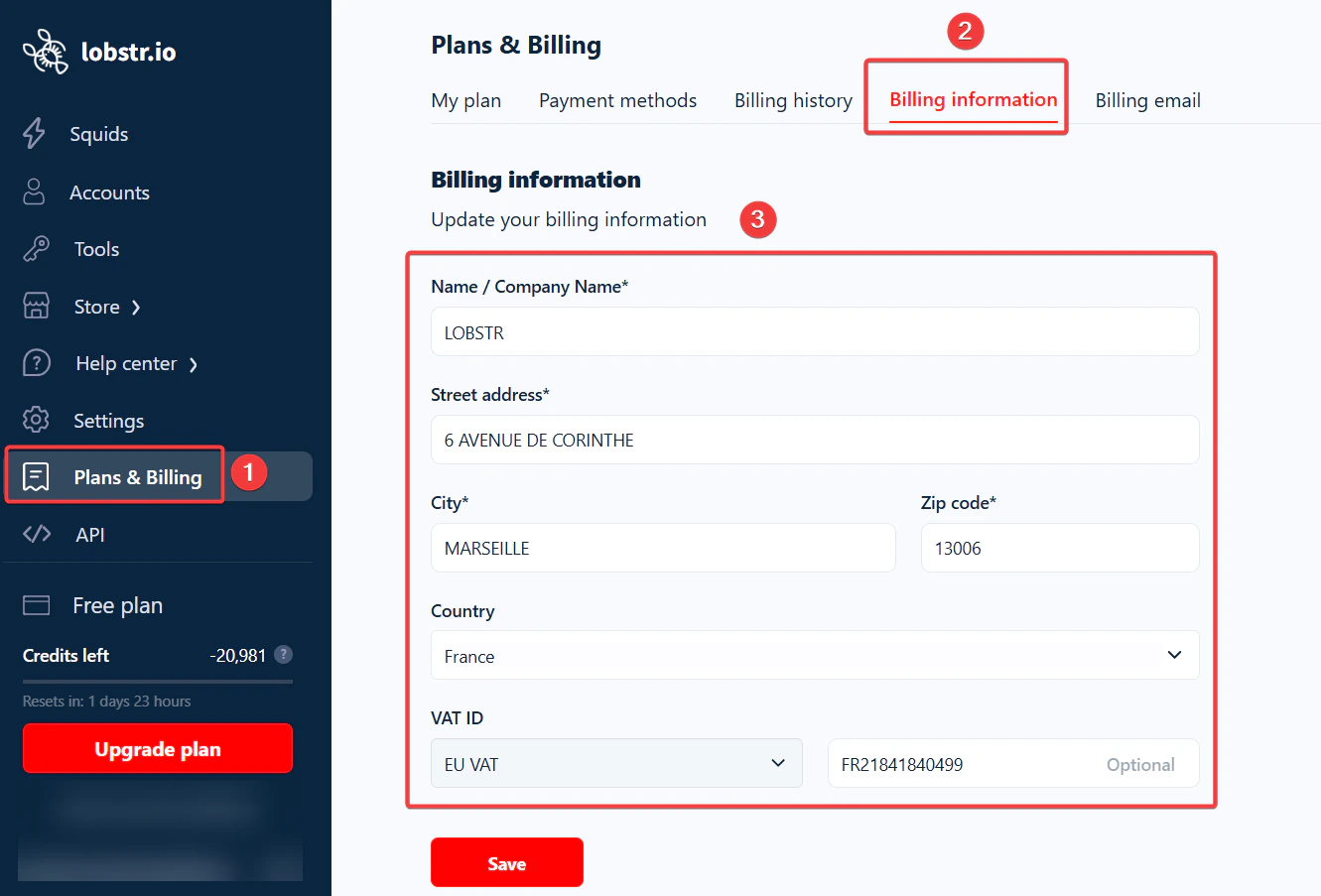
Navigate to Settings > Plans & Billing > Billing Information.
2

Edit your details

Update the fields you want to change — such as your name, address, or VAT ID.
3

Save your changes

Click Save to apply the updates. Changes apply to future invoices; past invoices remain unchanged.

Add or remove a payment method

1

Go to Payment Methods

Navigate to Settings > Plans & Billing > Payment Methods.
2

Add a new card

Click Add a new payment method, enter your card details, and save.
3

Remove an existing card

Click the delete icon next to the card you want to remove.
You must always have at least one valid payment method on file for your paid subscription to remain active.

Download invoices

1

Go to Billing History

Navigate to Settings > Plans & Billing > Billing History.
2

Find the invoice

Locate the invoice by issue date in the list.
3

Download the PDF

Click the download icon next to the invoice. The PDF downloads instantly.