
lobstr.io never stores your third-party username or password for LinkedIn, Twitter, Facebook, or Leboncoin. When you sync an account, the browser extension captures only your login cookies to maintain your session.
How to change your password (while logged in)
If you’re logged in and just want to update your password: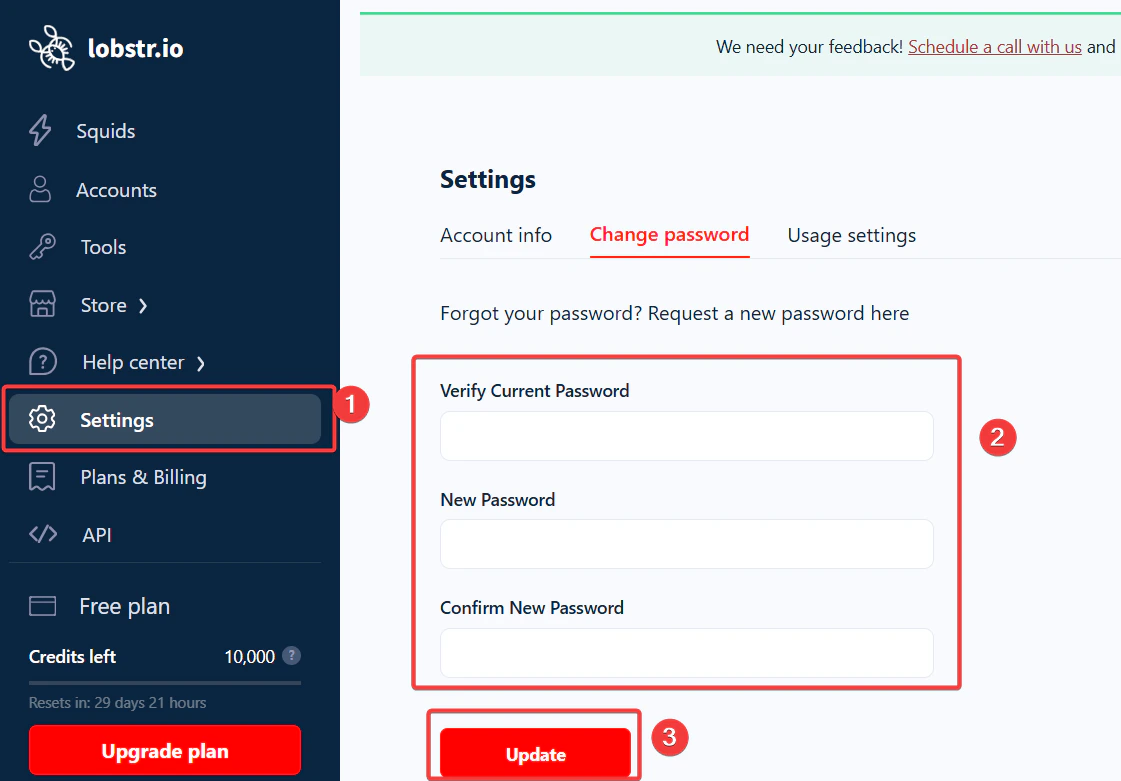
- Go to Settings.
- Click Change password.
- Enter your current password and your new password.
- Hit Save.
Forgot your password?
If you can’t log in at all, don’t panic — you can reset your password directly from the login page, no support ticket needed.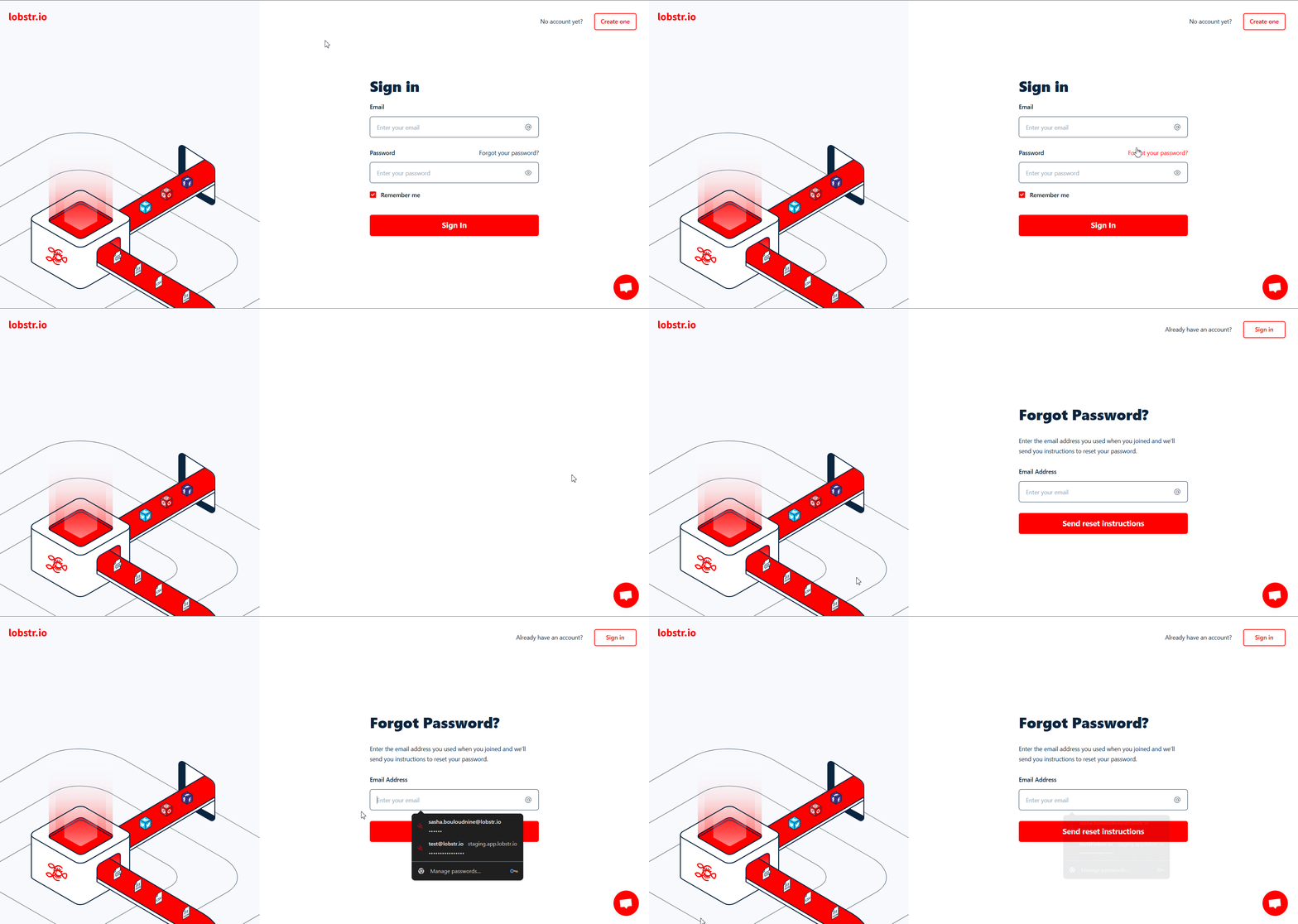
- Click Forgot your password? on the lobstr.io login page.
- Enter the email address you used to create your account.
- Check your inbox for a password reset email.
- Click the link in the email and set a new password.
The password reset email usually arrives instantly, but may occasionally take a few minutes. If you don’t see it, check your spam or promotions folder.
How to change or reset your email
Unlike passwords, you can’t reset or change your email address on your own. That option has been intentionally turned off in your lobstr.io dashboard for security reasons. So if you don’t remember which email you signed up with (or no longer have access to it):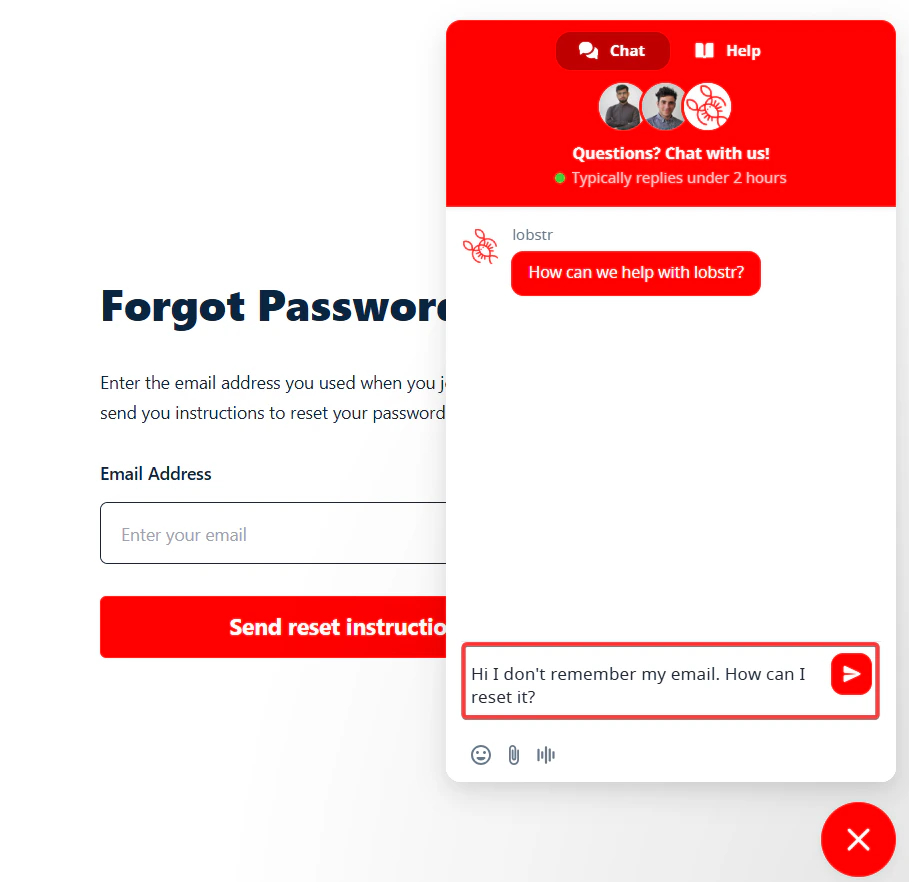
- Open the Live Chat widget (bottom right corner of the site).
- Let the support team know you’ve forgotten your email or lost access to it.
- You’ll go through a quick verification process.
- Once verified, support helps you regain access and update your email if needed.
How to delete your account permanently
If you’re sure you want to permanently delete your lobstr.io account: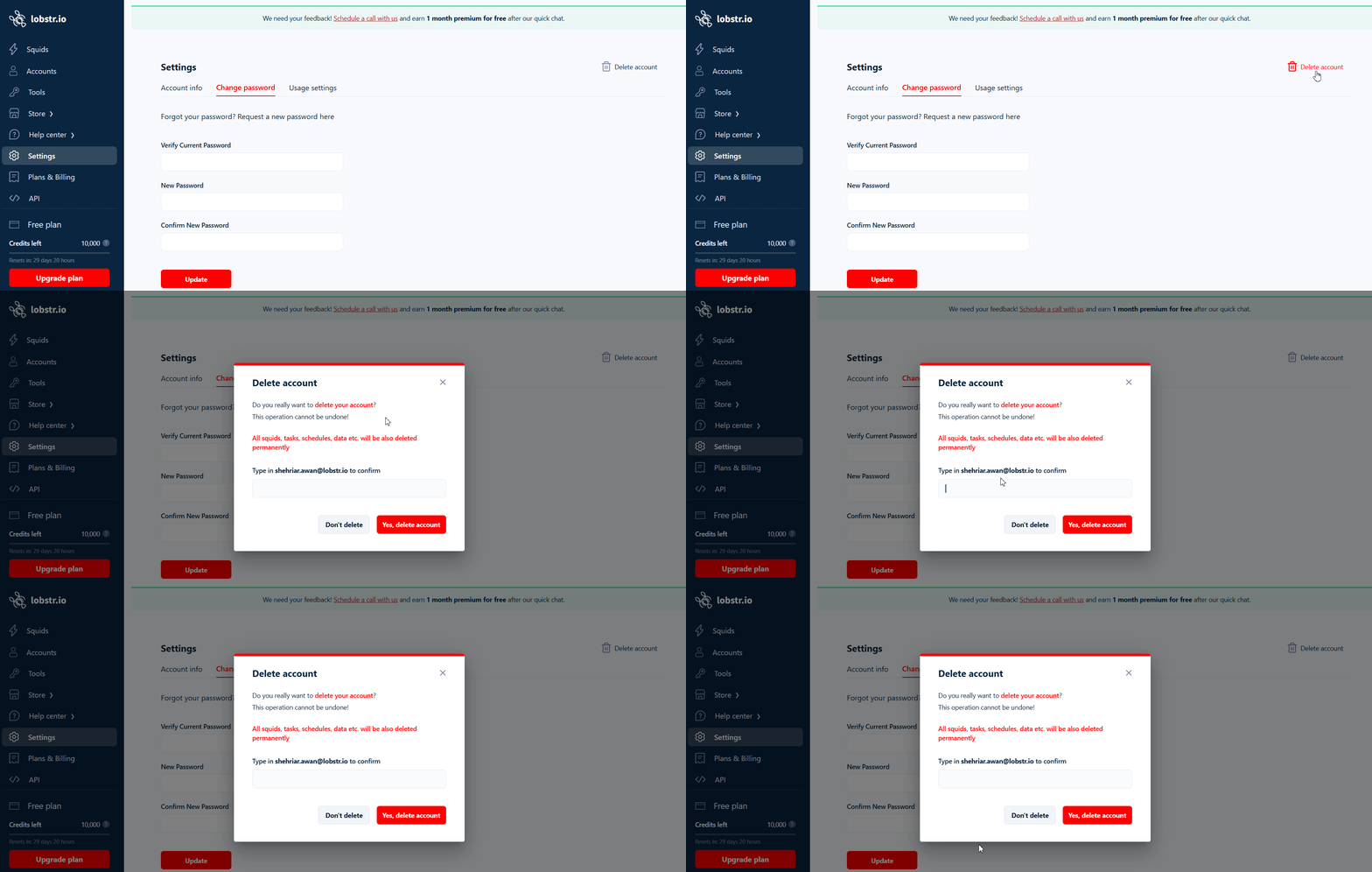
- Log in to your lobstr.io account.
- Go to Settings → Account Info.
- Scroll to the bottom and click Delete Account.
- Confirm your decision when prompted.