
One of the most common questions: “Can I scrape all businesses in a country using the Google Maps scraper?”Documentation Index
Fetch the complete documentation index at: https://help.lobstr.io/llms.txt
Use this file to discover all available pages before exploring further.
- Using the Google Maps URL Generator tool
- Using the task parameters (
Use params)
Method 1: use the Google Maps URL generator
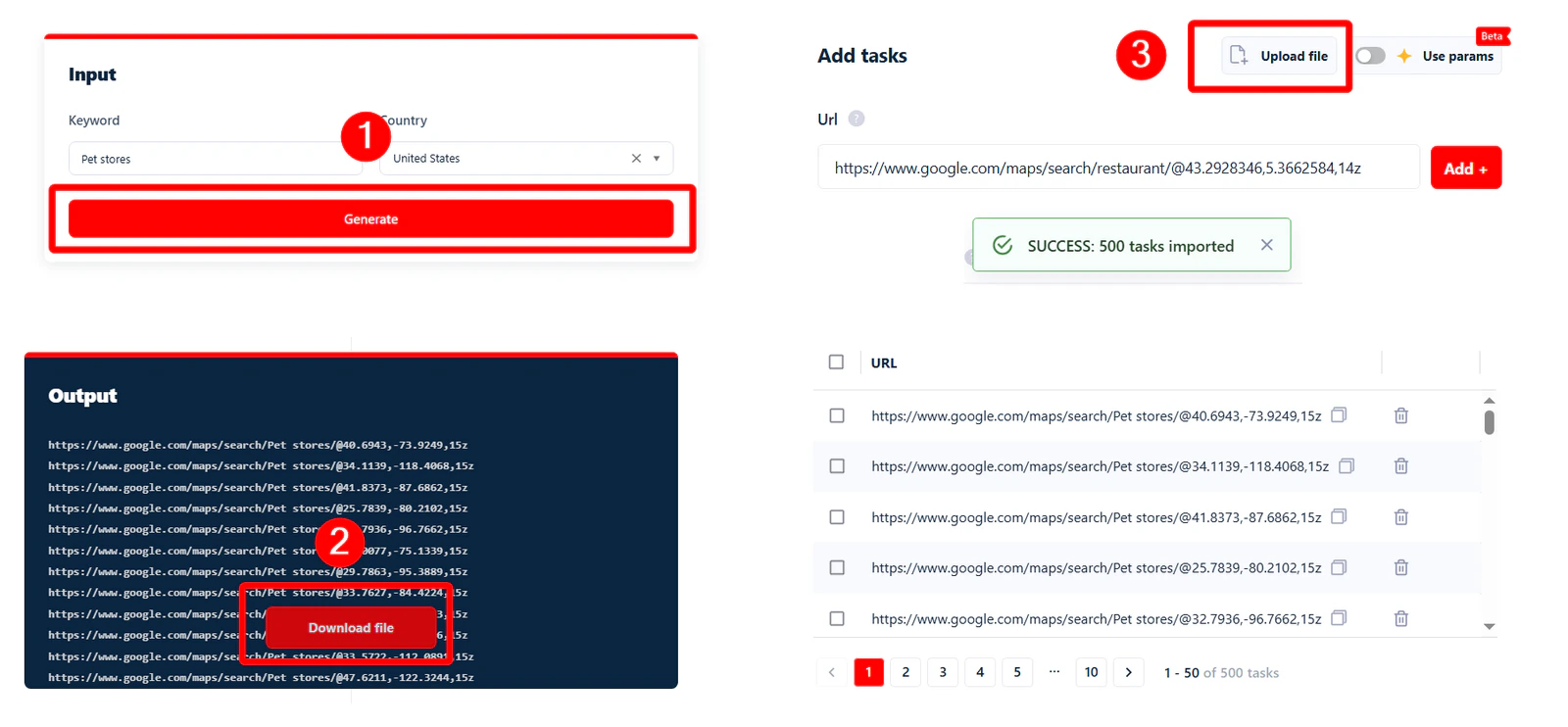
The easiest way to scrape businesses from an entire country. Go to the Google Maps URL Generator and follow three steps: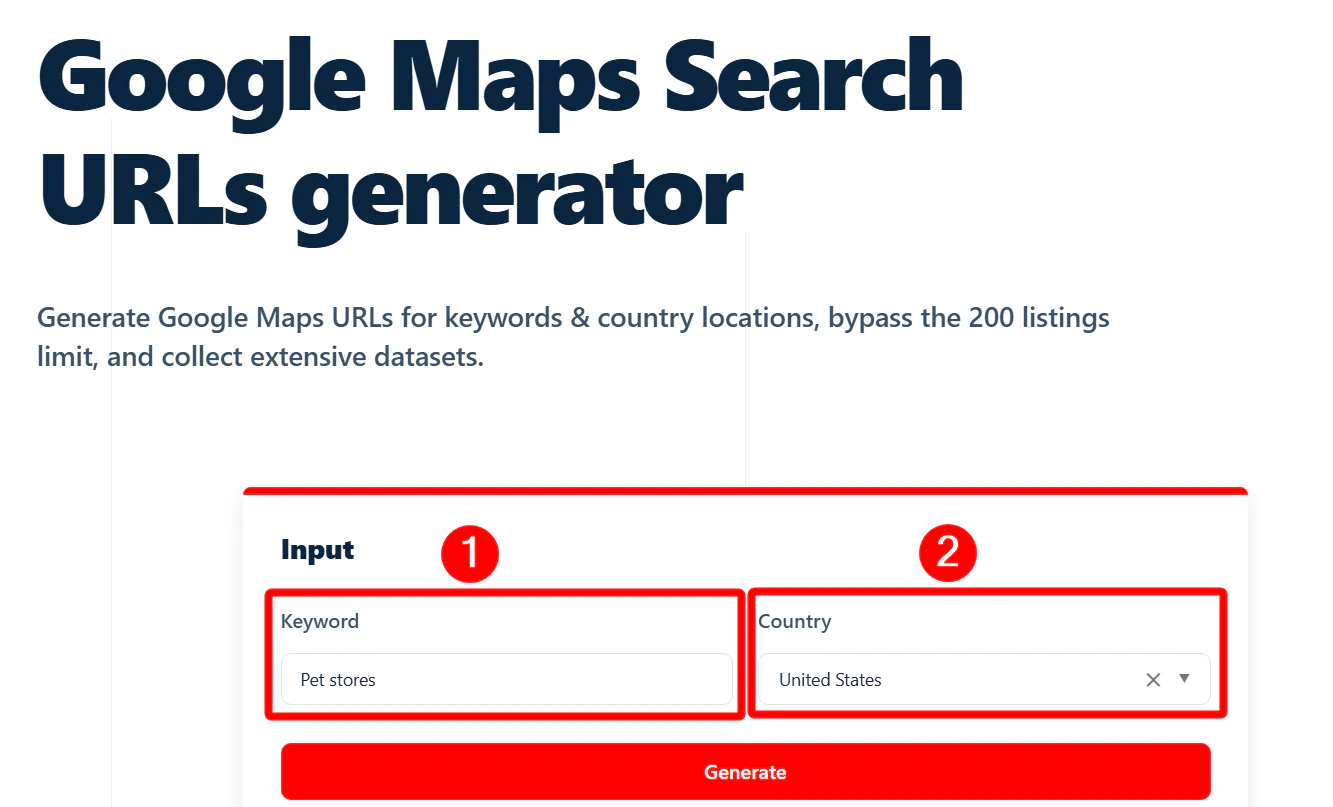
- Enter your keyword.
- Select the country you want to target.
- Click Generate.
Method 2: use the task parameters
If you want more control over where you’re scraping, this method lets you target specific areas using structured parameters. Enable the Use params feature.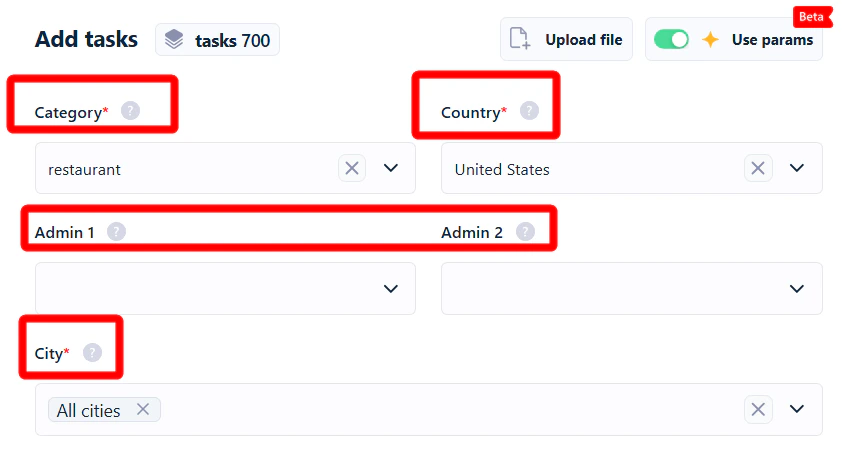
You must specify a category to add tasks. The scraper doesn’t support collecting data from all categories yet.
- Category — the type of business you’re searching for.
- Country — the country where you want to scrape.
- Admin 1 — first-level administrative division (state or province).
- Admin 2 — second-level administrative division (e.g. county).
- City — the city you want to target.
Collect all business listings from an entire country
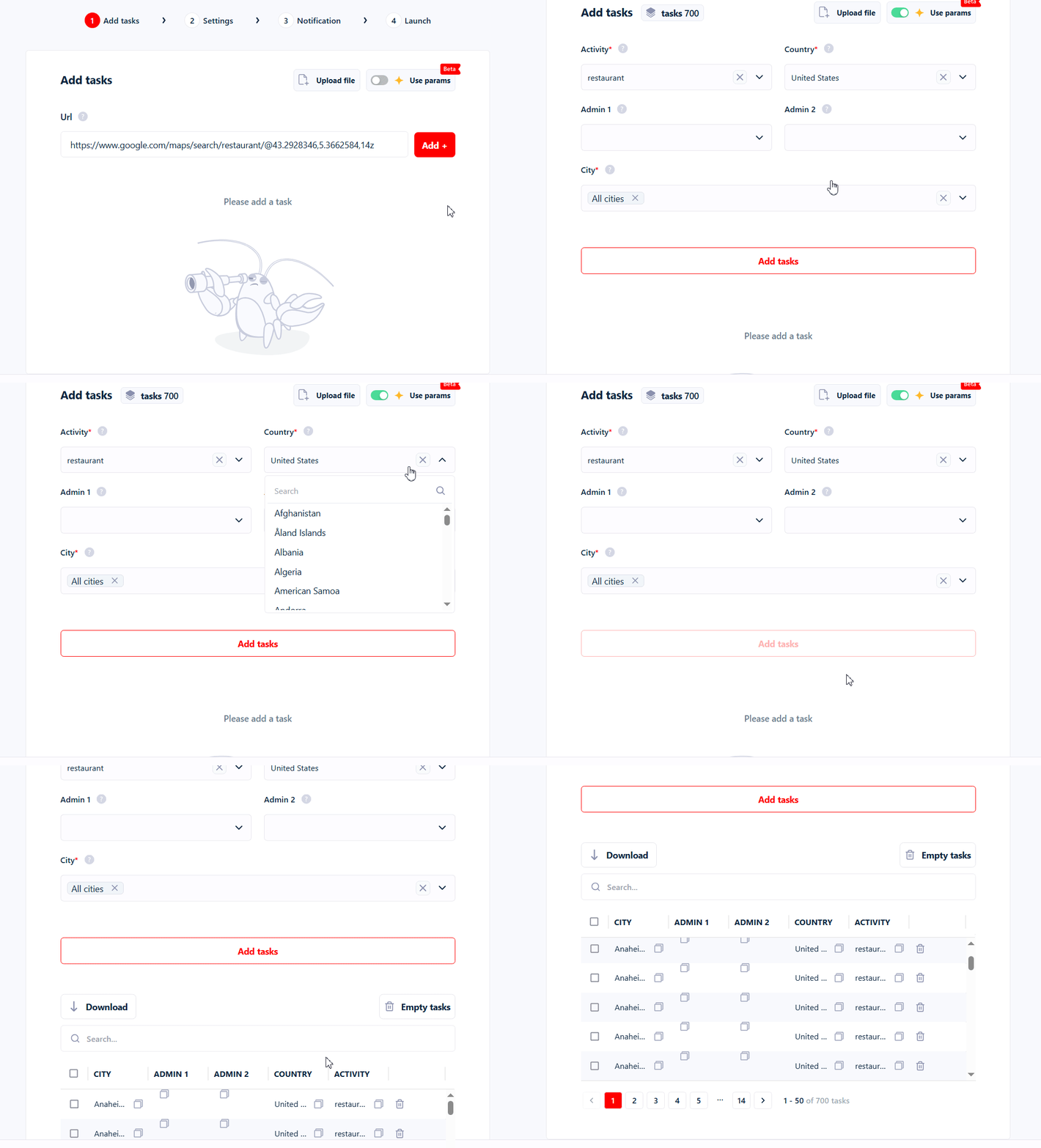
- Go to Add tasks and turn on Use params.
- Select your targeted business category (e.g. Restaurants).
- Choose your targeted country (e.g. United States).
- Click Add tasks.
Collect all business listings from a state or county
Fill in Admin 1 and Admin 2 to narrow down to a state or county. For example, to get all Restaurants from Illinois, enter “illinois” in Admin 1. To target a specific county like Cook County within Illinois, enter the county name in Admin 2.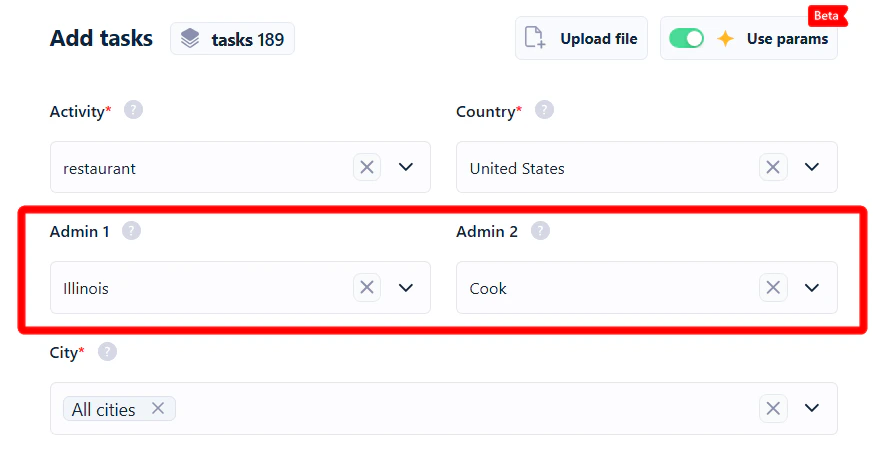
Collect all business listings from a city or zip code
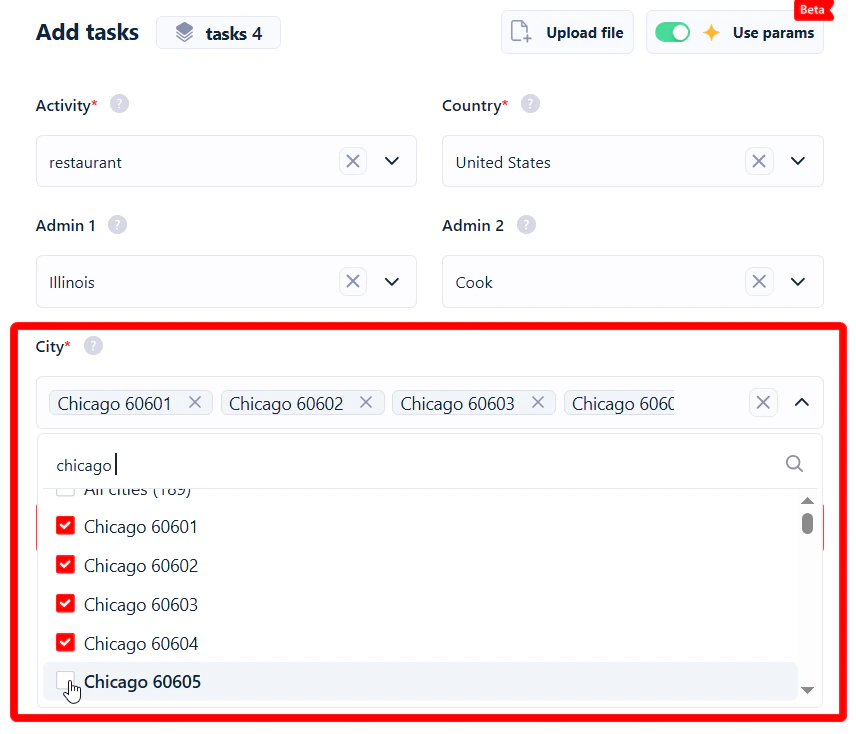
To narrow further to a specific city, click thex next to “All cities” and type the city name.
For example, collect all Restaurants from Chicago — or more specifically from zip codes 60601 to 60605.
How accurate are these results?
Google Maps isn’t perfect — sometimes it shows listings from the wrong category, wrong location, or both.