
Some users notice theDocumentation Index
Fetch the complete documentation index at: https://help.lobstr.io/llms.txt
Use this file to discover all available pages before exploring further.
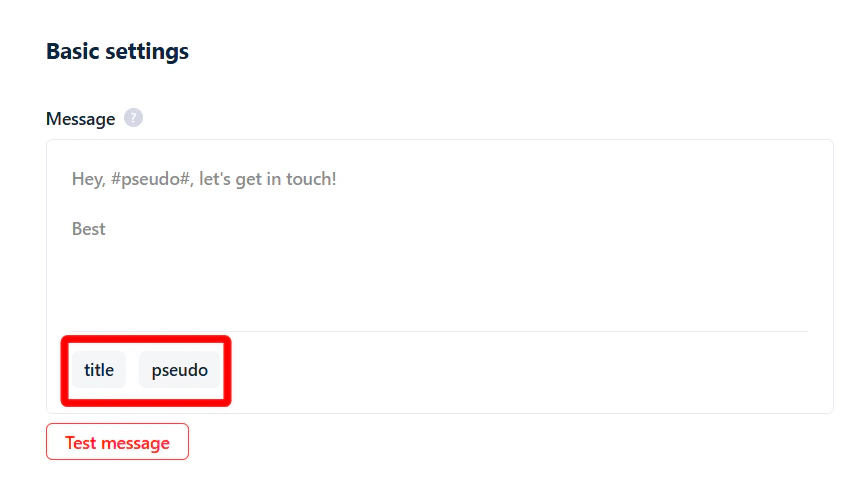
title and pseudo options in the message box of the Leboncoin Auto Message Sender and get confused about what they’re for.
How to send personalized messages
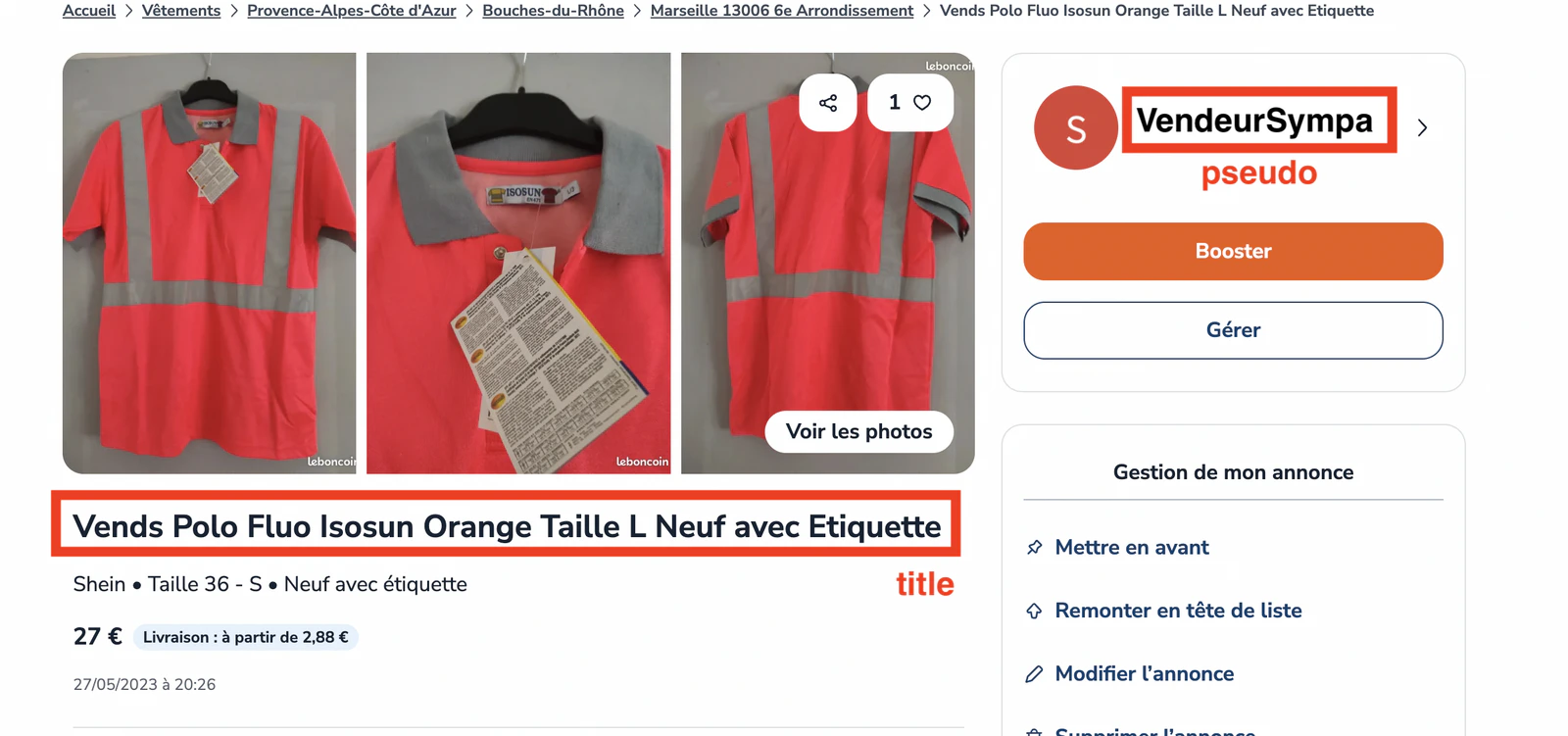
You can personalize messages inside lobstr.io’s no-code app using two smart variables:pseudo— the username/nickname shown on the Leboncoin profile of the person you’re messaging.title— the title line of their listing on Leboncoin.
How does it work?
When you add Leboncoin listing URLs to your task, the tool automatically pulls two things from each listing:- The title of the ad.
- The pseudo (nickname) of the seller.
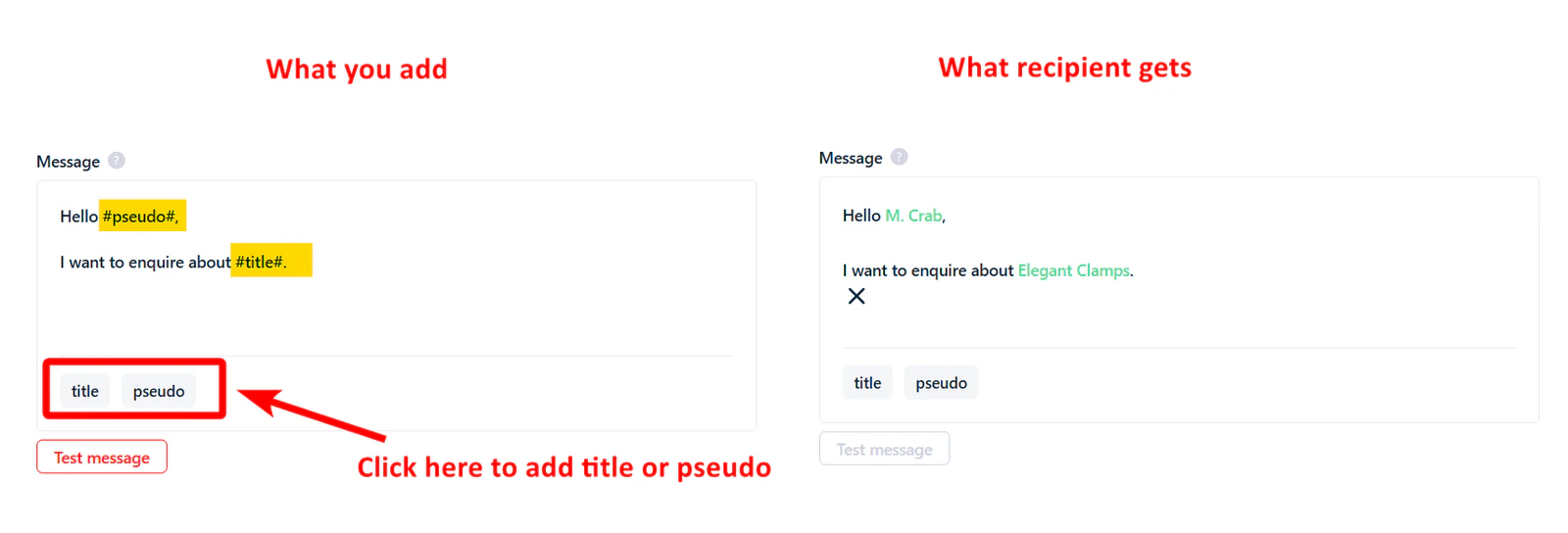
#pseudo# and #title# in the text — or click the title and pseudo buttons. These placeholders are replaced with the actual nickname and listing title for each seller when the message is sent.
Example
Your message template:Hi #pseudo#, is the item “#title#” still available?If the seller’s pseudo is “Sofiane” and their listing title is “Bel appartement à sous louer entièrement”, they receive:
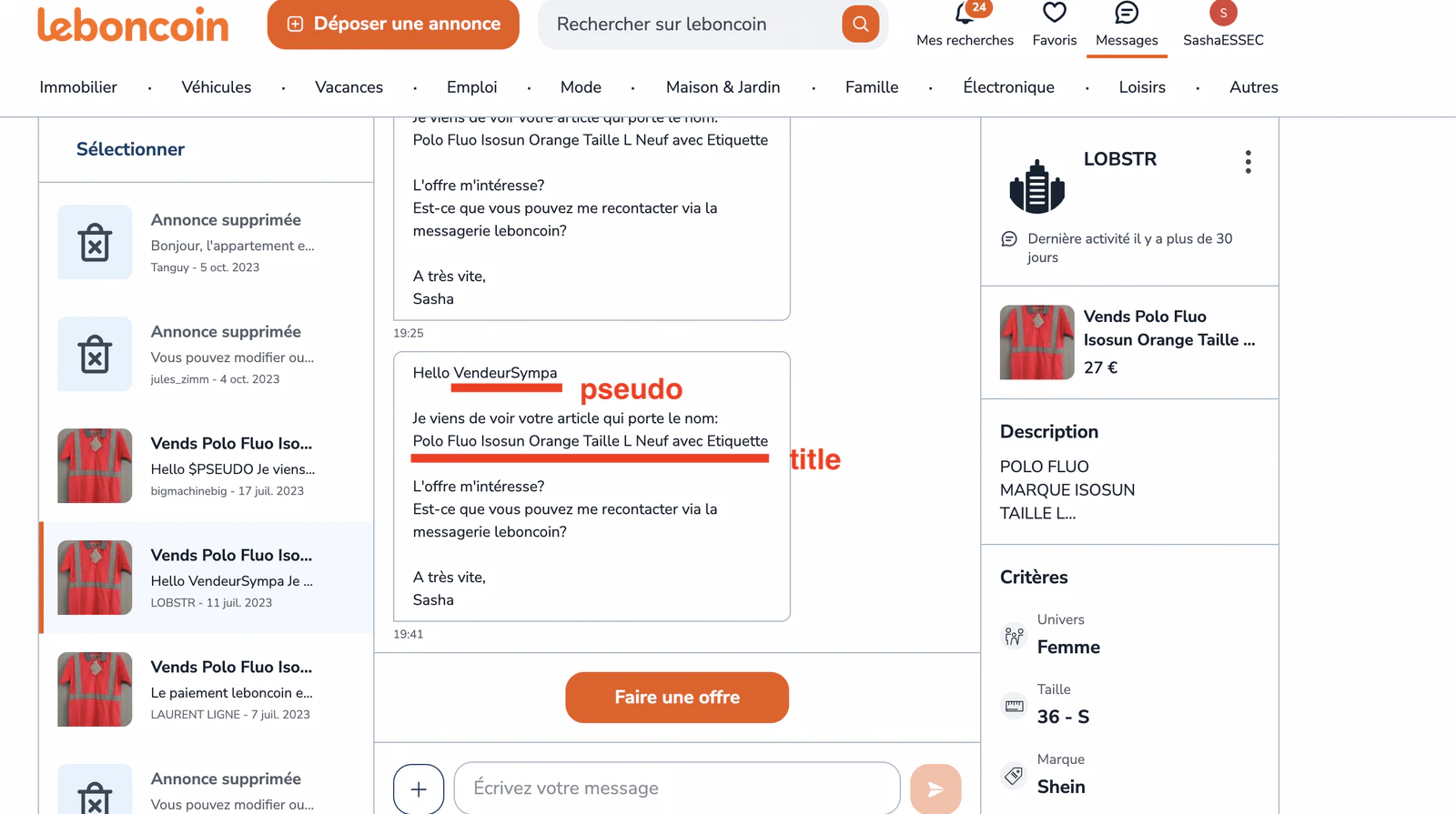
Hi Sofiane, is the item “Bel appartement à sous louer entièrement” still available?Here’s how the message looks inside the Leboncoin interface:
Related articles
- Account Bans & Rate Limits — Leboncoin messaging — batch and daily messaging limits to keep your account safe.