
This setting is specific to the Sales Navigator Leads Scraper.
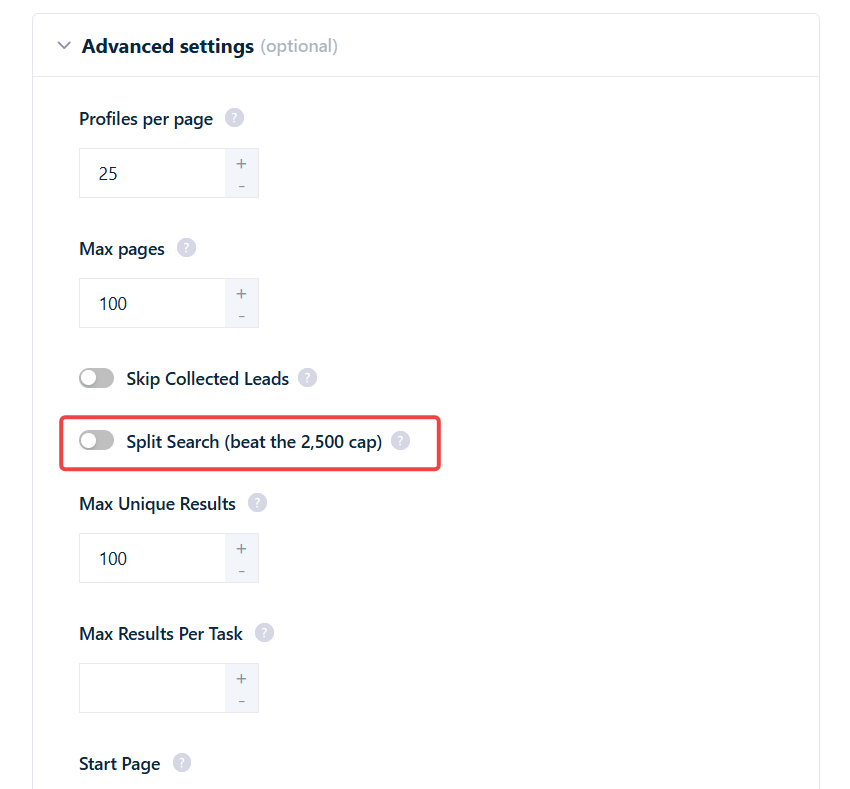
How to turn it on
1
Open Advanced Settings
Go to your Sales Navigator Leads Scraper Squid, open the Settings tab, and scroll to Advanced Settings.
2
Enable Split Search
Switch on the Split Search (beat the 2,500 cap) toggle. The change applies to the next launch.
How the split works
Split Search picks one filter dimension and divides your search along it. It does not combine dimensions or split recursively — it’s a single split into one sub-search per value of the chosen dimension. It tries dimensions smallest-first, and uses the first one that (a) isn’t already a filter in your search and (b) has enough distinct values to cover the result count:The exact selection logic
The exact selection logic
- Estimate how many buckets are needed — roughly the total result count divided by ~2,000 (a margin below the 2,500 ceiling).
- Walk the order above and pick the first dimension that isn’t already used as a filter in your search and has enough distinct values to cover what’s needed.
- Split into one sub-search per value of that single dimension, up to a maximum of 95 sub-searches.
Limits and edge cases
Split Search reaches most large searches, but it isn’t unlimited:- Works best up to ~50,000 results. Very large or heavily skewed searches may still miss some leads.
- No recursion. If an individual sub-search still exceeds 2,500 results, it is not split again. That bucket is paged up to the 2,500 cap and anything beyond it is silently missed. This is the main reason a very skewed search can leave leads uncollected.
- Fallback dimension. If no single dimension has enough distinct values, it falls back to the largest unused dimension (Industry) and uses it anyway.
- Nothing to split by. If all three dimensions are already used as filters in your query, Split Search does nothing — there’s no unused facet left to divide on.
What Split Search applies to
Split Search only engages on a regular people-search URL (a query-based Sales Navigator search). It works by injecting a facet filter into the query itself, which it can’t do to a saved reference or a static list — so it excludes:- Saved searches
- Recent searches
- Shared searches
- Lead lists
What you’ll see
Splitting happens behind the scenes — you won’t see extra tasks or extra runs. Every sub-search runs inside the same search task, and all the leads land under the same task and run. The only visible signal is a single line in the run log:Does it respect limits and cost extra?
- It respects your safety limits. Split Search still obeys the daily search and ban-safety limits described in scraping limits — it doesn’t push your account past them.
- No surcharge for splitting. There’s no extra credit cost for the split itself. You’re charged the normal per-lead rate only for the leads you actually collect — the same as any other run.