
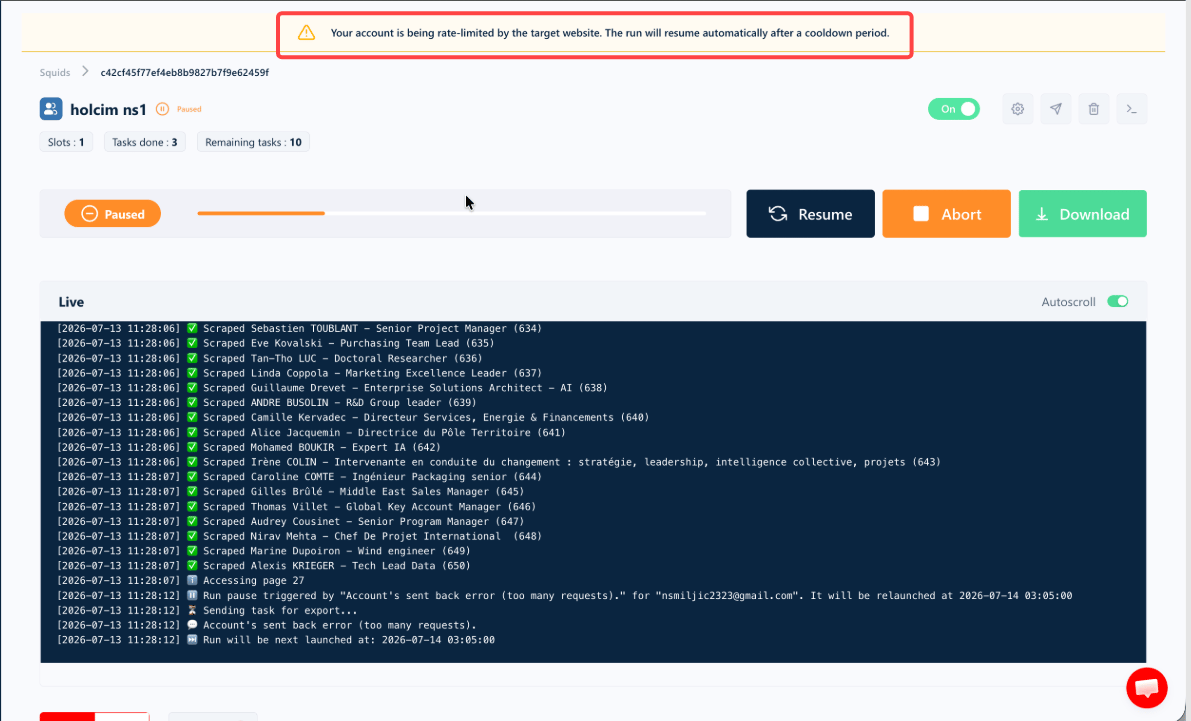
This shows up in the Runs table as the
account_too_many_requests stop reason. It does not count against a scraper’s uptime score — it’s a platform limit, not the tool breaking.Why it happens
LinkedIn sets its own limits on how much activity a Sales Navigator account can do in a given period. When an account sends a large number of requests in a short window — for example, scraping many search pages, profiles, or companies quickly — LinkedIn responds by temporarily limiting that account. A few important things to know:- It’s tied to your account, not to us. The limit is applied by LinkedIn to your Sales Navigator seat, based on your account’s activity.
- It’s temporary. It’s not a block or a ban — it’s a cooldown that lifts on its own.
- It usually resets daily. LinkedIn’s limits typically refresh on a daily cycle.
What happens when it’s triggered
When this limit is reached, lobstr.io handles it for you automatically:1
Your run is paused
The run is paused, not cancelled or failed. Everything already collected is kept, and the run stays in place ready to continue.
2
You're shown when it will resume
A message lets you know the run was paused because of too many requests, along with the time it’s scheduled to resume.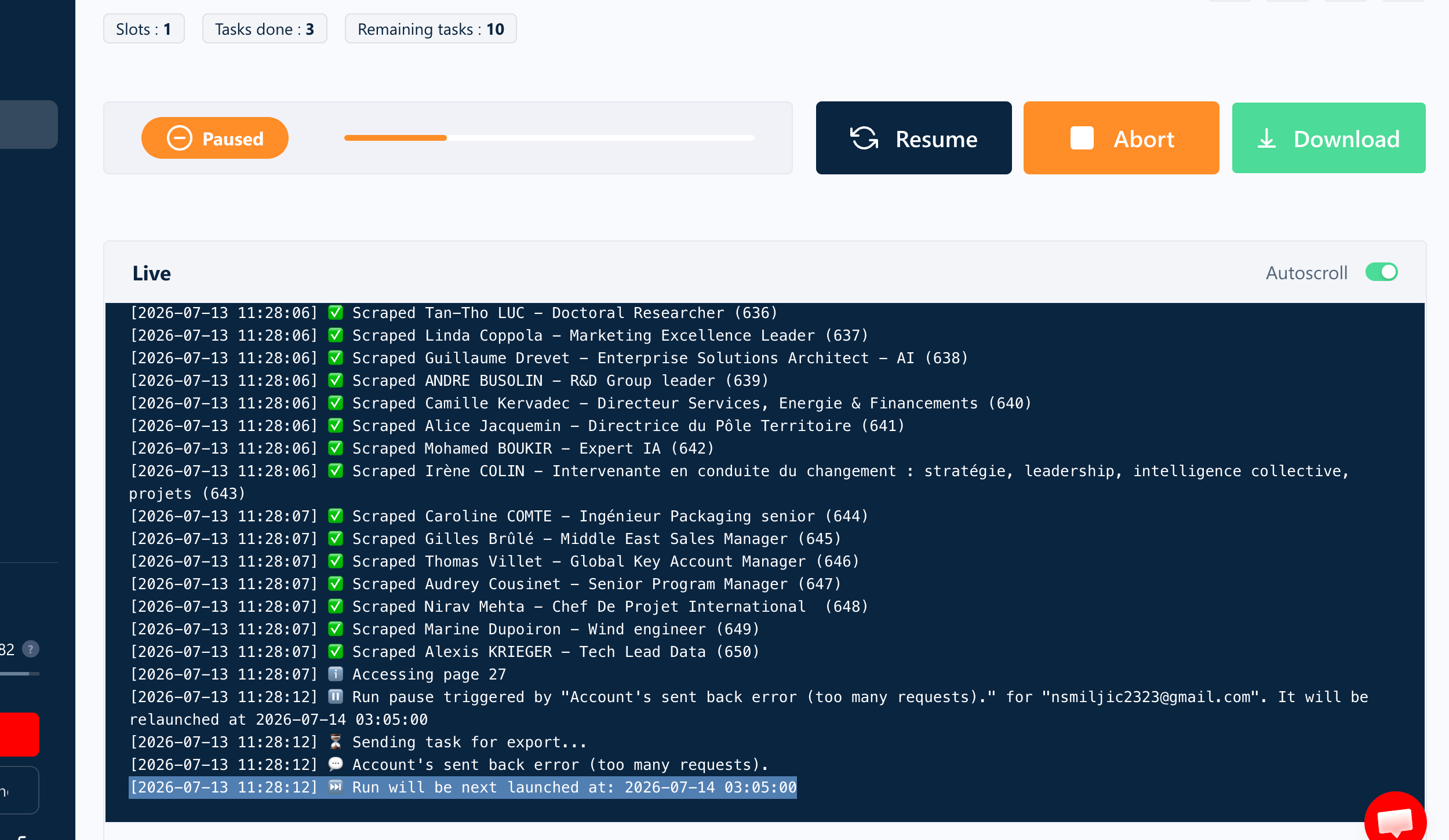
3
It relaunches on its own
lobstr.io automatically relaunches the run once the limit period has passed — generally shortly after midnight UTC, when LinkedIn’s daily limit resets. You don’t need to do anything.
What should you do?
In most cases, no action is needed — the run will resume by itself once LinkedIn’s limit resets. To reduce how often this happens, you can:- Lower the volume or speed of your runs so your account makes fewer requests in a short time. Reducing the Squid’s slots lowers how many requests go out at once.
- Spread activity across time rather than running very large jobs all at once — a gentler schedule keeps the load steady instead of bursting.
- Avoid using the same Sales Navigator account heavily in multiple places at the same time — for example, browsing LinkedIn manually, or running another tool, while a large run is active.
Still stuck?
If a run keeps pausing on “Too Many Requests” even at low volume, ping us on Crisp chat or emailcontact@lobstr.io with the Run ID — that’s everything we need to take a look.