
This setting is specific to the Sales Navigator Leads Scraper.
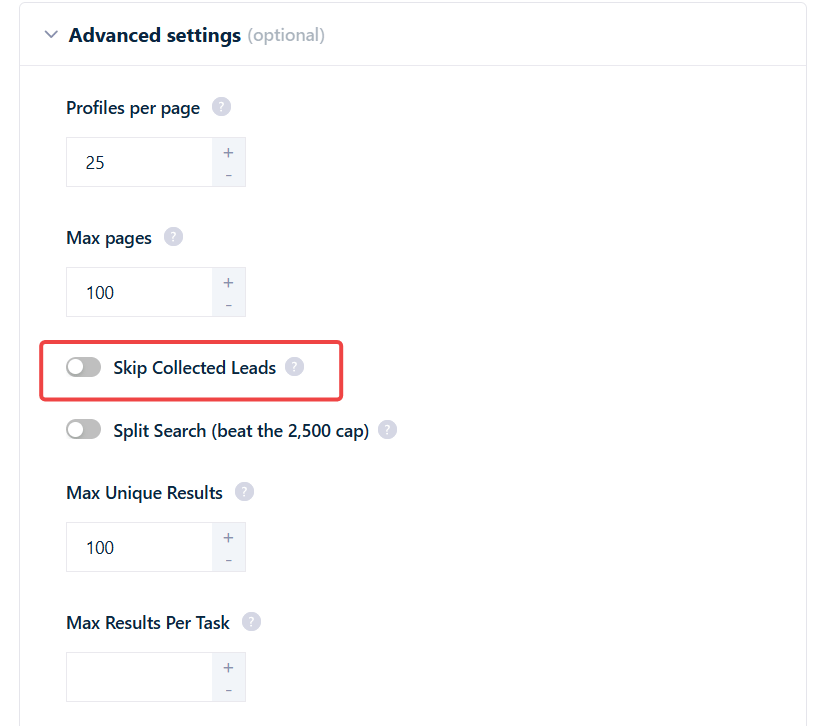
How to turn it on
The toggle is off by default — turn it on when you want repeat runs to return only fresh leads.1
Open Advanced Settings
Go to your Sales Navigator Leads Scraper Squid, open the Settings tab, and scroll to Advanced Settings.
2
Enable Skip Collected Leads
Switch on the Skip Collected Leads toggle. The change applies to the next launch.
What counts as “already collected”
Two things define whether a lead is skipped:- Scope is per-Squid, not per-account. A lead is only skipped if this Squid collected it in one of its own previous runs. If a different Squid scraped the same LinkedIn person — even under the same synced account — that lead is not skipped here. Each Squid keeps its own “collected” record.
- Leads are matched by LinkedIn’s member ID. A lead is identified by LinkedIn’s internal numeric member ID, not by the profile URL or display name. So a lead is still recognized as already-collected even if the person later changes their vanity URL or renames their profile.
The skip memory doesn’t expire with your downloads
This is the important part. Your downloadable results are kept for a limited time — 7 days on the free plan, 28 days on paid plans — and then the export files are removed from the dashboard. See Download your results for how retention works. Skip Collected Leads does not depend on those export files. The “already collected” memory lives in the Squid’s stored result records, which are separate from the downloadable exports. So when your downloads age out and disappear from the dashboard, the skipped leads do not become scrapable again — the Squid still remembers them.Emptying a Squid’s tasks does not reset the skip memory. Empty tasks clears the Squid’s input list (the URLs it processes); the collected-leads record is stored separately and is left untouched.