
https://mcp.lobstr.io/mcp
This is the operational server. It acts in your account and spends credits. A separate public server at
https://docs.lobstr.io/mcp only answers questions about the lobstr.io API and can’t touch your account.Before you start
- A lobstr.io account with credits. Launching a run spends credits from your balance.
- Access to Grok Bot, through a Cursor subscription or a SuperGrok plan on Grok.
Connect Grok Bot to lobstr.io
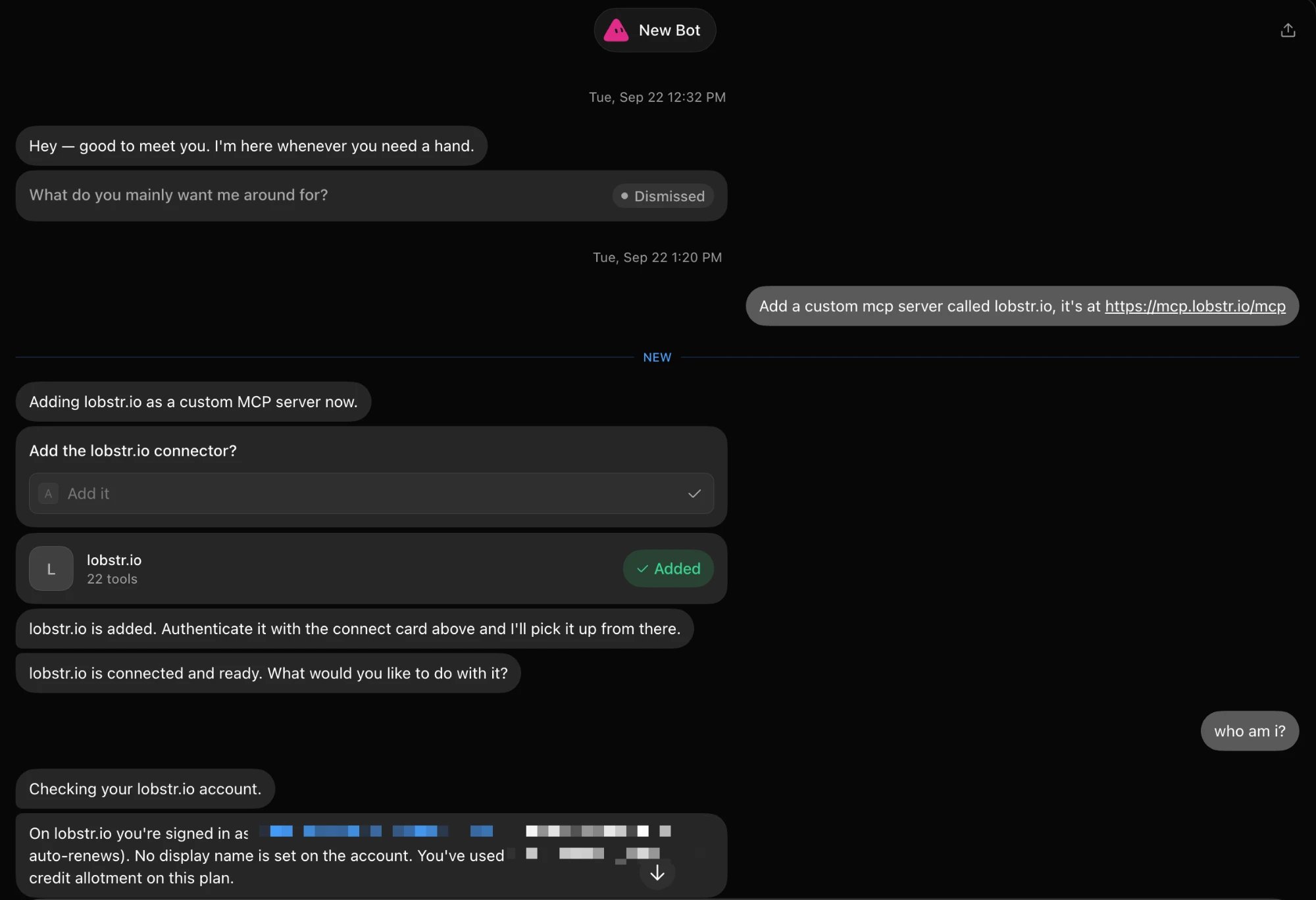
In Grok Bot you don’t fill in a settings form. You ask a Bot to add the server, and it handles the rest in the chat.1
Ask the Bot to add the server
Open any Bot and send:
2
Confirm the connector
The Bot asks Add the lobstr.io connector? Pick Add it. A lobstr.io card appears showing the tools it found, marked Added.
3
Authorize on lobstr.io
Use the connect card the Bot posts to authorize. It opens the lobstr.io consent page. You’re already signed in, so review the permissions and click Allow.
4
Check it works
Once the Bot says lobstr.io is connected, ask “Who am I?”. It replies with the lobstr.io account you’re signed in as, your plan, and how much of your credit allotment you’ve used.
What you’re approving
The consent page lists the permissions Grok Bot is asking for, and you choose which ones to allow. You can revoke access at any time from your lobstr.io account.What Grok Bot can do
New scrapers work automatically. Grok Bot reads each scraper’s live input schema, so nothing needs updating when lobstr.io adds one to the store.
Scrapers that need a synced account
Some scrapers log in to a platform on your behalf, such as the LinkedIn and Sales Navigator scrapers. They need a synced account first, set up with Account sync.- One matching account: if exactly one healthy synced account of the right type exists, Grok Bot attaches it for you.
- Several or none: Grok Bot asks you which account to use, or tells you which platform to sync.
- The type must match. A LinkedIn account can’t run a Sales Navigator scraper, and the reverse.
- Attaching only adds. An account already on a Squid is never swapped out.
Example: chain two scrapers together
The Bot can use the results of one run as the input for another. Here it’s asked to find MrBeast’s most recent Instagram post (skipping pinned posts), then collect the comments on it.1
Describe the whole job
“Create 2 Squids: Instagram posts scraper and Instagram comments scraper. Fetch the most recent post of MrBeast (not the pinned ones), then feed it to the comments scraper to collect all comments from it.”The Bot checks your credits and synced Instagram accounts, finds both scrapers, and creates the two Squids.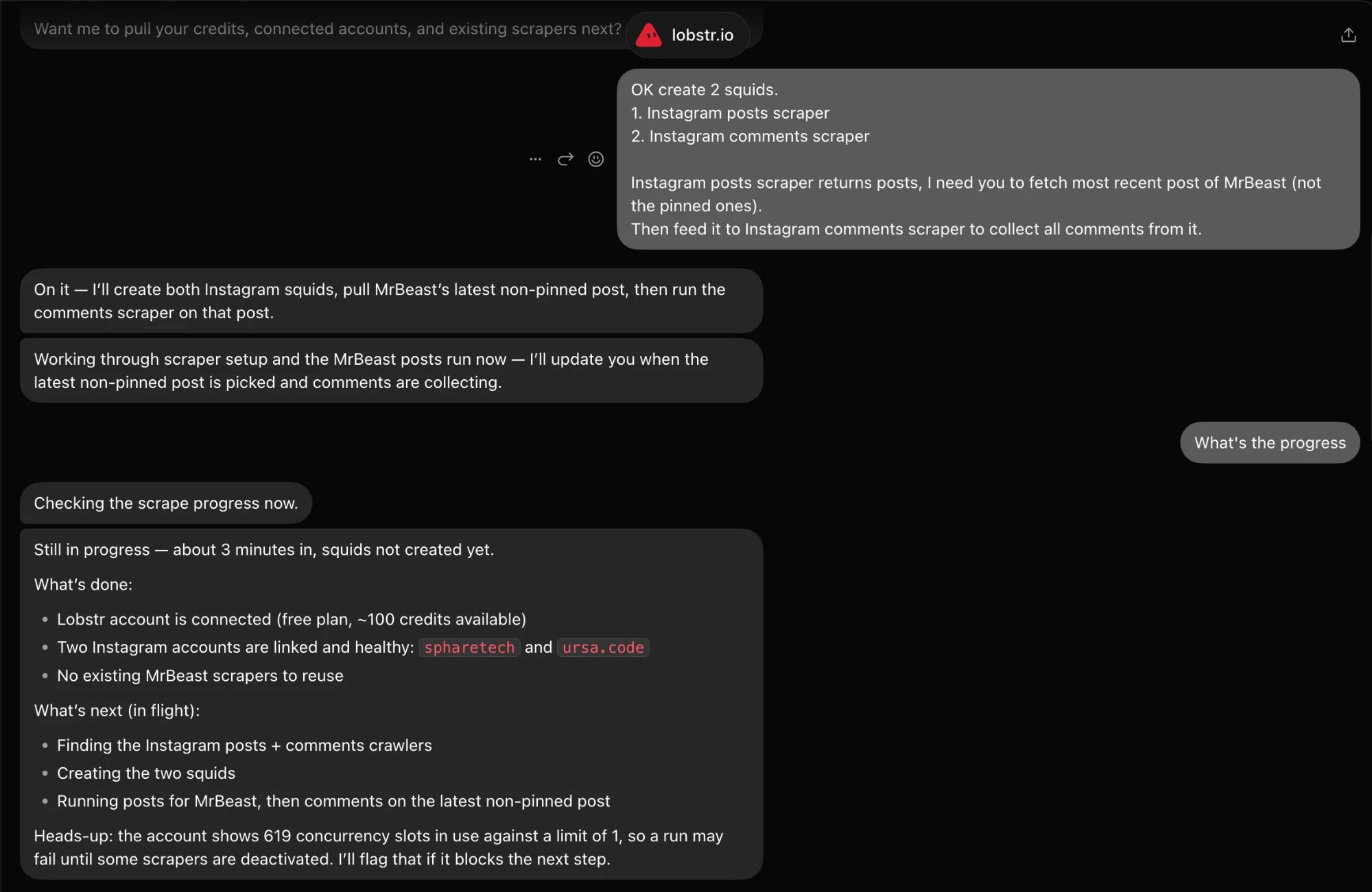
2
Let it pick the input for the next run
The posts run finishes, the Bot picks the latest non-pinned post, and starts the comments run on that post URL.
3
Change your mind mid-run
“OK wait. Just scrape the 100 latest comments.” The Bot aborts the full run and starts a new one capped at 100 comments. Partial data from the aborted run stays downloadable.
4
Get the data
The Bot shares a sample of the comments, the run and Squid IDs, and offers a download link for the full results.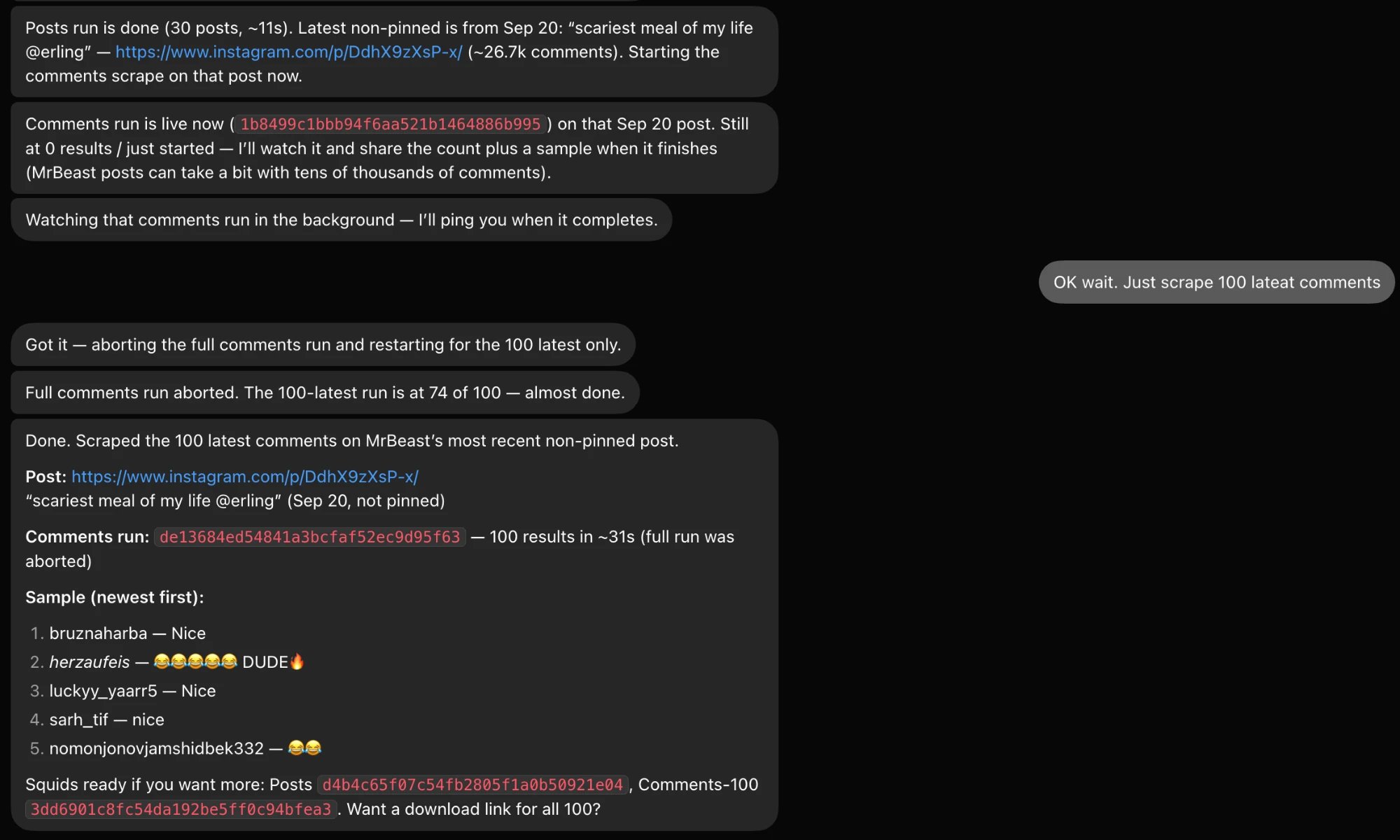
Credits and confirmation
lobstr.io prices per result row, so the final cost of a run isn’t known until it finishes. Before launching, the Bot estimates the cost, and when the estimate is high or can’t be calculated, it asks you to confirm first. Reading scrapers, runs, and results never spends credits. For a closer figure before anything launches, ask Grok Bot to estimate the run once the Squid has its tasks. If email verification is on, it’s billed separately after the scrape.Troubleshooting
A run stays pending or errors out
A run stays pending or errors out
Open the run in your lobstr.io dashboard. The Bot sees the same status your account does, so the dashboard will show the same stop reason.
Grok Bot says I'm over my slot limit
Grok Bot says I'm over my slot limit
Your plan caps the total slots your active Squids can reserve. The cap is checked when a Squid is created, activated, or has its slots raised, not when a run starts. If creating a Squid fails because you’re at the limit, deactivate Squids you don’t need from the dashboard, or ask Grok Bot to do it. After a plan change the count can read above your limit; Squids that already exist keep running.
Only 30 results come back
Only 30 results come back
On the free plan, reading results through the MCP server is capped at the first 30 rows. Upgrading your plan is the only way past it. See Manage subscription.