Search Google Maps for one type of business and you’ll often get another — plumbers turn into plumbing supply stores. The Category Match filter keeps only results that actually match what you searched for.

What Category Match does
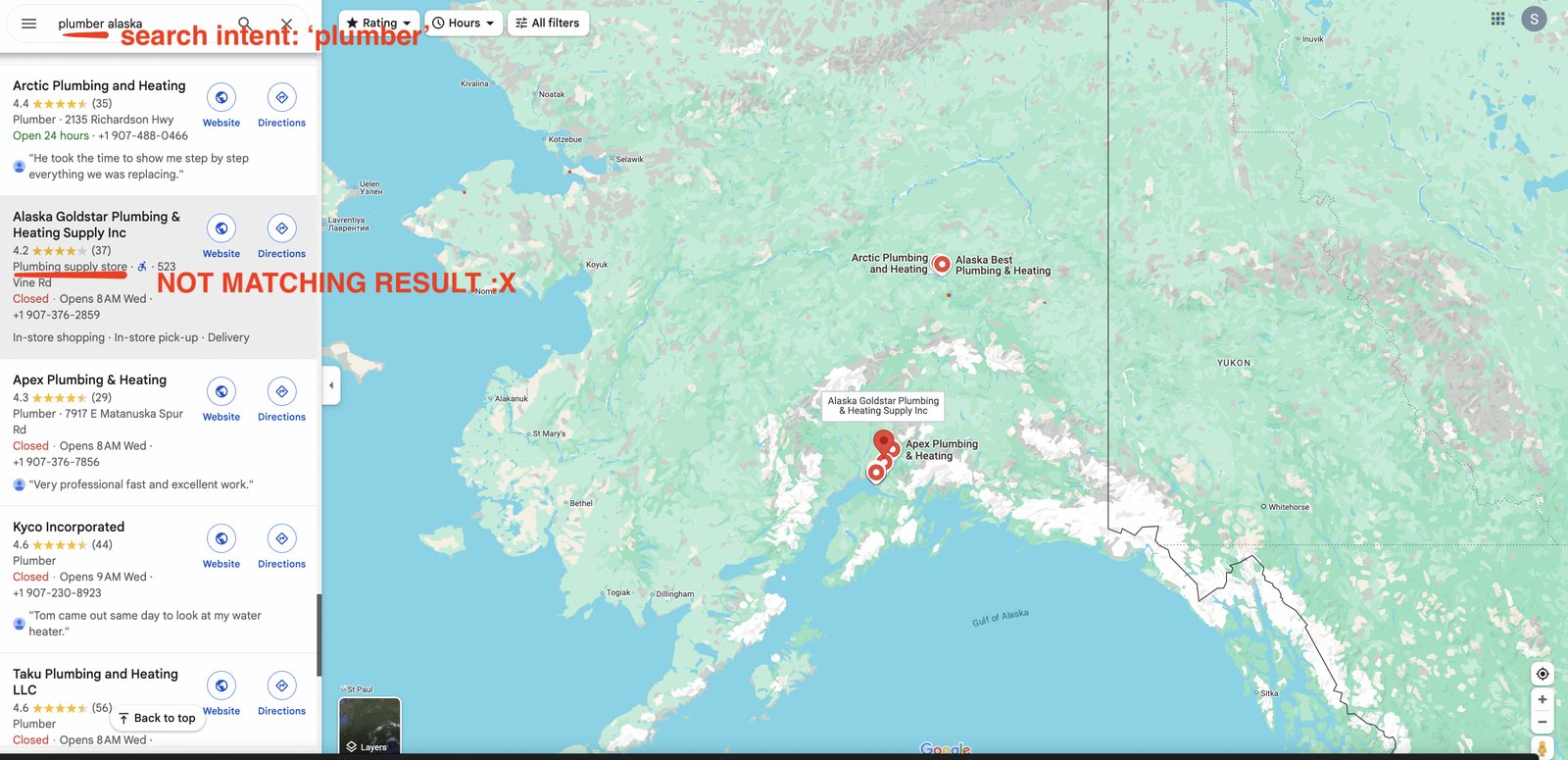
Google Maps result not matching the search intent
Category Match checks that every result matches your search keyword or business category. It supports:
  • Translation matching — catches matching categories even when Google lists them in a different language.
  • Fuzzy matching — handles variations and similar category names (e.g. “Plumbing Service” matches “Plumber”).
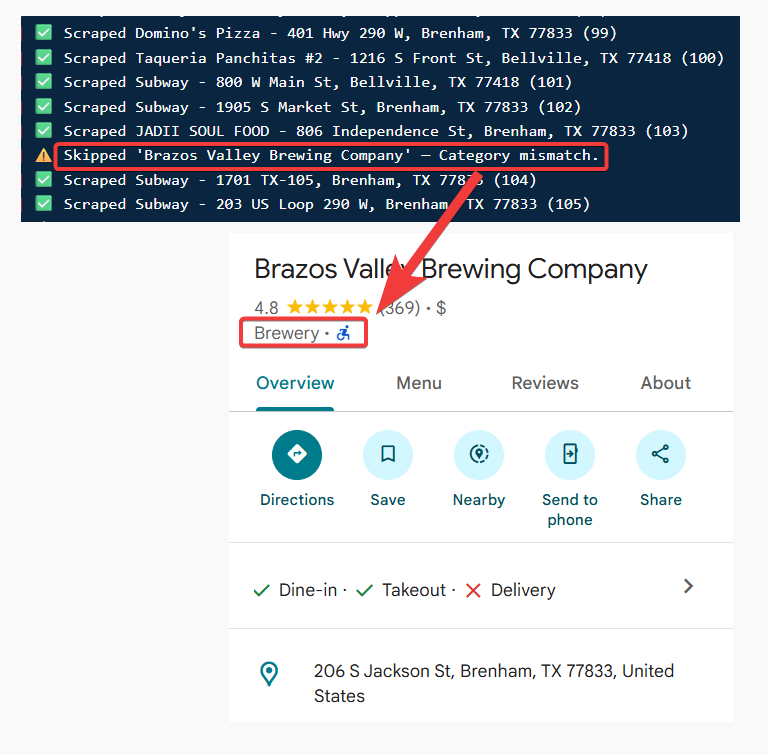
If a business doesn’t match your category, it’s skipped before it reaches your results.
Category Match filter

When it runs

Category Match runs at the crawl level, before results reach your output file. Businesses that don’t match are skipped before collection, so they never count toward your billing.

How to enable it

Toggle Category Match in your Squid’s Advanced Settings — see how to enable filters for the full steps.

Category Match vs Exact Name Match

Category Match is flexible — it understands related terms and categories. If you need a strict match on the business name (for a specific brand or chain like Peugeot or Starbucks), use Exact Name Match instead, or alongside it. When both are on, a result has to satisfy both to be kept.