
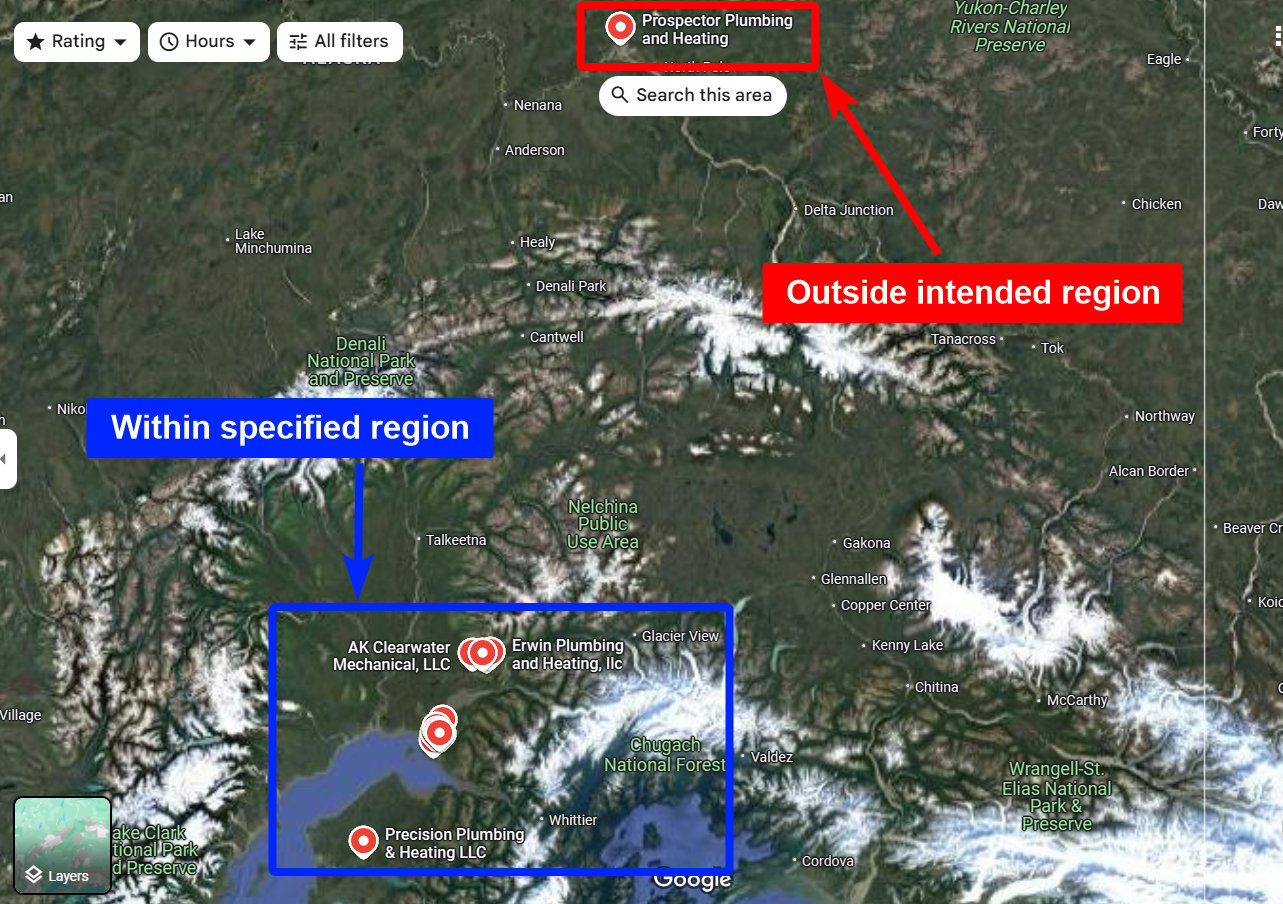
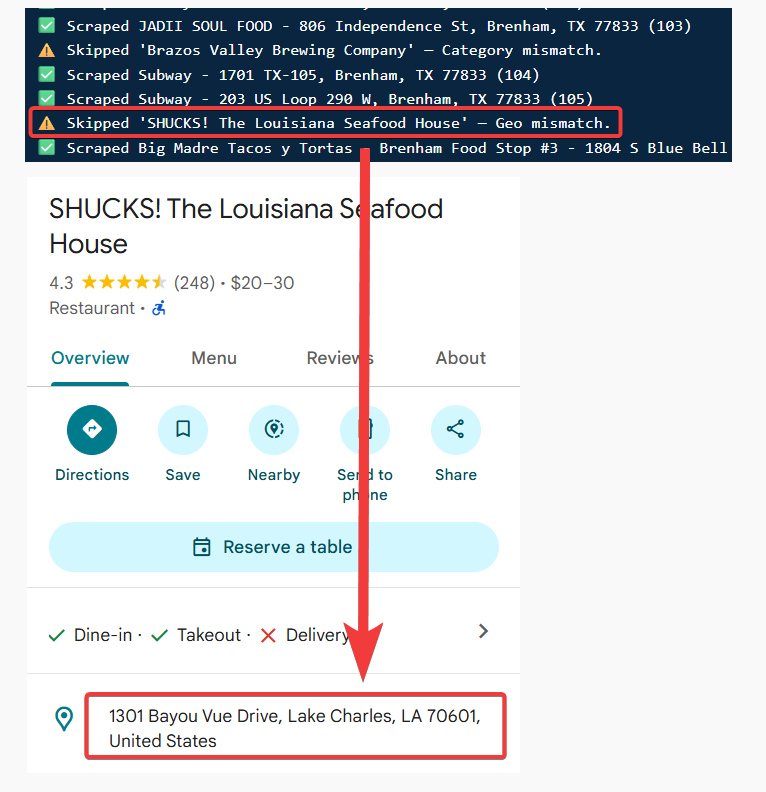
What Geo Match does
When it runs
Geo Match runs at the crawl level, before results reach your output file. Because out-of-area listings are skipped before collection, they never count toward your billing.How to enable it
Toggle Geo Match in your Squid’s Advanced Settings — see how to enable filters for the full steps.Geo Match works alongside Category Match. You can use either, both, or neither — when both are on, a result has to pass both to be kept.