
Exact Name Match is off by default. Turn it on only when you’re targeting a single brand — it’s the wrong tool for broad categories like “all coffee shops.”
Where to find it
Exact Name Match is a simple on/off toggle (a checkbox) in your Squid’s settings, under the advanced / detail options.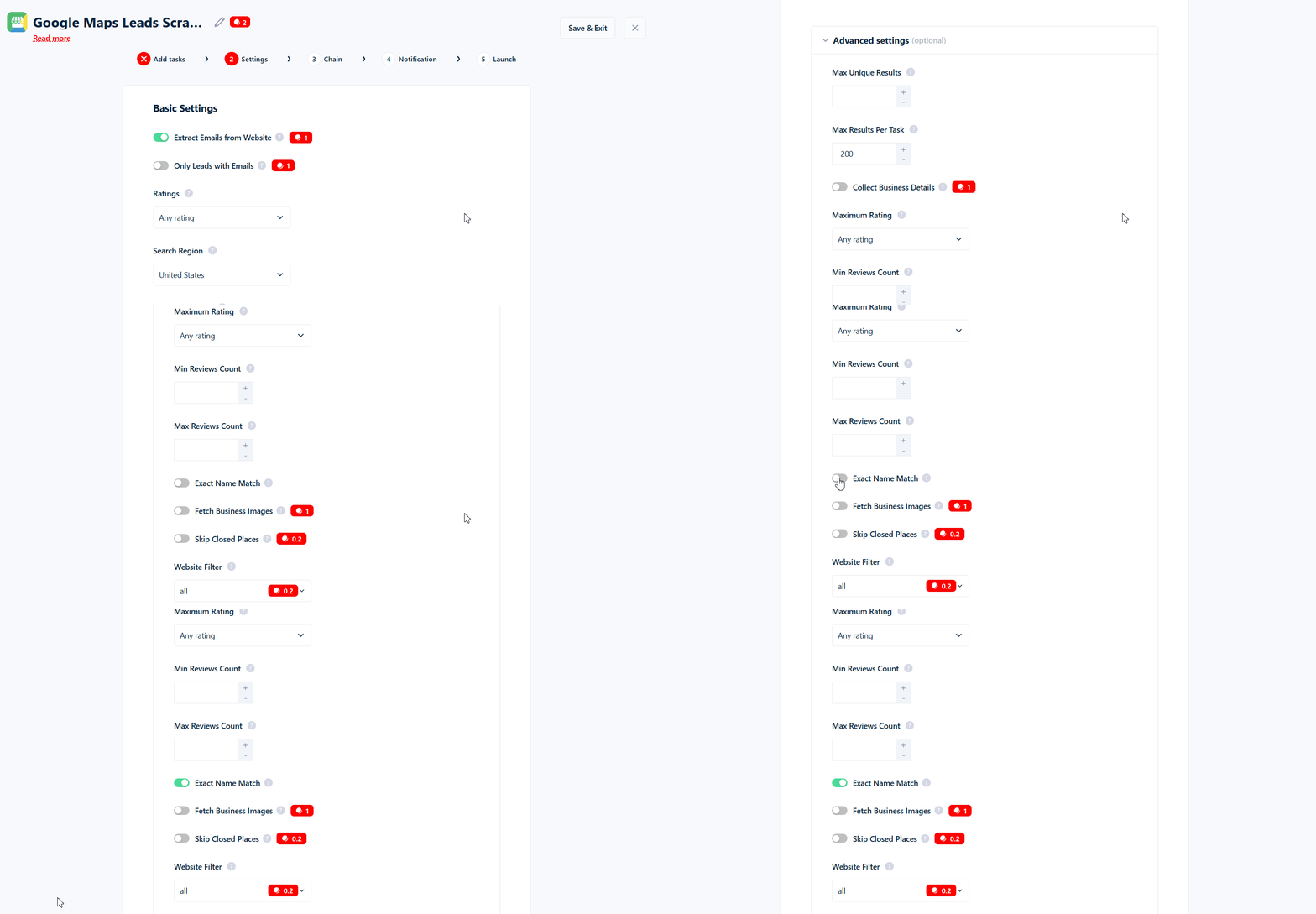
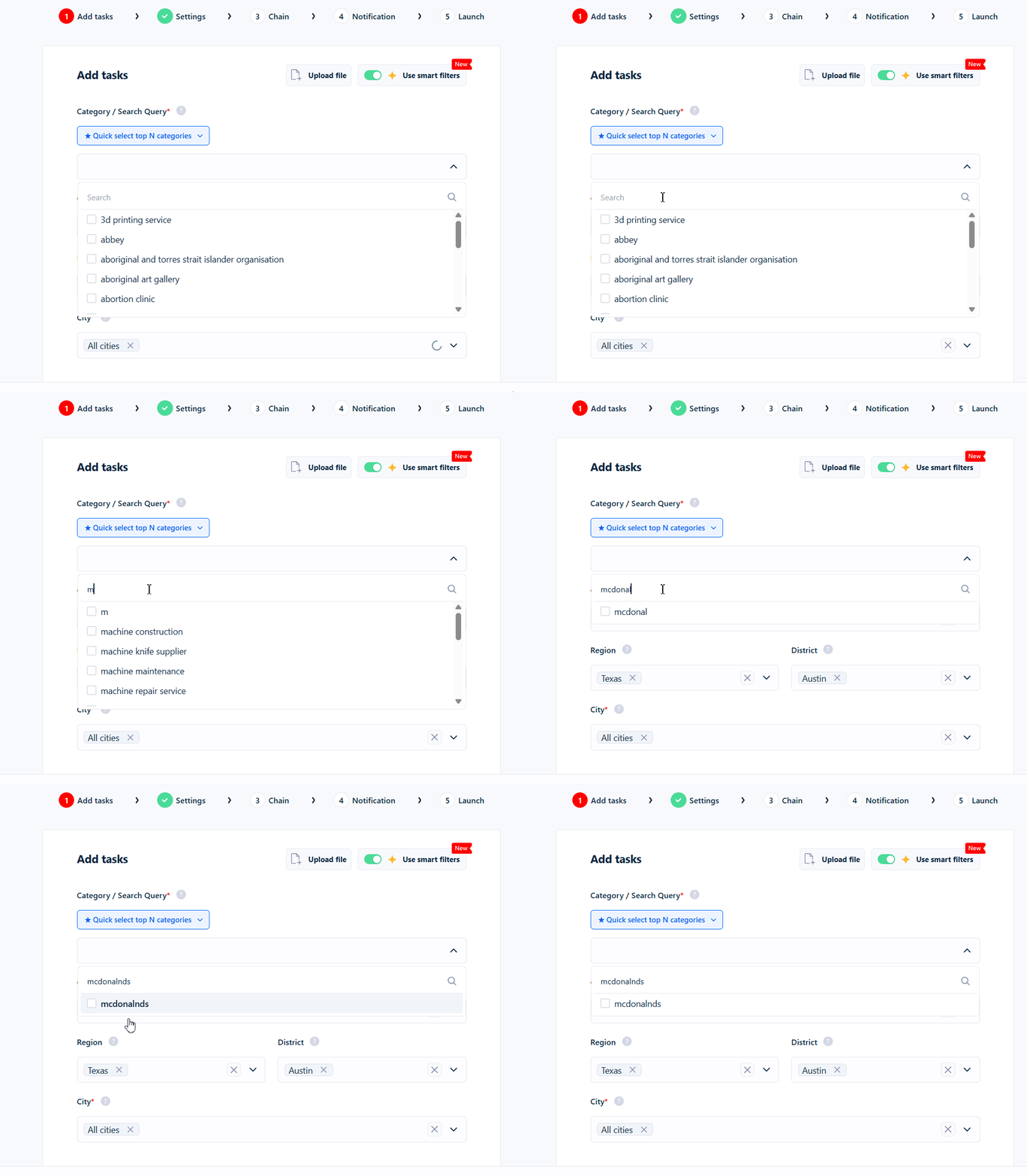
Example: If your Category / Search Query is
Peugeot, turning on Exact Name Match keeps only results whose name contains “Peugeot” and removes everything else.How the matching works
This is the most important part to understand, because the name is a little misleading. Exact Name Match keeps a result when your search query appears anywhere inside the business name. It does not require the name to be exactly equal, and the query does not have to be at the beginning of the name. Before comparing, both your search query and the business name are cleaned up so small differences don’t get in the way. Matching is:- Not case-sensitive —
peugeot,Peugeot, andPEUGEOTare all treated the same. - Accent-insensitive —
cafematchesCafé, andcitroenmatchesCitroën(and the other way around). - Punctuation- and spacing-insensitive — dots, hyphens, apostrophes,
&, and extra spaces are ignored. SoSt-Denis,St Denis, andStDenisare all treated as the same thing, andMcDonald'sis treated asMcDonalds.
- It does not expand abbreviations.
Saint Deniswill not matchSt-Denis, andCompanywill not matchCo. - It does not understand related terms, categories, or translations — that’s Category Match.
Contains, not starts with: worked examples
These examples assume the toggle is on. Search query:peugeot
Search query:
geot (partial word)
Search query:
citroen (accents and casing)
Search query:
mcdonalds (apostrophes and spacing)
Abbreviations work one way only
Using a single search term
Exact Name Match works with one search query at a time. It does not support:- Multiple names — you can’t enter a list like
peugeot, citroenand match either one. Your whole query is treated as a single phrase, so only a name that literally contains “Peugeot Citroen” together would match. Neither “Peugeot Lyon” nor “Citroen Lyon” is kept. - Excluding names — there’s no way to say “remove any result whose name contains X.” The filter can only keep matches, not block them. A minus sign doesn’t help either:
-peugeotis read aspeugeot, so it keeps Peugeot results instead of removing them.
What happens when it’s off
When the toggle is off (the default), names are not filtered at all — you get every result the search returned, subject to any other filters you’ve set.How it works with the Category Match filter
Exact Name Match and the Category Match filter are separate settings that work together — both must pass. Category Match is flexible and understands related terms, translations and categories, while Exact Name Match only looks at the business name. Category Match runs first, and it’s on by default. That matters when you’re chasing a brand: a query likepeugeot is a brand name, not a business category, so Google’s category for those listings (“Car dealer”) often doesn’t match it — and Category Match drops the result before Exact Name Match ever sees the name.
When the filter runs
Exact Name Match is applied after results are collected, and it’s the last filter checked. It trims down the results you get, rather than changing how the search itself is performed. Results dropped by the filter are removed before email and phone enrichment and before any credits are charged — so filtered-out businesses cost you nothing. You’ll see a line in your run log for each one:Tips and common mistakes
- Use the full brand name. Partial queries match inside other words and let unrelated businesses through.
- Turn Category Match off for brand hunts. It runs first and will drop brand queries that don’t look like a business category.
- Don’t expect abbreviations to be understood. “Saint” vs “St”, “and” vs ”&”, and “Company” vs “Co” are all treated as different.
- One brand per run. Comma-separated lists won’t work — split them into separate crawls.
- It matches your search query, not a custom list. You can’t match a name that’s different from what you searched for.