
What it does
Skip Closed Places removes every business flagged on Google Maps as temporarily closed or permanently closed. Both statuses are skipped; open businesses (and listings with no closed status) are kept. No other state — such as “moved” — is handled.Where to find it
Skip Closed Places is an on/off toggle in your Squid’s Advanced Settings, alongside the other filters. It is off by default.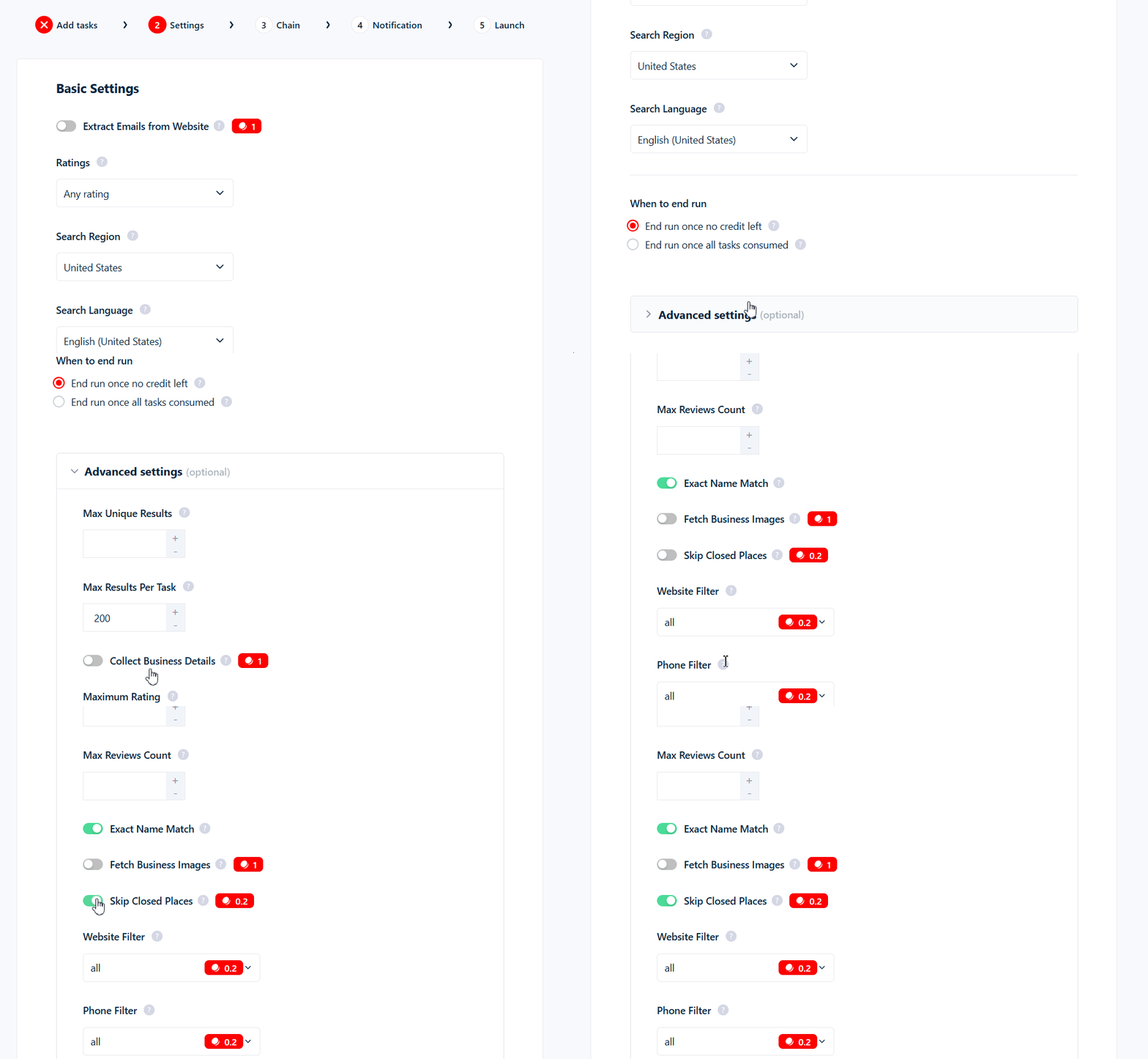
What it costs
While the filter is on, it adds 0.2 credits to each row you keep — on top of the base 1 credit per row. Closed businesses that get skipped cost nothing.The surcharge is charged per kept row, not per row dropped. So turning this on adds 0.2 credits to every open business you keep, not to the closed ones it removes.
Use cases
- Clean cold-email and cold-call lists — don’t waste sends on businesses that no longer exist.
- CRM imports — keep dead listings out of your pipeline from the start.
Common mistakes
- Google’s closed flag can be stale. “Temporarily closed” is sometimes left on during holidays, renovations, or seasonal breaks — so a business that’s actually trading can be dropped. If that’s a concern, leave the filter off.
- You still pay for the survivors. Because billing is per kept row, a run with this filter on costs 0.2 more for every open business in your results.